



Your corporate website is often the first place people meet your brand. It needs to do more than just look good—it must build trust and keep visitors engaged.
If your site feels confusing or unprofessional, potential clients might leave before learning what you offer. But when your website is clear, welcoming, and easy to use, it encourages visitors to stay, explore, and connect with your business. You’ll discover simple, proven best practices to design a corporate website that earns trust and boosts engagement.
Keep reading to find out how small changes can make a big difference for your brand’s online success.
Creating a professional homepage layout is crucial for building trust and engaging visitors. The homepage is the first thing users see. It must look clean, organized, and easy to navigate. A well-designed layout keeps visitors interested and guides them to important information.
Navigation should be easy to find and use. Use a horizontal menu at the top with key pages like About, Services, and Contact. Keep menu items short and clear. Avoid too many links that confuse visitors. A simple menu helps users find what they need quickly.
Arrange content to show what matters most. Use larger fonts and bold text for headlines. Place important sections at the top or center of the page. Use white space to separate content and avoid clutter. This guides visitors’ eyes and highlights key messages.
Use your company’s colors, logo, and fonts consistently. This creates a strong brand identity. Match the style of your homepage with other marketing materials. Consistent branding builds trust and makes the website look polished.
The hero section is the large area at the top of the homepage. Use a clear headline that explains what your company does. Add a professional image or video related to your business. Include a call-to-action (CTA) button, like “Get Started” or “Learn More.”
Visitors leave if the homepage loads slowly. Optimize images to reduce file size without losing quality. Use clean code and limit heavy scripts. Fast loading improves user experience and SEO rankings.
Many users visit websites on phones or tablets. The homepage must look good and work well on all screen sizes. Use responsive design techniques to adjust layout automatically. Test the homepage on different devices to ensure usability.
Show customer reviews, awards, or certifications on the homepage. Add logos of well-known clients or partners. Trust signals reassure visitors and build credibility quickly.
Make contact details easy to find. Place phone number, email, or contact button in the header or footer. Clear contact info encourages visitors to reach out and engage with your business.
Colors influence how people feel about a brand. Using color psychology in corporate website design helps build trust and increase engagement. Each color sends a message and creates emotions. Choosing the right colors can make visitors feel confident and connected to your company.
Different colors create different feelings. Here are common colors and their usual meanings in business:
| Color | Meaning | Common Use |
|---|---|---|
| Blue | Trust, Calm, Professionalism | Finance, Healthcare, Technology |
| Red | Energy, Urgency, Passion | Food, Entertainment, Sales |
| Green | Growth, Health, Stability | Environment, Finance, Wellness |
| Yellow | Optimism, Warmth, Attention | Retail, Travel, Creativity |
| Black | Luxury, Authority, Sophistication | Fashion, Technology, Corporate |
| Orange | Friendly, Confidence, Enthusiasm | Retail, Technology, Food |
Identify your brand’s core values and personality first.
Pick colors that reflect these answers. For example, blue suits trust and professionalism, while orange feels welcoming and energetic.
Consistent use of colors builds recognition and trust.
Keep the palette simple. Three to four colors work best. Use CSS variables for easy management:
:root { --primary-color: 004a99; --secondary-color: f2f2f2; --accent-color: ff6600; } Ensure all users can read and navigate easily.
Good contrast improves engagement and reduces bounce rates.
Typography and visual hierarchy play a key role in building trust and boosting engagement on corporate websites. Clear text and well-structured content help visitors find information quickly. This creates a positive user experience, encouraging visitors to stay longer and explore more.
Good typography makes the site easy to read. Visual hierarchy guides users through the page, showing what is most important first. Together, they improve communication and make the site look professional.
Choose fonts that reflect the company’s brand and values. Use simple, clean fonts for easy reading. Avoid fancy or overly decorative fonts that distract visitors.
Visual hierarchy helps users understand the page structure at a glance. Use size, color, and spacing to show the order of importance.
| Practice | Description |
|---|---|
| Consistent font usage | Use the same fonts and sizes across the site to build familiarity. |
| Readable font size | Body text should be at least 16px for easy reading on screens. |
| Color contrast | Ensure text color contrasts well with the background for clarity. |
| Logical content order | Arrange headings and text to guide users through the content smoothly. |
| Responsive typography | Text and layout should adjust well on mobile and tablet devices. |
Creating an effective ‘About Us’ page is key for any corporate website. This page builds trust and connects visitors to your brand. It tells your story clearly and shows your company’s values. A well-designed ‘About Us’ page can boost engagement and encourage visitors to explore more.
Share the story of your company in simple words. Explain why your business started and what it stands for. Use short sentences that anyone can understand. Being honest builds trust quickly.
Show real pictures of your team and workplace. People trust faces more than text. Briefly introduce key team members with their roles.
Place your contact details clearly on the page. Visitors want to reach you without hassle. Include phone numbers, email, and office address.
| Contact Type | Example |
|---|---|
| Phone | +1 234 567 890 |
| info@yourcompany.com | |
| Address | 123 Business Rd, City, Country |
Show quotes from happy customers or clients. Add logos of partners or awards. This proves your company’s reliability and quality.
Use a clean layout with plenty of white space. Choose readable fonts and colors. Make sure the page loads fast and works on mobile devices.
Showcasing your services and case studies clearly helps visitors understand what you offer. It builds trust by showing real results and success stories. This section guides how to present your services and case studies effectively.
Describe each service in short, easy sentences. Focus on what the service does and the benefits it brings. Avoid jargon and long explanations. Use bullet points for key features.
Showcase case studies with numbers and facts. Visitors trust evidence more than words. Use tables or charts for clear data presentation.
| Case Study | Challenge | Solution | Result |
|---|---|---|---|
| Client A | Low website traffic | SEO and content update | 50% increase in visitors |
| Client B | Poor lead conversion | New call-to-action design | 30% more leads |
Use images, infographics, and videos to support your text. Visuals help explain complex ideas quickly. Make sure they are high-quality and relevant.
Include honest feedback from clients. Short quotes build credibility and trust. Place testimonials near related services or case studies.
“Their service helped increase our sales in three months.” – Client C
“Clear, professional, and effective solutions every time.” – Client D
Corporate website navigation plays a key role in building trust and boosting user engagement. Clear navigation helps visitors find information quickly. It reduces frustration and encourages users to stay longer. Good navigation design supports the overall goal of the website. It makes the experience smooth and enjoyable. Below are some best practices to create effective corporate website navigation.
A simple menu structure is easy to understand. Use clear labels that describe the content. Avoid jargon or complex terms. Limit the number of main menu items to 5-7. Too many options confuse users.
Navigation should always be visible or easy to find. Place the menu at the top or left side of the page. Use a contrasting color for menu text and background.
Make sure navigation works well on all devices:
Breadcrumbs show users their current location on the site. They help visitors go back to previous pages quickly. Breadcrumbs improve usability and reduce bounce rates.
| Breadcrumb Element | Purpose |
|---|---|
| Home | Start point of navigation |
| Category | Shows main topic or section |
| Current Page | Indicates the page user is on |
Use the same words and icons for navigation across all pages. Consistency helps users feel confident. Avoid changing menu labels or icons on different pages.
Search helps users find content fast. Place the search box in a visible spot, usually top-right. Use a simple design with a search icon.
Ensure search results are relevant and easy to scan.
Creating a responsive and mobile-friendly website is essential for every corporate site today. Most visitors use phones or tablets. A site that works well on all devices builds trust and keeps people engaged. It shows your company cares about user experience. Fast loading, easy navigation, and clear content on small screens help users stay longer and take action.
Responsive frameworks adjust your site layout based on screen size. Popular options include Bootstrap and Foundation. These tools save time and ensure your site looks good on phones, tablets, and desktops.
Responsive frameworks also improve site speed and SEO.
Large images slow down your website. Use compressed images to load faster on mobile. Choose JPEG or WebP formats for quality and size balance.
srcset attribute for different resolutionsFaster loading keeps users engaged and reduces bounce rates.
Mobile screens are small. Make your menu easy to use with large, tappable buttons. Use a hamburger menu or expandable sections to save space.
Clear navigation helps visitors find information quickly and trust your site.
Check your website on various phones and tablets. Use tools like Chrome DevTools Device Mode or BrowserStack. This ensures consistent experience for all users.
| Tool | Purpose | Key Feature |
|---|---|---|
| Chrome DevTools Device Mode | Simulate mobile devices in browser | Free and easy to use |
| BrowserStack | Test on real devices online | Supports many device types |
Regular testing helps catch issues early and improves user trust.
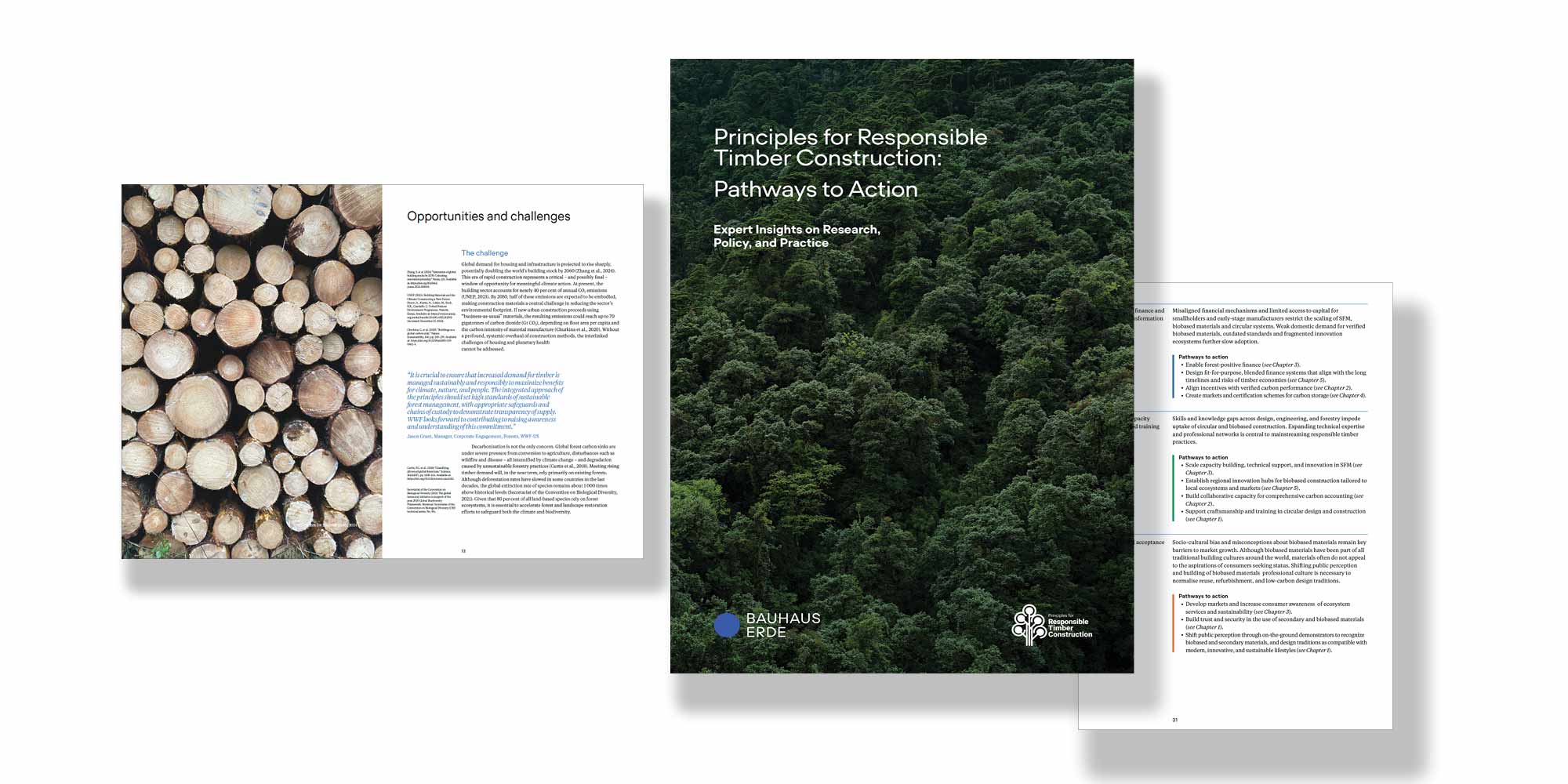
Credit: www.bauhauserde.org
Designing a corporate website means sharing the right amount of information while keeping the look clean. Balancing minimalism and information helps visitors find what they need quickly. It builds trust by showing professionalism and care. A website too full of details feels busy and confusing. Too little information feels empty and unhelpful. The goal is simple: give enough info without overwhelming users.
Organize content into small sections with clear headings. Use bullet points or numbered lists to break down complex ideas.
This approach helps users scan the page and find what matters fast.
White space is the empty area between elements. It makes the website feel open and easy to read.
Avoid crowding text or images. Space helps guide the eye and reduce stress. It also highlights key parts of the page.
Use a limited color palette and simple fonts. Keep button styles and icons uniform across the site.
| Design Element | Best Practice |
|---|---|
| Colors | Use 2-3 brand colors only |
| Fonts | Choose 1-2 easy-to-read fonts |
| Buttons | Keep size and shape consistent |
Consistency builds recognition and trust.
Use headings to show what is most important. Start with
for the main title, then
and
for subtopics.
This structure guides users smoothly through the content.
Images and icons should clarify, not clutter. Choose simple graphics that relate directly to the content.
Visuals make information easier to understand and remember.
Corporate Website Design Best Practices focus on creating sites that build trust and increase user interaction. A well-designed website helps companies connect with customers and present their brand clearly. Before & After: Corporate Website Redesign Case Studies show real examples of how changes improve user experience and business results.
TechCorp’s old website was cluttered and hard to navigate. Visitors left quickly due to confusing menus and too much text.
Results showed a 40% increase in visitor time and 25% more contact form submissions.
GreenBuild’s old site worked poorly on phones. Many visitors dropped off because pages loaded slowly.
The redesign led to a 50% rise in mobile users and a 30% boost in engagement.
FinancePlus wanted visitors to feel secure using their services. Their previous design looked outdated and generic.
| Aspect | Before Redesign | After Redesign |
|---|---|---|
| Visual Style | Old fonts, dull colors | Modern fonts, trustworthy blue tones |
| Content | Long paragraphs, no testimonials | Clear benefits, customer reviews |
| Navigation | Complex menus | Simple, easy-to-find links |
After redesign, FinancePlus saw a 35% rise in repeat visitors and higher trust scores.

Credit: www.wix.com

Credit: www.aihr.com
Key elements include a clean layout, intuitive navigation, clear branding, and fast loading times. These build trust and boost engagement effectively.
Professional design, transparent content, secure features, and customer testimonials create credibility. Trust encourages visitors to explore and convert.
Mobile responsiveness ensures your site works well on all devices. It improves user experience and boosts search engine rankings.
Use interactive elements, clear calls-to-action, personalized content, and easy navigation. These features keep visitors interested and encourage interaction.
Building trust and boosting engagement starts with clear, simple design. Use easy navigation and honest content to connect with visitors. Fast loading times keep users happy and reduce bounce rates. Show real testimonials and contact info to increase credibility. Always test your site on phones and tablets for best results.
Small changes can make a big difference in user experience. Keep your design clean and focused on what matters most. This helps visitors feel confident and stay longer on your site.







Leave A Reply Now