



Your homepage is the first impression visitors get of your website. If it looks cluttered or confusing, you risk losing potential customers right away.
But when your homepage is clean, professional, and easy to navigate, it instantly builds trust and encourages visitors to explore more. You might wonder how to create such a homepage without spending hours or hiring expensive designers. The good news is, you can design a professional homepage layout that stands out, guides your visitors, and highlights your key message—all by following a few simple, proven steps.
Keep reading to discover how to make your homepage work for you and turn casual visitors into loyal followers.
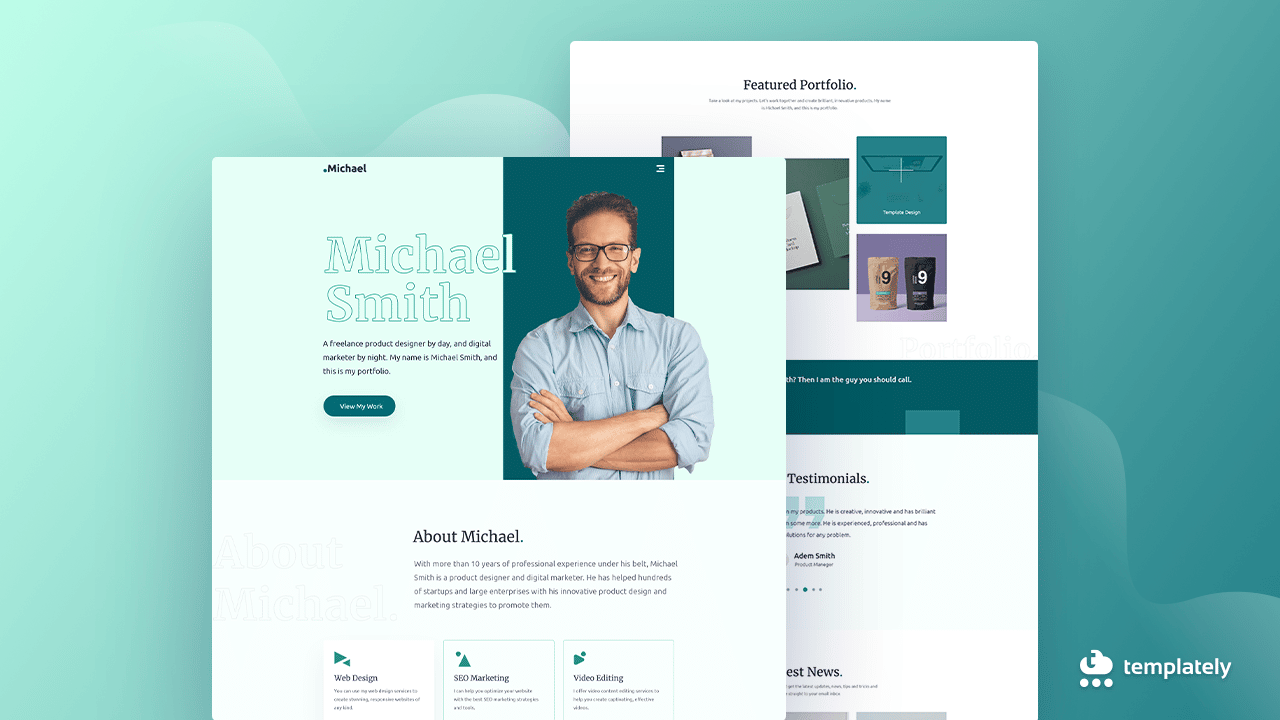
Credit: essential-addons.com
Creating a professional homepage starts with strong layout fundamentals. A well-planned layout guides visitors smoothly through your site. It highlights key information and creates a positive first impression. Understanding basic layout principles helps you design a homepage that looks clean and works well.
Grid systems organize your content into rows and columns. They keep elements aligned and balanced. Using grids makes your design neat and consistent. It helps users scan the page easily. Structure your homepage by placing content blocks within a clear grid. This approach saves time and improves user experience.
Visual hierarchy controls what visitors see first. Use size, color, and placement to highlight important items. Bigger and bolder elements attract attention. Headlines should stand out more than body text. Buttons and calls to action must be easy to find. Good hierarchy guides users to key actions and information.
Whitespace is the empty space around elements. It prevents your page from feeling crowded. Whitespace helps separate sections and improves readability. It creates a clean and calm look. Use whitespace to focus attention on important parts. A balanced amount of whitespace makes your homepage more inviting.

Credit: www.canva.com
Design elements shape the first impression of your homepage. They guide visitors and set the tone for your brand. Clear, simple design helps users find what they need quickly. Focus on three key areas to create a professional look: color schemes, typography, and images.
Choose colors that match your brand identity. Use a limited palette to keep the design clean. Contrast between background and text improves readability. Colors evoke emotions; pick ones that fit your message. Consistent colors build trust and make your site memorable.
Select fonts that are easy to read on all devices. Use one or two font families to avoid clutter. Headings should stand out but remain clear. Body text needs to be simple and legible. Proper spacing between lines and letters improves user experience.
Use high-quality images that support your content. Avoid generic stock photos; choose pictures that tell your story. Icons help break up text and guide visitors. Keep icons simple and uniform in style. Balance images and text to maintain a clean layout.
Setting up clear and simple navigation is key to a professional homepage layout. Visitors must find their way easily without confusion. Good navigation helps users explore your site and find important pages quickly. It also improves user experience and boosts your SEO rankings. Focus on menu placement, breadcrumb trails, and link visibility to make navigation work well.
Place the main menu where visitors expect it. The top of the page or just below the header works best. Keep the menu visible on all pages for easy access. Use horizontal menus for fewer options and vertical menus for many links. Ensure the menu is easy to read with enough space between items.
Breadcrumb trails show users their location on the website. They display a path from the homepage to the current page. Use breadcrumbs to help visitors backtrack without confusion. This also helps search engines understand your site’s structure. Place breadcrumbs near the top of the page, just below the menu or header.
Make links stand out with clear colors and styles. Use underlines or bold text to show clickable links. Avoid using too many colors that can confuse users. Keep link styles consistent across the site. Ensure links have enough contrast with the background for easy reading. This helps users recognize navigation points quickly.
Creating a strong content strategy is key to a professional homepage layout. It guides visitors and helps them understand your message quickly. Clear, focused content makes your site easy to navigate and encourages users to stay longer. A well-planned strategy highlights the most important parts of your business or service.
Organize content to match visitor needs. Use simple words and short sentences. Keep the content relevant and straightforward. This approach improves user experience and boosts search engine ranking.
Headlines are the first thing visitors see. Write headlines that grab attention and explain what the page offers. Use active verbs and clear language. Make headlines short but informative. They should create curiosity and invite users to read more.
Calls to action (CTAs) tell visitors what to do next. Use strong, direct phrases like “Get Started” or “Learn More.” Place CTAs in visible spots, such as near headlines or at the bottom of sections. Use contrasting colors to make CTAs stand out. Keep them simple and focused on one action at a time.
Engage users with interactive content or questions. Use images or videos to support text and keep interest high. Break text into small paragraphs for easy reading. Add testimonials or reviews to build trust. Use bullet points or lists for clarity. These techniques help visitors connect with your message and stay longer on your site.
Mobile optimization is essential for a professional homepage layout. Most users browse websites on smartphones or tablets. Your homepage must adapt smoothly to different screen sizes. A mobile-friendly design improves user experience and keeps visitors engaged longer.
Mobile optimization also affects search engine rankings. Google favors websites that work well on mobile devices. A fast and easy-to-navigate homepage builds trust and encourages users to explore your site further.
Responsive design ensures your homepage adjusts to any screen size. Use flexible grids and images that resize automatically. Avoid fixed-width layouts that break on small devices. Test your design on multiple devices to check consistency. Media queries help apply different styles for phones and tablets.
Buttons and links must be easy to tap on mobile screens. Use larger touch targets with enough space around them. Avoid placing clickable items too close together. Clear, simple navigation menus improve usability. Make sure forms are easy to fill out without zooming or scrolling.
Fast loading is critical for mobile users with slower connections. Compress images and use modern file formats like WebP. Minimize CSS and JavaScript files to reduce load times. Enable browser caching to speed up repeat visits. A quick homepage keeps visitors from leaving too soon.

Credit: www.youtube.com
Creating a professional homepage layout involves more than just design. Technical aspects play a crucial role in making your site effective and user-friendly. These elements ensure your homepage works well on different devices and ranks better in search engines. Focus on SEO, accessibility, and performance to build a solid foundation for your website.
Use clear and descriptive titles for each page. Include relevant keywords naturally in headings and text. Optimize meta descriptions to attract clicks from search results. Use alt text for images to improve search engine understanding. Structure content with proper HTML tags like H1, H2, and H3. Create a sitemap and submit it to search engines for better indexing. Ensure URLs are simple, readable, and include keywords. Avoid duplicate content to prevent ranking penalties.
Make your homepage usable for everyone, including people with disabilities. Use high contrast colors for text and backgrounds to enhance readability. Add keyboard navigation support for users who cannot use a mouse. Include descriptive alt text for all images to assist screen readers. Ensure all interactive elements have clear focus indicators. Use semantic HTML to help assistive technologies understand your content. Test your site with accessibility tools and fix any issues found.
Fast loading times keep visitors engaged and reduce bounce rates. Compress images to lower file sizes without losing quality. Minimize CSS and JavaScript files to speed up page rendering. Use browser caching to store static files locally on users’ devices. Choose a reliable web host with good uptime and server speed. Avoid too many third-party scripts that can slow down your site. Regularly test your homepage speed using tools like Google PageSpeed Insights.
Creating a professional homepage layout requires the right tools and resources. These tools simplify the design process. They help you build a site that looks good and works well. Using proper resources saves time and improves the final result.
Website builders offer easy ways to create a homepage. Tools like Wix, Squarespace, and WordPress are popular choices. They provide drag-and-drop features and customizable templates. These platforms require little to no coding skills. They also include hosting and domain options. Choose a builder that fits your needs and budget.
Templates speed up homepage design by providing ready-made layouts. Many website builders offer free and paid templates. Wireframes help plan the structure before design. Tools like Figma, Adobe XD, and Balsamiq are great for wireframing. Wireframes focus on layout and user flow without distractions. Start with wireframes to organize your content clearly.
Good design ideas come from exploring other websites. Platforms like Dribbble, Behance, and Awwwards showcase creative homepage designs. These sites help understand current trends and styles. Bookmark designs you like to guide your own project. Inspiration improves creativity and helps avoid common mistakes.
A professional homepage layout includes clear navigation, a strong headline, engaging visuals, and a clear call-to-action. It should be simple, easy to scan, and mobile-friendly to enhance user experience and keep visitors engaged.
To optimize for mobile, use a responsive design that adjusts to screen sizes. Keep content concise, use large clickable buttons, and ensure fast loading times. Mobile optimization improves accessibility and boosts SEO rankings.
A clear call-to-action (CTA) guides visitors towards desired actions like signing up or purchasing. It increases conversions by making the next step obvious, helping achieve business goals effectively.
Visual hierarchy is created by using size, color, and placement to prioritize content. Highlight key messages and CTAs to draw attention. This helps users navigate the page effortlessly and find important information quickly.
Creating a professional homepage layout starts with clear planning. Focus on simple design and easy navigation. Use images and text that speak to your audience. Make sure your site works well on phones and tablets. Keep calls to action visible and inviting.
Test your layout to find what works best. A clean, organized homepage builds trust and keeps visitors engaged. Small changes can improve user experience a lot. Keep learning and updating to stay relevant online.







Leave A Reply Now