



Are you looking to boost your business’s success? Understanding how operations, management, and customer experience work together can make all the difference.
When these three areas align, your customers feel valued, your team works smoothly, and your business grows faster. Imagine running a company where every process is clear, your management inspires action, and your customers keep coming back. This article will show you how to make that happen.
Keep reading to discover simple, practical steps you can take right now to improve your operations, sharpen your management skills, and create unforgettable customer experiences. Your business—and your customers—will thank you.
Order management systems (OMS) help businesses track and control their sales orders from start to finish. These systems play a key role in operations, management, and customer experience by keeping everything organized. An OMS connects different parts of the business, such as sales, inventory, and shipping. This connection helps companies deliver products faster and reduce mistakes. Understanding how an OMS works makes it easier to improve customer satisfaction and streamline operations.
An order management system is software that handles the process of receiving, tracking, and fulfilling customer orders. It ensures orders move smoothly through each step, from purchase to delivery. The system keeps all order information in one place, making it easy to access and update.
| Feature | Description | Benefit |
|---|---|---|
| Multi-Channel Support | Handles orders from websites, stores, and marketplaces. | Increases sales and reaches more customers. |
| Real-Time Inventory Tracking | Updates stock levels instantly. | Prevents stockouts and overselling. |
| Automated Order Routing | Directs orders to the right warehouse or supplier. | Speeds up order fulfillment. |
| Customer Notifications | Sends updates about order status. | Improves customer trust and experience. |
Order management systems help customers get their orders fast and correctly. The system reduces errors by automating tasks and keeping information up-to-date.
Handling orders manually or with poor systems causes problems. These can hurt operations and customer satisfaction.
Using an OMS solves these problems by making order processes clear and efficient.
Inventory control plays a vital role in operations and management. It affects customer experience directly. Managing stock smartly helps keep costs low and satisfy customers.
Good inventory control avoids too much or too little stock. This balance improves cash flow and reduces waste. It also ensures products are available when customers need them.
Track product demand carefully. Use sales data to predict how much stock is needed. Keep minimum and maximum stock levels for each item.
Adjust levels based on seasons or trends. This method prevents shortages and excess stock.
Use technology to simplify stock control. Inventory management software helps track real-time stock and sales. It reduces errors and saves time.
Look for features like:
Such tools keep stock organized and improve decision-making.
Arrange products for easy access. Use clear labels and sections. This speeds up picking and packing.
| Method | Benefit |
|---|---|
| FIFO (First In, First Out) | Ensures older stock sells first, reducing waste |
| LIFO (Last In, First Out) | Useful for non-perishable goods, easy to manage |
| ABC Analysis | Focuses on high-value items for better control |
Count stock regularly to match records. Use cycle counting for accuracy without full shutdowns.
This practice keeps inventory data reliable and prevents losses.
Choosing reliable delivery partners is a key part of operations, management, and customer experience. Delivery affects how customers see your brand. Fast and safe deliveries build trust and satisfaction. Poor delivery service can harm your reputation and sales.
Check delivery speed and accuracy. Reliable partners deliver on time and handle packages carefully.
Choose partners that cover your target areas well. Flexibility helps handle busy seasons and special requests.
Modern delivery partners use technology to improve service. Tracking tools let customers follow their orders.
| Feature | Benefit |
|---|---|
| Real-time tracking | Keeps customers informed and reduces calls. |
| Automated notifications | Alerts customers about status changes. |
| Mobile app integration | Allows easy management and updates. |
Balance delivery cost with service quality. Low prices matter, but poor service hurts the business.
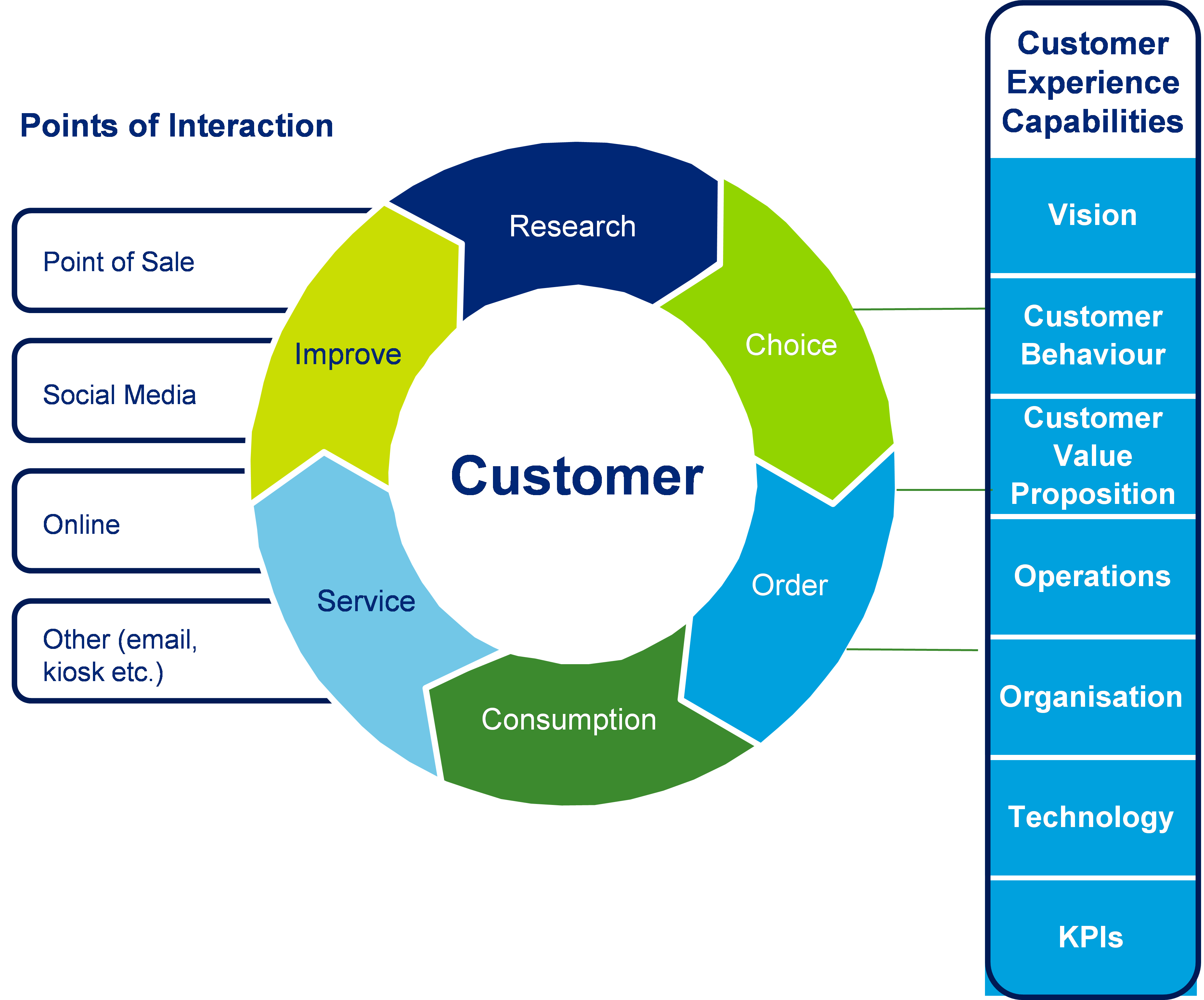
Credit: coolerinsights.com
Creating a smooth return and refund policy is key to good operations, management, and customer experience. It builds trust and keeps customers happy. A clear and simple policy helps avoid confusion and saves time for both the business and the customer. This section explains how to make a return and refund policy that works well for everyone.
State exactly which products can be returned and under what conditions. Include details like:
Clear rules prevent misunderstandings. Customers know what to expect and follow the process easily.
Simplify steps customers must take to return items. Use bullet points or a numbered list:
Speedy returns improve customer satisfaction. Customers feel valued and trust your brand more.
Explain the types of refunds offered. Common options include:
| Refund Type | Description | Typical Timeframe |
|---|---|---|
| Full Refund | Money returned to the original payment method | 3-7 business days |
| Store Credit | Credit given to use for future purchases | Immediate |
| Replacement | Item exchanged for the same or similar product | Varies by stock |
Transparency about refunds reduces disputes. Customers choose the best option easily.
Equip your team with clear instructions and friendly communication skills. Key points include:
Well-trained staff make the return process less stressful. Positive interactions encourage repeat business.
Building Customer Support Channels is a key step in improving operations, management, and customer experience. Offering multiple ways to connect helps customers feel valued and supported. Choosing the right channels ensures fast, clear communication and boosts satisfaction.
Chat support allows customers to get quick answers. It works well for simple questions and instant help.
Chat support keeps conversations short and effective. It also collects useful data about common issues.
Email provides a formal way to communicate. Customers can explain problems fully and attach files.
Emails allow clear, written communication that helps build trust and understanding.
WhatsApp combines chat and media sharing in one app. Many customers prefer it for ease and speed.
WhatsApp support feels personal and accessible. It works well for real-time problem solving.
Managing supplier relationships plays a key role in operations, management, and customer experience. Strong supplier partnerships help businesses get quality materials on time. This leads to smooth operations and happy customers.
Suppliers provide the goods and services needed to run a business. Knowing their role helps managers plan better. Suppliers impact product quality, cost, and delivery speed.
Clear communication builds trust and reduces errors. Use simple language and confirm details often. Regular updates keep both sides aligned.
Tracking performance helps spot issues early. Use key metrics to measure supplier success.
| Metric | What It Measures | Why It Matters |
|---|---|---|
| On-time delivery | Percentage of deliveries made on schedule | Ensures production stays on track |
| Quality rate | Number of products meeting standards | Maintains product reliability and customer trust |
| Cost compliance | Adherence to agreed pricing | Controls expenses and profit margins |
Long-term supplier relationships create stability. Trust grows with time and shared goals. Benefits include better prices and priority service.
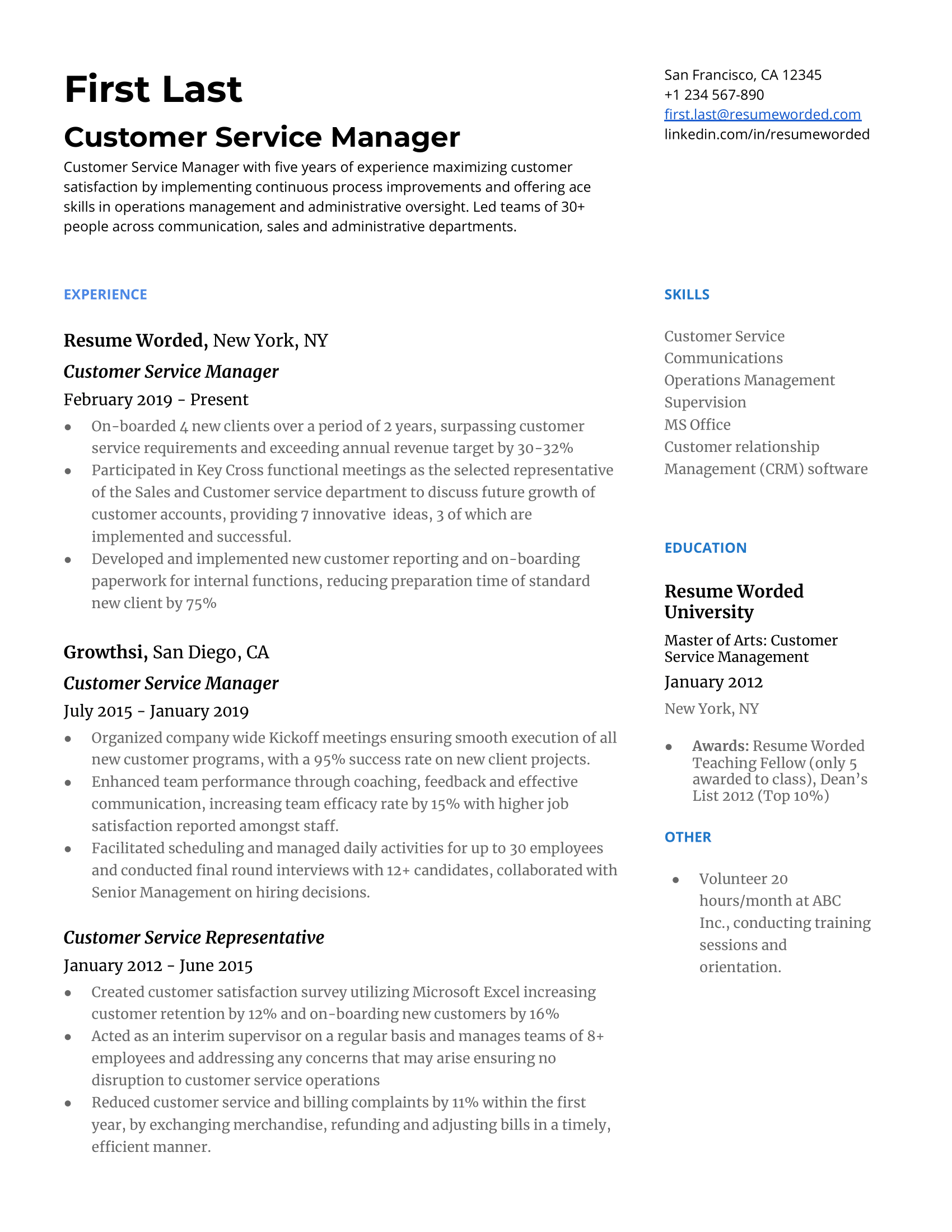
Handling customer complaints professionally is key to strong business operations and excellent customer experience. Complaints show where a company can improve. Treating them well builds trust and loyalty. Every complaint is a chance to fix problems and keep customers happy.
Listen carefully to the customer’s complaint. Let them explain without interruption. Ask questions to get clear details. This shows respect and helps find the real problem. Repeat the issue back to confirm you understand it correctly.
Reply to complaints as soon as possible. A fast response shows the company cares. Stay calm, even if the customer is upset. Use polite and friendly language. Avoid blaming or arguing. Focus on solving the problem together.
Give simple and clear solutions. Explain what you can do to fix the issue. If a refund or replacement is needed, say so clearly. Set a timeline for when the customer can expect the fix. Transparency builds confidence.
After solving the problem, check back with the customer. Make sure they are satisfied with the solution. This extra step shows commitment and care. It helps rebuild trust and encourages repeat business.
Teach employees how to handle complaints professionally. Role-play common scenarios. Emphasize listening, patience, and problem-solving skills. Well-trained staff create better customer experiences.
| Step | Action | Why It Matters |
|---|---|---|
| 1 | Listen carefully | Shows respect, identifies real issue |
| 2 | Respond quickly and calmly | Builds trust, calms upset customers |
| 3 | Offer clear solutions | Provides clarity, sets expectations |
| 4 | Follow up | Ensures satisfaction, rebuilds trust |
Credit: resumeworded.com
Using automation tools for order processing and customer support helps businesses work faster and smarter. Automation reduces manual tasks, cuts errors, and improves customer satisfaction. It frees up teams to focus on solving complex issues and creating better experiences. With the right tools, companies can handle more orders and support requests efficiently.
Automation in order management speeds up order processing and tracking. Systems can:
Benefits include:
| Benefit | Description |
|---|---|
| Faster Processing | Orders move through the system without delay. |
| Fewer Errors | Manual mistakes reduce with automated checks. |
| Better Inventory Control | Stock updates reflect instantly across platforms. |
Support automation includes chatbots, ticketing systems, and AI-powered FAQs. These tools:
Key advantages:
Select tools that fit business size and needs. Consider:
Test tools with a small team before full deployment. Training staff ensures smooth adoption and better results.
Setting up analytics dashboards like Google Analytics 4 (GA4) and Facebook Pixel is essential for tracking how users interact with your website and ads. These tools collect data that helps improve operations, management decisions, and customer experience. Proper setup ensures accurate insights and better marketing results.
GA4 is the latest version of Google Analytics. It tracks user behavior across websites and apps in one place. Unlike older versions, GA4 focuses on events instead of pageviews. This gives a clearer picture of user actions.
GA4 helps managers understand customer paths and improve website features.
Tip: Focus on metrics such as user engagement, bounce rate, and conversion events.
The Facebook Pixel is a small code placed on your website. It tracks user actions after clicking Facebook ads. This data helps optimize ads and measure their success.
Facebook Pixel supports better marketing strategies and customer understanding.
| Metric | GA4 | Facebook Pixel | Why It Matters |
|---|---|---|---|
| User Engagement | Sessions, engagement rate | Page views, time on site | Shows how users interact with content |
| Conversions | Purchase, form submissions | Leads, sales | Measures success of marketing goals |
| Audience Demographics | Age, gender, location | Custom audience data | Helps tailor messages and ads |
| Bounce Rate | Percentage of single-page sessions | Not directly tracked | Indicates website relevance |
Credit: www.resumebuilder.com
Maintaining a 5-star customer experience is key to business success. It builds trust and keeps customers coming back. Every interaction matters, from the first contact to after-sales support. A strong focus on quality, communication, and problem-solving can set a company apart. Below are simple steps to help maintain top ratings and happy customers.
Know exactly what your customers want. Listen carefully during conversations and gather feedback often. Use surveys, reviews, and direct questions to learn their preferences. Meeting these needs creates satisfaction and loyalty.
Equip your team with strong skills. Teach clear communication, patience, and product knowledge. Regular training keeps service consistent and professional. Happy employees often deliver better customer care.
Fast replies show customers you care. Set clear timelines for answering calls, emails, or messages. Solve problems efficiently without delays. Quick service reduces frustration and increases positive reviews.
Feedback is a powerful tool. Collect and analyze reviews and complaints regularly. Identify common issues and fix them promptly. Show customers their opinions matter by making visible changes.
A welcoming environment invites repeat visits. Smile, greet warmly, and stay polite at all times. Use positive language and show genuine interest in customers. Friendly service builds strong connections.
| Key Action | Benefit |
|---|---|
| Understand Customer Needs | Improves satisfaction and loyalty |
| Train Staff Thoroughly | Ensures consistent, quality service |
| Respond Quickly | Reduces customer frustration |
| Use Feedback | Enhances products and services |
| Create Friendly Atmosphere | Builds strong customer relationships |
Operations ensure smooth processes that directly impact customer satisfaction. Efficient operations reduce errors, speed delivery, and enhance service quality. This creates positive experiences and boosts customer loyalty.
Management sets strategies and policies that shape customer interactions. Good management fosters a customer-centric culture and motivates employees. This leads to consistent, high-quality service and improved customer trust.
Customer experience drives repeat business and referrals. Positive experiences increase customer retention and revenue growth. It also differentiates brands in competitive markets, making it essential for long-term success.
Streamlining workflows and reducing wait times improve service speed. Using technology enhances accuracy and communication. These operational improvements lead to happier customers and fewer complaints.
Strong operations and management help improve customer experience. Clear processes make work easier and faster. Happy customers return and tell others about the business. Good communication keeps teams aligned and focused on goals. Small changes can lead to big improvements in service.
Always listen to customer feedback and act on it. Success comes from balancing efficient work with caring for customers. This balance builds trust and loyalty over time. Keep refining your methods to meet customer needs better. A smooth operation supports a positive experience every day.







Leave A Reply Now