


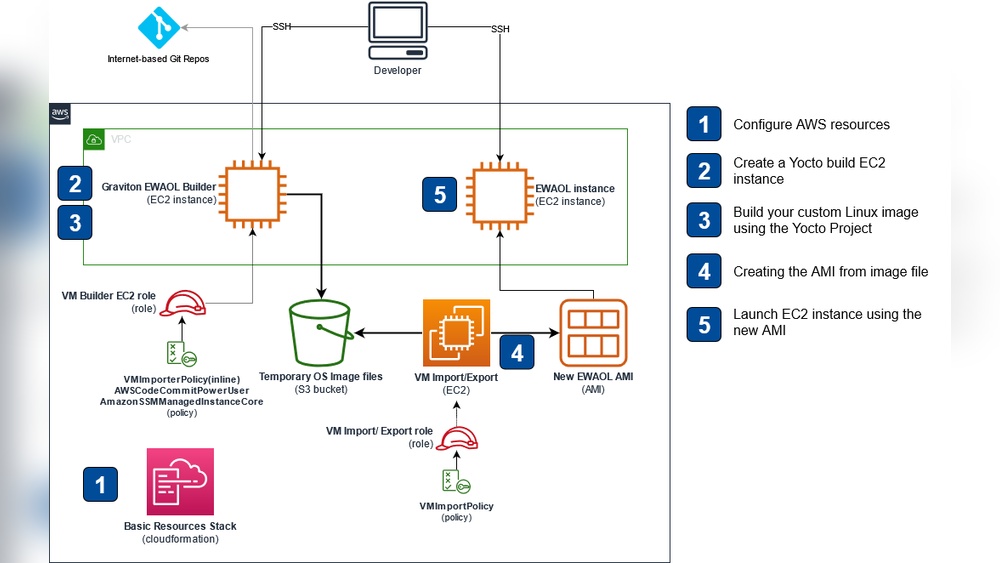
When you’re starting a custom project, building a solid system architecture can feel overwhelming. But here’s the truth: your architecture is the backbone of your entire project.
If you get it right from the start, everything else falls into place much easier. Imagine saving time, avoiding costly mistakes, and making your project scalable and easy to maintain. Sounds good, right? You’ll discover clear, practical steps to design system architecture tailored specifically to your project’s needs.
By the time you finish reading, you’ll have the confidence and knowledge to create a structure that supports your goals and grows with your vision. Ready to build a strong foundation? Let’s dive in.
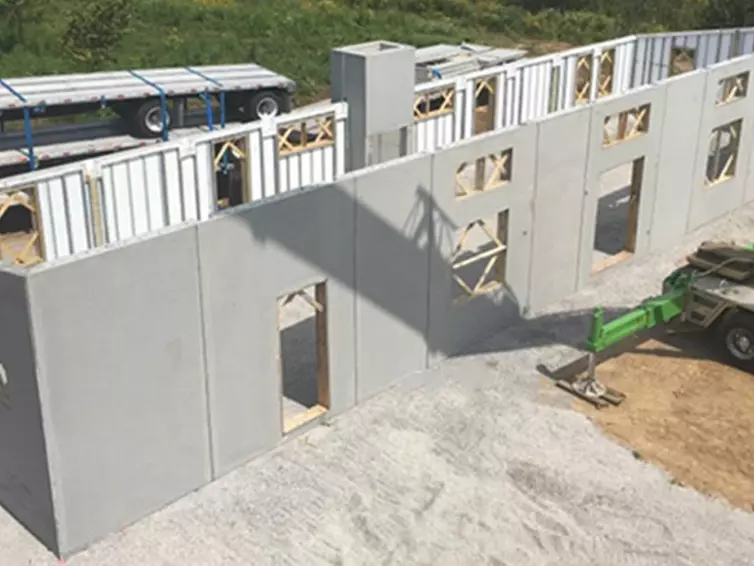
Credit: lbfoster.com
Understanding project requirements is the first step in building effective system architecture. Clear requirements guide the design process and ensure the final product meets user needs. This phase helps avoid costly changes later by setting a strong foundation.
Functional needs define what the system must do. List all features users expect. Talk to stakeholders and gather detailed input. Prioritize features based on importance and feasibility. Document these needs clearly for the development team.
Non-functional criteria describe how the system performs tasks. Consider factors like speed, security, and scalability. Define system availability and reliability goals. These criteria impact architecture choices and technology selection. They ensure the system works well under real conditions.
Define the smallest set of features needed for launch. Focus on core functions that solve key problems. This approach speeds development and reduces risk. Plan to add more features after initial release. MVP goals help keep the project on track and budget.
Building a strong system architecture is vital for any custom project. Core architecture concepts lay the foundation for a clear, maintainable, and scalable system. Understanding these basics helps you organize your work and avoid common design pitfalls. Let’s explore the essential ideas you need to start building your system architecture.
The high-level structure shows the overall shape of your system. It defines how major parts fit together and interact. This structure acts like a blueprint for your project, guiding development from start to finish.
Creating a clear high-level structure allows easy communication between team members. It also helps identify potential bottlenecks or integration challenges early on. Keep this structure simple but flexible enough for future changes.
Components are the building blocks of your system. Identifying them means breaking down the system into smaller, manageable pieces. Each component should have a clear purpose and responsibility.
Focus on defining components that are loosely coupled but highly cohesive. This means components work independently but handle related tasks internally. Well-defined components make testing, updating, and scaling easier.
Defining boundaries between services and modules controls how parts of the system interact. These boundaries prevent tight coupling and reduce complexity. They set clear interfaces for communication.
Choose boundaries based on functionality, data ownership, or team structure. Clear boundaries help manage dependencies and improve system reliability. They also support parallel development by different teams or developers.
Designing data models is a key step in building system architecture for custom projects. It shapes how data is stored, accessed, and managed. A well-designed data model improves system performance and scalability. It also makes future updates easier to handle.
Data modeling starts with understanding the types of data your project will use. Next, you organize this data logically. Proper design ensures accuracy and consistency throughout your system.
Entity-Relationship Diagrams (ERDs) visually represent data entities and their connections. They show how different parts of your data relate to each other. ERDs help simplify complex data structures into clear, understandable visuals. Use ERDs to identify entities like users, products, or orders. Then map relationships such as one-to-many or many-to-many. This step helps avoid data duplication and errors.
Database schema planning defines how data is stored in tables and columns. It converts your ERD into a physical structure ready for implementation. Plan your schema to support fast queries and data integrity. Choose appropriate data types for each column. Define primary keys to uniquely identify records. Set foreign keys to enforce relationships. This planning ensures your database runs efficiently.
Data flow mapping traces how data moves through your system. It shows inputs, processing steps, and outputs clearly. Use flow maps to spot bottlenecks or redundant processes. This visualization guides you to optimize data handling. It also helps communicate your design to developers and stakeholders. Mapping data flows supports smooth integration between system components.
Credit: www.thecattopia.com
Choosing the right architectural style sets the foundation for any custom project. It shapes how components interact and scale. The style impacts development speed, maintenance, and system reliability. Understanding different styles helps you pick the best fit for your project goals and team skills.
Monolithic architecture bundles all features into one codebase. It is simple to build and deploy. Good for small projects or startups with limited resources. Changes require rebuilding and redeploying the entire system.
Microservices split the system into small, independent services. Each service handles a specific function. This style supports scalability and easier updates. It needs more effort for communication and deployment management.
Layered architecture organizes the system into distinct layers. Common layers include presentation, business logic, and data access. This separation helps isolate changes and improve code clarity. It suits projects needing clear roles and responsibilities in the code.
Each layer communicates only with its adjacent layer. This reduces complexity and improves maintainability. It works well for applications with well-defined workflows and data processing steps.
Event-driven architecture uses events to trigger actions in the system. Components react to events asynchronously. This style supports flexibility and real-time processing. It fits systems needing high responsiveness or complex workflows.
Plugin systems allow adding new features without changing the core system. Plugins extend functionality dynamically. This approach supports customization and easy feature updates. It is ideal for systems that evolve or integrate third-party tools.
Creating architecture diagrams is a crucial step in building system architecture for custom projects. These diagrams visually represent the structure and components of a system. They help teams understand how parts connect and interact. Clear diagrams reduce misunderstandings and guide development effectively.
Several types of architecture diagrams exist. Component diagrams show system parts and relationships. Deployment diagrams illustrate hardware and software deployment. Sequence diagrams explain interactions over time. Choose the type that fits your project needs.
Use tools designed for easy diagram creation. Popular options include Microsoft Visio, draw.io, and Lucidchart. These tools offer templates and drag-and-drop features. They help create professional, clear diagrams quickly. Select tools that support collaboration for team input.
Keep diagrams simple and focused on key elements. Avoid clutter by limiting details to essentials. Use consistent shapes and symbols to represent components. Label all parts clearly with readable fonts. Use colors sparingly to highlight important areas.
Organize diagrams logically from left to right or top to bottom. Group related components together to show their connection. Use arrows to indicate data flow or dependencies. A clear layout helps viewers grasp the system quickly.
Creating architecture diagrams is an ongoing process. Start with a rough draft to capture ideas. Review the diagram with your team to gather feedback. Update the diagram to fix errors or add missing parts.
Repeat this cycle several times. Each version should improve clarity and accuracy. Keep the diagrams up to date as the project evolves. Iterative refinement ensures the diagram stays useful and relevant.
Managing dependencies is vital in building system architecture for custom projects. Dependencies link different parts of a system. Proper handling avoids errors and improves maintainability. Clear dependency management helps teams work smoothly and speeds up development.
Coupling shows how much one component depends on another. Low coupling means components work independently. This reduces problems when changing one part.
Cohesion describes how related tasks within a component are. High cohesion means a component focuses on a single task well. High cohesion and low coupling together make the system easier to update and test.
Version control tracks changes in code and dependencies. Use branching to separate features and fixes. This keeps the main code stable and safe.
Tagging versions helps identify stable releases. It supports rollback if new changes cause issues. Regular commits with clear messages improve team collaboration and history tracking.
Dependency injection means giving components their needed resources from outside. This reduces hard-coded dependencies inside components.
It allows easier testing by swapping real parts with mocks. It also supports better flexibility and reuse of components. Use frameworks or manual injection based on project size.
Implementation planning is a crucial step in building system architecture for custom projects. It sets the foundation for how the project will be developed, tested, and maintained. Clear planning reduces confusion and streamlines collaboration among team members. It also ensures that the architecture remains scalable and easy to update.
During implementation planning, decisions about code organization, version control, and testing strategies are made. These choices impact the efficiency of the development process and the quality of the final product. Proper planning helps avoid common pitfalls like messy codebases or integration issues.
Organize files logically to improve code readability and maintenance. Group related components, modules, and assets into separate folders. Use consistent naming conventions that describe the purpose of each file. Keep configuration files, libraries, and documentation in dedicated directories. A clear file structure saves time and reduces errors during development.
Choose a branching model that suits your team and project needs. Common models include Git Flow, feature branching, and trunk-based development. Each model controls how code changes are integrated and reviewed. Branching helps manage parallel work without conflicts. Establish rules for merging and resolving conflicts early in the project.
Plan continuous integration to automate building and testing code frequently. Use automated tests to catch bugs early and ensure code quality. Decide on testing levels like unit, integration, and system tests. Integration testing verifies that different modules work together. Regular testing reduces risks and speeds up delivery.
Credit: www.jaxdailyrecord.com
Scaling and maintenance are key to long-term success in custom projects. Proper system architecture must support growth and easy upkeep. Systems should handle more users and data without losing speed. Maintenance should be simple to reduce downtime and bugs. This section explains core ideas for scaling and maintaining your system effectively.
Fast systems improve user experience and reduce costs. Optimize performance by using caching to store frequent data. Load balancing helps spread requests evenly across servers. Use asynchronous processing to handle tasks without delay. Minimize database queries and optimize indexes. These steps keep your system responsive during growth.
Design your system to add new features easily. Use modular components that work independently. Clear interfaces allow parts to connect without tight coupling. Plan for future changes by using flexible data models. Extensible systems save time and money when adding updates or fixing issues.
Regular monitoring detects problems early. Use tools to track system health and performance. Set alerts for unusual activity or failures. Update software regularly to fix bugs and improve security. Automate deployment to reduce errors and downtime. Proper monitoring and updates keep your system stable and secure.
System architecture defines the overall structure and organization of a software system. It outlines components, their interactions, and technology choices. This blueprint guides development and ensures project goals are met efficiently.
Begin by gathering clear requirements and understanding project goals. Identify key components and data flow. Then, design high-level diagrams to visualize structure before detailed implementation.
Diagrams provide a visual representation of system components and their relationships. They simplify complex ideas, improve communication, and help detect design flaws early.
Popular patterns include layered, microservices, event-driven, and client-server architectures. Choose based on project size, scalability needs, and team expertise.
Building system architecture for custom projects takes clear planning and smart design. Focus on breaking down the system into simple parts. Keep components organized and easy to manage. Use diagrams to visualize how pieces connect and work together. Pay attention to scalability and future changes.
Test your design often to find and fix issues early. Clear, simple architecture helps teams work better and saves time. A strong foundation leads to successful, maintainable software projects. Keep learning and improving your approach with each new project.







Leave A Reply Now