



You want your corporate website to do more than just look good—it should work smarter for your business. Imagine having all your customer data, inquiries, and interactions flowing directly into one place, ready for you to act on instantly.
Integrating a CRM (Customer Relationship Management) system with your website makes this possible. It’s not just about collecting information; it’s about transforming how you engage with visitors, nurture leads, and grow your business. You’ll discover simple steps to seamlessly connect your CRM with your corporate website, so you can save time, boost sales, and provide an exceptional experience for every visitor.
Ready to turn your website into a powerful business tool? Let’s dive in.
Integrating a CRM system with your corporate website offers many benefits. It creates a seamless connection between your online presence and customer management tools. This integration helps businesses work smarter and serve customers better. Understanding these benefits shows why CRM integration is vital for growth.
CRM integration helps track every customer interaction on your website. It stores valuable information that allows personalized communication. Customers receive timely responses and relevant offers. This tailored approach makes customers feel valued and understood. Engaged customers are more likely to return and recommend your business.
Connecting your CRM with your website automates many sales tasks. Leads from contact forms go directly into the CRM system. Sales teams get instant notifications about new prospects. This reduces manual data entry and speeds up follow-up actions. A faster sales process improves closing rates and saves time.
Data flows automatically between your website and CRM system. This reduces errors caused by manual input. Up-to-date information is always available for decision-making. Accurate data improves reporting and helps identify customer needs. It builds trust in your data and supports better business strategies.
CRM integration allows better tracking of marketing campaigns. You can see which website visitors respond to specific offers. Marketers use this data to create targeted campaigns. It increases the chances of converting visitors into customers. Focused marketing reduces waste and maximizes return on investment.

Credit: www.customerization.ca
Choosing the right CRM is crucial for smooth integration with your corporate website. The right system fits your business needs and grows with you. It helps manage customer data and improves sales and marketing efforts. This section guides you through key points to consider when selecting a CRM.
Start by listing your main business goals. Consider how your website collects and uses customer data. Identify tasks that slow down your team. Think about features that will improve customer experience. Look for tools that simplify communication and reporting. The CRM should solve your current problems and support future growth.
Many CRM systems suit different businesses. Salesforce is popular for large companies. HubSpot offers easy-to-use tools for small to mid-size firms. Zoho CRM provides affordable options with many features. Pipedrive focuses on sales pipeline management. Research each option’s strengths and weaknesses. Choose one that matches your industry and workflow.
Your CRM must adapt to your unique processes. Check if the system allows custom fields and workflows. Can it integrate with other tools you use? Scalability matters as your business grows. The CRM should handle more users and data without issues. A flexible system saves time and prevents costly changes later.
Set a clear budget for CRM software and integration. Consider initial costs and ongoing fees. Some CRMs charge per user, others have flat rates. Factor in costs for training and support. Balance features with price to get the best value. Avoid paying for tools you won’t use.
Preparing your website is the first step to a successful CRM integration. This stage ensures your site supports the CRM tools and functions smoothly. A well-prepared website collects customer data efficiently. It offers a better user experience and supports your sales and marketing goals.
Start by identifying your website platform. Common platforms include WordPress, Wix, and Shopify. Check if your platform supports CRM plugins or direct integration. Some platforms have built-in CRM connectors. Knowing your platform helps choose the right integration method. This saves time and avoids technical issues later.
Check if your CRM software is compatible with your website platform. Review the CRM’s system requirements and integration options. Confirm your website hosting supports these features. Compatibility prevents data loss and syncing errors. It also reduces website downtime during setup.
Web forms are key to collecting customer data for your CRM. Create forms that match your CRM’s data fields. Use simple forms with clear labels to increase submissions. Embed forms directly on your website pages. Test the forms to ensure data flows correctly to the CRM.
Protecting customer data is essential. Use SSL certificates to secure your website. Encrypt form submissions to prevent data theft. Follow privacy laws like GDPR or CCPA. Inform users about data usage in your privacy policy. Regularly update your site and CRM software for security patches.
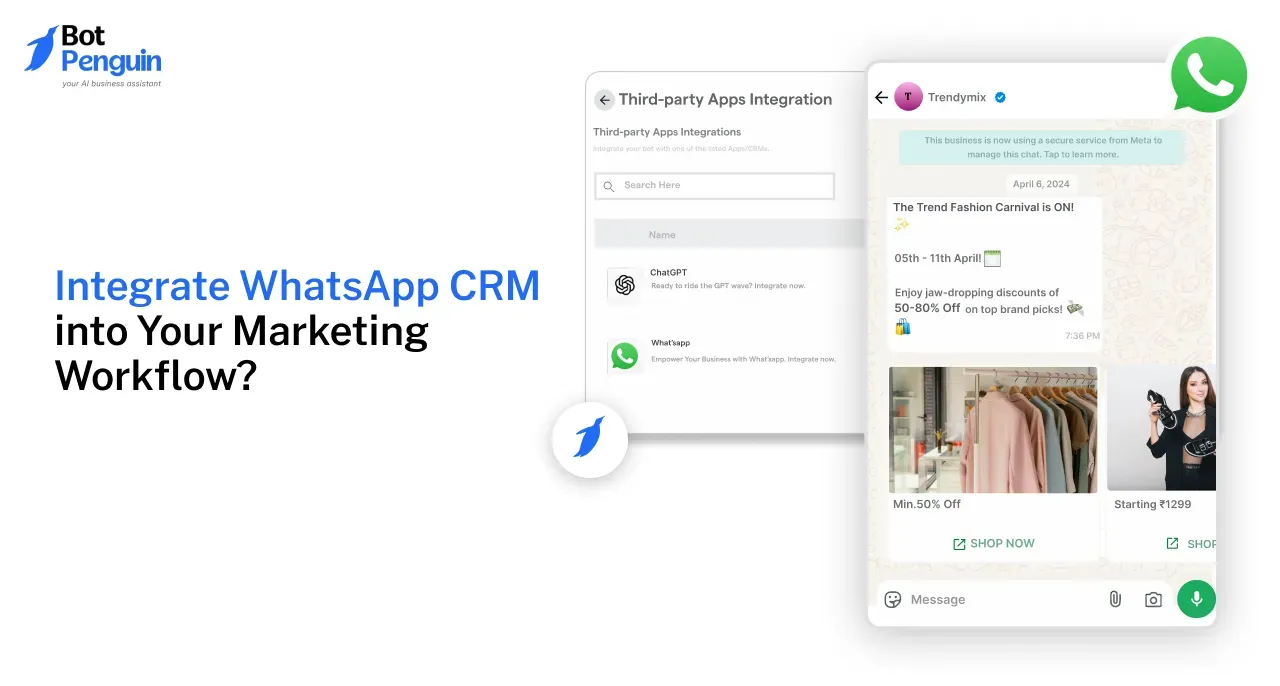
Credit: botpenguin.com
Integrating a CRM with your corporate website improves customer management and boosts sales efficiency. Choosing the right integration method depends on your business needs and technical skills. Here are common ways to connect your CRM to your website.
Many CRM platforms offer built-in integrations for popular website builders. These native tools allow easy setup without coding. Simply connect your CRM to your website using the provided options. This method is fast and user-friendly. It suits small businesses with limited technical resources.
APIs let your website and CRM share data in real time. This method requires programming skills but offers great flexibility. You can customize data flow according to your exact needs. API integration works well for complex systems and large businesses. It ensures smooth and efficient communication between platforms.
Connector tools act as bridges between your website and CRM. These middleware solutions simplify integration without deep coding. Popular connectors support many CRM and website platforms. They automate data syncing and reduce manual work. This method saves time and lowers technical barriers.
Custom development builds a unique integration tailored to your business. Developers create code to connect your CRM and website perfectly. This approach fits companies with special requirements. It demands more time and budget but delivers full control. Custom solutions ensure your systems work exactly as needed.
Integrating a CRM with your corporate website improves customer management and boosts sales efficiency. The process involves clear steps to connect your website forms, map data correctly, and ensure smooth data flow into your CRM system. Follow this simple guide to complete the integration successfully.
Start by linking your website’s contact or lead forms to the CRM. Use built-in CRM connectors or third-party tools like Zapier. This connection allows form submissions to transfer instantly to your CRM database. Choose the forms that collect customer information and set up the integration through your CRM’s settings or API.
Match each form field with the corresponding field in your CRM. For example, map the “Name” field on your form to the “Contact Name” field in your CRM. Accurate mapping ensures data goes to the right place and avoids confusion. Review all fields such as email, phone number, and messages before saving the settings.
Submit test entries through your website forms to check if data reaches the CRM correctly. Confirm that all fields show the right information and appear in your CRM dashboard. Testing helps catch errors early and guarantees the integration works as expected before going live.
If data does not appear in your CRM, check your API keys and connection settings. Make sure your CRM and website use compatible formats for data transfer. Clear browser cache and update plugins if forms do not submit properly. Contact CRM support if problems persist after these steps.
Credit: www.townsquareinteractive.com
Automation and workflow setup are essential to connect your CRM with your corporate website. Automation saves time by handling routine tasks. Workflows guide the process, making sure no steps are missed. Together, they improve efficiency and customer experience.
Lead capture automation collects visitor information from your website forms. It sends the data directly into your CRM. This process removes manual entry and reduces errors. Every lead is stored securely and ready for follow-up.
Set up automatic follow-ups based on user actions. For example, send emails after a form submission or a product inquiry. Automated triggers keep your communication timely and relevant. This helps maintain interest and speeds up sales.
Marketing campaigns should sync with your CRM workflows. This keeps contact lists updated and tracks campaign responses. Syncing allows personalized messages based on customer data. Your marketing becomes more targeted and effective.
Use CRM reports to track workflow performance. Analytics show which automation steps work well and which need improvement. Regular review helps optimize your processes. Clear data insights support better business decisions.
Maintaining and optimizing your CRM integration with your corporate website keeps your system running smoothly. It ensures data stays accurate and processes stay efficient. Regular attention avoids disruptions and improves user experience. Follow key practices to maintain and optimize your CRM integration.
Check your CRM data often to find errors or duplicates. Clean data improves communication and reporting accuracy. Set a schedule to review data quality regularly. Remove outdated or incorrect entries to keep your CRM reliable. Good data helps your team make better decisions.
Review integration settings to match your current business needs. Adjust workflows and automation rules as your processes change. Ensure data fields between your website and CRM align correctly. Small changes in settings can boost efficiency and prevent errors. Stay proactive to keep the integration relevant and useful.
CRM and website platforms release updates frequently. Test updates in a safe environment before applying them live. Updates may affect integration functions or create bugs. Coordinate with your IT team to manage updates smoothly. Keep both systems compatible to avoid downtime.
Ask your team and users about their experience with the integration. Feedback reveals problems and improvement ideas you might miss. Use surveys or meetings to collect honest input. Act on feedback to enhance workflows and user satisfaction. Engaged users help maintain a strong integration.
Integrating a CRM with your corporate website brings many benefits but also some common challenges. Knowing these issues early helps you prepare better solutions. Tackling these problems ensures smooth data flow and enhances user experience. Let’s explore the typical challenges and practical fixes.
Data duplication can cause confusion and reduce CRM efficiency. Duplicate records waste storage and make reporting inaccurate. To avoid this, use tools that check for existing contacts before adding new ones. Set clear rules for data entry and automate deduplication processes. Regularly clean your CRM database to maintain accuracy.
Integration failures stop data from syncing correctly between your website and CRM. These failures may happen due to incompatible software or poor setup. Test the connection thoroughly before going live. Choose CRM software that supports your website platform. Monitor the integration regularly to catch errors early and fix them fast.
Security is critical when connecting your website to a CRM system. Customer data must stay safe from breaches or leaks. Use encrypted connections like HTTPS and secure API keys. Limit access to sensitive data and keep software updated. Train your team on security best practices to avoid accidental risks.
Not all users need the same level of access to CRM data. Managing user roles helps protect information and reduces mistakes. Assign permissions based on job roles and responsibilities. Use authentication methods such as two-factor authentication for added security. Review user access regularly and update it as roles change.
CRM integration connects your website with customer management software. It syncs data, improves lead tracking, and streamlines customer interactions for better business insights.
CRM centralizes lead information from your website. It automates follow-ups, tracks interactions, and helps convert visitors into loyal customers efficiently.
Popular methods include API integration, using plugins, or connector software like Zapier. These ensure real-time data syncing and seamless workflow automation.
Yes, it personalizes interactions by using customer data. This leads to faster responses, tailored content, and improved overall satisfaction.
Integrating a CRM with your corporate website improves customer management. It helps track leads and simplifies communication. Your sales and marketing teams gain quick access to important data. This connection also boosts your website’s efficiency and user experience. Choose tools that fit your business needs and goals.
Test the integration carefully to avoid errors. Regular updates keep the system running smoothly. Start with simple steps, then expand as you grow. A well-integrated CRM supports better decisions and stronger customer relationships.







Leave A Reply Now