


Creating technical documentation that anyone can understand might seem challenging. But what if you could make your manuals, guides, or instructions clear and straightforward, so your readers never feel lost or frustrated?
Whether you’re writing for beginners or experts, the key is to focus on simplicity and clarity. In this post, you’ll discover how to organize your information, choose the right words, and use visuals that truly help your audience. By the end, you’ll have the tools to create easy-to-understand technical documentation that keeps your readers engaged and confident.
Ready to make your documentation work for everyone? Let’s dive in!
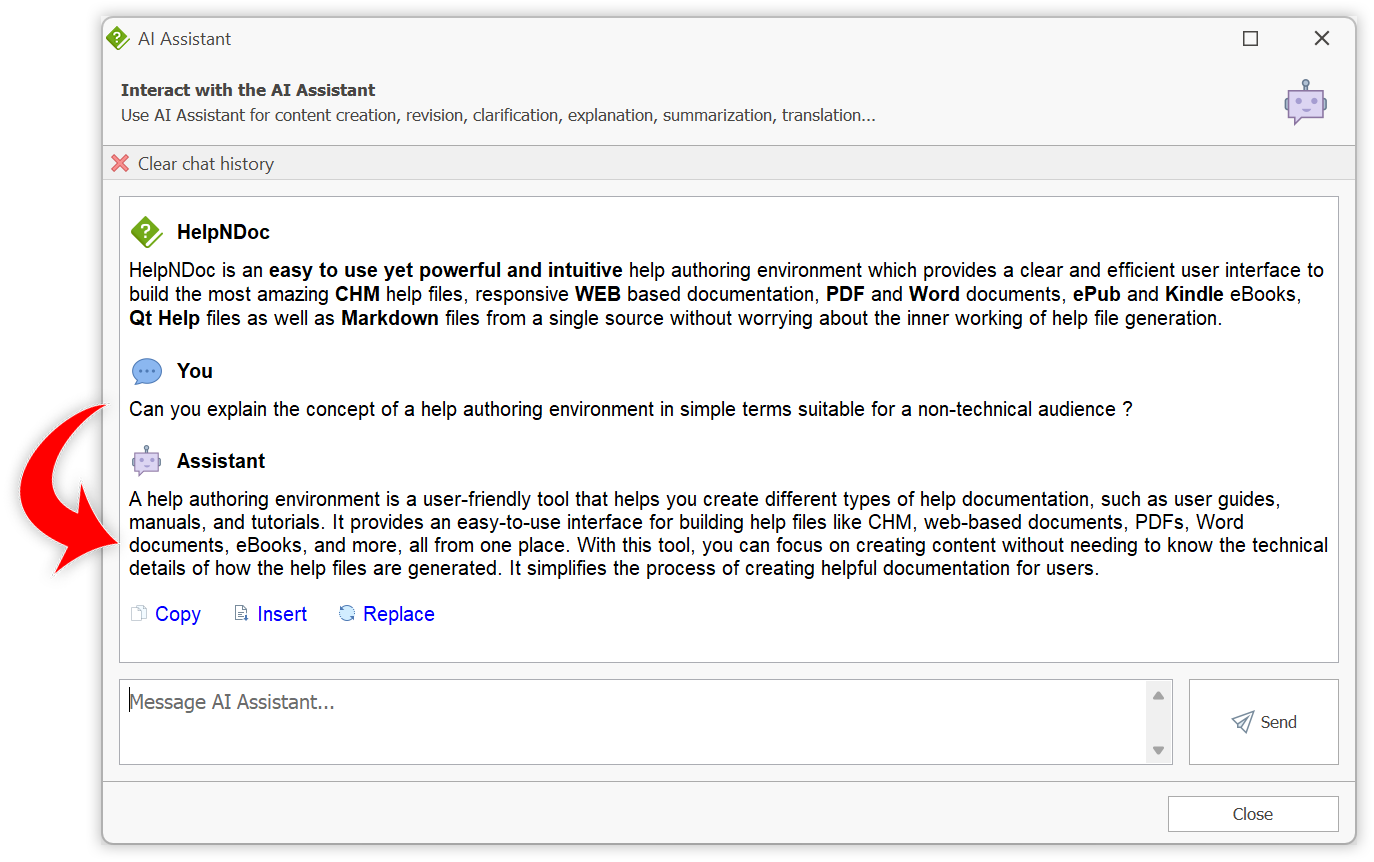
Credit: www.helpndoc.com
Understanding who will read your technical documentation is crucial for success. Knowing your audience helps you choose the right words and structure. It also guides how much detail to include. Clear, simple language connects better with users. Keep readers’ needs and skills in mind from the start.
First, list the different types of users. Beginners need basic explanations and step-by-step guides. Experts prefer quick access to advanced information. Some users may be managers or non-technical staff. Each group has unique goals and knowledge levels. Identify these groups to create relevant content. Avoid one-size-fits-all writing. Tailor your message to each user type.
Adjust your language to match user skills. Use simple terms for beginners. Avoid jargon or explain it clearly. For advanced users, include detailed technical data. Use diagrams and examples to clarify complex ideas. Break down information into small, easy steps. This prevents confusion and frustration. Make your document friendly for all readers. Clear, concise writing improves understanding and usability.
Researching the topic is the first step in creating clear technical documentation. It helps you understand the subject deeply. Accurate knowledge ensures your readers get the right information. Good research builds trust and reduces confusion.
Collect data from reliable sources like manuals, websites, and expert interviews. Write down important points and examples. Use simple language to explain complex ideas. Organize facts logically to make writing easier later. Detailed notes help you cover every key aspect without guessing.
Check all facts and figures carefully. Confirm details with technical experts or official references. Avoid assumptions or outdated information. Correct accuracy prevents mistakes that could frustrate users. Review your research multiple times to ensure reliability. Accurate content is the foundation of useful documentation.
Defining the scope and goals is the first step in creating clear technical documentation. It sets the foundation for all writing and ensures the content meets user needs. Without a defined scope, documents can become confusing and unfocused.
Clear scope and goals help writers stay on track. They also guide readers to find the right information quickly. This section explains how to set objectives and establish document boundaries.
Start by deciding what the document should achieve. Objectives clarify the purpose of the content. They answer questions like: What problem does this document solve? Who will use it? What should readers learn or do after reading?
Clear objectives keep the writing focused. They help avoid unnecessary details and keep the content relevant. Write objectives in simple language and review them with your team for agreement.
Boundaries define what the document will cover and what it won’t. This helps manage the content size and scope. Boundaries prevent overlap with other documents and reduce confusion for readers.
Identify key topics to include and exclude. Set limits on technical depth and audience knowledge level. Boundaries ensure the document stays manageable and easy to follow.

Credit: lawvu.com
Planning the structure of your technical document lays a strong foundation. A clear structure guides readers through complex information step by step. It helps users find what they need quickly. Organizing your content before writing saves time and reduces confusion. Follow these steps to design a logical and easy-to-navigate document.
Start with a simple outline to map your document’s flow. List the main topics and key points to cover. Keep the outline flexible to adjust as you write. An outline helps maintain focus on essential information. It also shows gaps or overlaps early in the process.
Use clear headings to break down content into manageable parts. Headings show the hierarchy of information. Main headings cover broad topics, while subheadings dive into details. Consistent heading styles improve readability and scanning. Avoid too many levels; two or three are usually enough.
Create a table of contents that matches your headings and subheadings exactly. Use HTML syntax for proper formatting and accessibility:
Each heading should have a unique ID for linking in the table of contents. A well-designed table of contents helps users jump directly to sections. It also gives a quick overview of the document’s scope.
Using simple language is key to making technical documentation clear and helpful. It helps readers understand complex ideas without confusion. Writing in plain words makes your content accessible to more people.
Simple language reduces mistakes and speeds up learning. It keeps readers focused on the information, not on deciphering difficult words. This approach improves user experience and satisfaction.
Jargon can confuse readers who do not know specialized terms. Use common words instead of technical slang. If you must use jargon, limit it to essential places only.
Choose words that a beginner can understand. This avoids frustration and keeps readers engaged. Clear writing means fewer questions and less need for extra help.
Some technical terms are necessary and cannot be replaced. Always define these terms the first time they appear. Use simple explanations or examples to clarify their meaning.
Adding a glossary section can help readers find definitions easily. This ensures everyone, even beginners, can follow along without feeling lost.
Short sentences are easier to read and remember. Avoid long, complex sentences that may overwhelm readers. Focus on one idea per sentence for clarity.
Use active voice and clear verbs. This style makes your text more direct and lively. Concise sentences improve flow and help maintain reader interest.
Visuals make technical documentation easier to follow. They break down complex ideas into simple images. Readers understand faster and remember better with visuals. Use different types of visuals to support your text. Choose images that clearly explain your points. This helps users grasp the information quickly without confusion.
Screenshots show exactly what users should see on their screen. They guide users step-by-step through software or tools. Diagrams explain parts of a system or how things connect. Use clear labels and arrows to point out details. Keep screenshots and diagrams clean and focused. Avoid clutter to maintain clarity.
Draw attention to important parts in your visuals. Use colors, bold borders, or arrows to highlight these areas. This helps readers focus on what matters most. Highlight buttons, options, or settings users need to notice. Make sure highlights stand out but do not distract.
Flowcharts show processes in a clear, logical order. They break down tasks step-by-step using shapes and arrows. Use simple shapes like rectangles for steps and diamonds for decisions. Label each step with short, clear text. Flowcharts help users see the whole process at a glance. This reduces confusion and errors.
Providing clear examples in technical documentation helps readers understand concepts easily. Examples show how to apply instructions in real situations. They reduce confusion and improve learning speed.
Clear examples break down complex ideas into simple parts. This approach helps non-native English speakers follow along without difficulty. Examples make the documentation practical and useful.
Code snippets show exact commands or scripts users need to run. They act as ready-made solutions readers can copy and test. Format code in a separate block with proper indentation.
Use syntax highlighting to make code easier to read. Label snippets clearly with comments or headings. Keep code short and focused on one task at a time.
Sample values give context to variables or inputs in examples. They help readers visualize what kind of data to use. Use realistic and simple values to avoid confusion.
Show inputs and expected outputs side by side. This makes the process transparent and easy to verify. Avoid abstract or overly technical examples that may confuse beginners.
Step-by-step instructions guide readers through processes clearly and logically. Number each step and keep sentences short. Each step should focus on one action only.
Use active voice and direct commands to make instructions clear. Include screenshots or diagrams if possible to support the text. Test the steps yourself to ensure accuracy and completeness.
Writing technical documentation means focusing on the reader’s needs. Clear communication helps users complete tasks without confusion. The reader should find the content simple and helpful. Writing with the reader in mind improves understanding and reduces support requests.
Talk directly to the reader by using “you.” This approach creates a personal connection. It makes instructions easier to follow. For example, say “You need to click the button” instead of “The button should be clicked.” Direct address guides readers step by step.
Break down tasks into clear, simple steps. Each step should tell the reader exactly what to do. Avoid vague language or long explanations. Short sentences with commands like “Click,” “Enter,” or “Select” work best. Actionable steps help readers complete tasks quickly and confidently.
Think about what questions readers might have. Include answers before users ask them. Use FAQs, tips, or warnings to address common problems. This reduces confusion and frustration. Well-anticipated questions make the documentation more helpful and complete.
Testing documentation is a vital step in making technical content clear and useful. It ensures readers can follow instructions without confusion. Testing helps find gaps and improve the overall quality. This process involves collecting user feedback, spotting unclear parts, and updating the content.
Ask real users to read the documentation. Observe their reactions and questions. Use surveys or direct interviews to collect opinions. Focus on their ease of understanding. Note any difficulties or errors they find.
Review feedback carefully. Highlight sentences or paragraphs that confuse users. Look for missing information or complex terms. Check if visuals and examples support the text well. Mark all areas needing improvement.
Rewrite unclear sections using simple words. Break long sentences into shorter ones. Add helpful images or diagrams where needed. Remove any jargon that users struggled with. Test the updated version again with users for better clarity.
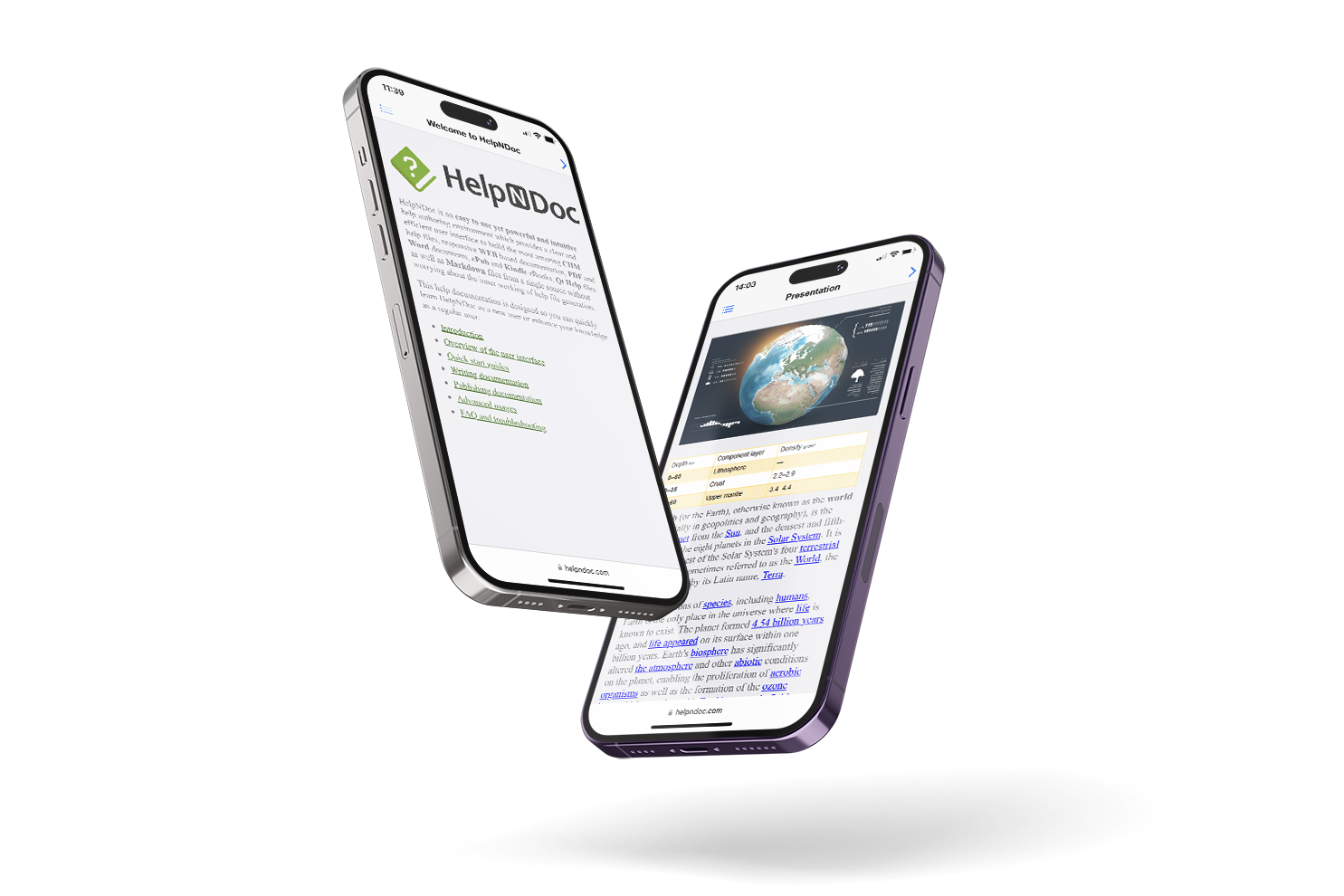
Credit: www.helpndoc.com
Publishing and sharing technical documentation is a vital step to ensure users find and use your content easily. The right platform and promotion strategy help your documentation reach the intended audience. Clear and accessible sharing increases user satisfaction and reduces support questions.
Select platforms that your audience uses often. Web-based platforms work well for easy access anytime. Consider using content management systems that support search and navigation. Mobile-friendly platforms help users read on phones or tablets. Avoid complex setups that slow down access or limit reach.
Share your documentation where your users gather. Use emails, newsletters, or social media groups relevant to your field. Highlight key updates or new guides to attract attention. Encourage feedback to improve your content. Clear promotion guides users directly to the information they need.
Maintaining and updating technical documentation is crucial for keeping it accurate and useful. Outdated information can confuse users and reduce trust. Regular upkeep ensures the content stays relevant as products and technologies evolve.
Continuous maintenance improves user experience and reduces support requests. It also helps your documentation rank better in search engines. A clear plan for updates makes the process smoother and more efficient.
Set fixed intervals to review your documentation. Monthly or quarterly reviews work well for most projects. Mark these dates on your calendar to stay consistent. During reviews, check if the content matches the current product features. Update sections that no longer apply or add new information as needed. Regular checks prevent the buildup of outdated content.
User feedback is valuable for improving documentation. Collect comments through surveys, emails, or feedback forms. Analyze common questions or issues users face. Use this insight to clarify confusing parts or add missing details. Responding to feedback shows users you care about their experience. It also helps you create clearer and more helpful guides.
Errors in documentation harm credibility. Correct typos, broken links, and technical mistakes promptly. Keep technical terms and instructions accurate and simple. Update screenshots, diagrams, and examples to reflect the latest version. Make sure all steps are easy to follow and test them regularly. Accurate content builds user confidence and reduces frustration.
The four C’s of documentation are Capture, Categorize, Control, and Convey. They guide effective document management. Capture collects information, Categorize organizes it, Control manages versions, and Convey shares clear, accessible content.
Create technical documentation in 8 steps: research the topic, define audience, set goals, outline structure, write clearly, add visuals, review feedback, and update regularly.
Research the topic and define your audience. Outline the structure with clear headings. Write concise, simple content and add visuals. Include examples and test the documentation. Gather feedback, publish, and update regularly to keep it accurate and useful.
Understand your audience and research the topic thoroughly. Plan a clear, logical structure with headings. Write concise, simple language and use visuals. Include examples to clarify concepts. Test the documentation, gather feedback, and update regularly to maintain accuracy and relevance.
Creating easy-to-understand technical documentation takes clear steps. Know your audience well and plan your content. Use simple words and short sentences to explain ideas. Add visuals to help readers grasp complex information quickly. Always review and update your documents regularly.
This keeps your information accurate and useful. Good technical writing makes tasks easier for everyone. Keep practicing these tips to improve your skills. Clear documentation saves time and reduces confusion. You can write effective guides anyone can follow.







Leave A Reply Now