



You’ve got a great idea for your product, but how do you know if it will truly work for your users before you spend time and money building it? Testing your UX before development starts is the secret to avoiding costly mistakes and creating something your audience loves.
Imagine catching problems early, making smarter design choices, and saving weeks of rework. You’ll learn simple, effective ways to test your user experience early on—so you can move forward with confidence and build something that really clicks with your users.
Ready to unlock the power of pre-development UX testing? Let’s dive in.
Testing user experience (UX) early brings many advantages. It helps find problems before coding starts. This saves time and effort later. Early UX testing guides design choices. It ensures the product meets user needs. Teams can make better decisions with real user feedback. The result is a smoother process and a better final product.
Fixing UX problems after development costs a lot. Changes can delay the project and increase budgets. Early testing reveals issues in wireframes or prototypes. Teams can adjust designs quickly and cheaply. This approach reduces the risk of big changes later. It keeps projects on track and under budget.
Testing UX early focuses on real user needs. It helps create simple and clear designs. Users find the product easier to use and enjoy it more. Early feedback uncovers confusing or frustrating parts. Designers can fix these before development. This leads to higher satisfaction and better reviews.
Early UX testing brings the whole team together. Everyone sees how users interact with the design. It helps align goals and expectations across designers, developers, and stakeholders. Teams discuss feedback and agree on changes early. This reduces misunderstandings and improves collaboration. The final product reflects a shared vision.
Setting clear goals is the first step to effective UX testing before development begins. Clear goals give the team direction and focus. They help avoid wasted time and resources. With specific goals, you can measure progress and success easily.
Without defined goals, UX tests may become confusing and unproductive. Setting goals early ensures that your design solves real user problems. It also aligns the team on what matters most in the user experience. This foundation improves the chances of building a product users love.
Start by listing the main problems your users face. Use feedback, surveys, or interviews to gather insights. Focus on pain points that impact user satisfaction or task completion. Understanding these issues guides your UX testing efforts. This step ensures your tests target real challenges, not assumptions.
Success metrics show if your UX improvements work. Choose simple, clear measures like task success rate or time on task. You can also track user errors or satisfaction scores. These metrics help compare different designs objectively. Pick metrics that match your project goals and user needs.
Know who your users are before testing UX. Create profiles based on age, skills, goals, and behaviors. This helps tailor tests to real user types. Testing with the right audience reveals useful insights and avoids misleading results. User profiles keep your UX work user-centered and relevant.
Creating testable prototypes is a key step in UX testing before development begins. Prototypes let you explore ideas and gather feedback early. They show how users interact with your design. Testing prototypes saves time and reduces costly changes later.
Different prototype types serve different purposes. Choosing the right one helps you test effectively. Focus on usability, user flow, and design clarity. This section covers low-fidelity wireframes, interactive mockups, and how to pick the right fidelity for your prototype.

Low-fidelity wireframes are simple sketches or outlines. They focus on layout and content placement, not on colors or images. Wireframes help test the basic structure and user flow. They are quick to create and easy to change.
Use low-fidelity wireframes to gather early feedback. Test if users understand navigation and find important elements. This prototype type works well for brainstorming sessions and initial user tests.
Interactive mockups add clickable elements and simulate user actions. They offer a more realistic experience than wireframes. Users can navigate through screens and test workflows.
Interactive mockups help identify issues with navigation and interaction. Use tools like Figma or Adobe XD to build these prototypes. They are ideal for testing detailed design and user engagement before development.
Choosing the right fidelity depends on your test goals and timeline. Low-fidelity wireframes suit early-stage tests focused on layout. High-fidelity interactive mockups work best for detailed usability testing.
Start with simple prototypes to test concepts fast. Move to higher fidelity as the design matures. This approach helps catch problems early and improves your final product’s UX.
Choosing the right testing methods sets the foundation for effective UX evaluation. Different methods reveal unique insights about user interaction and satisfaction. Selecting suitable approaches depends on your project goals, timeline, and resources.
Testing early uncovers issues that save time and cost later. It helps refine designs before development begins. Here are practical methods to consider for your UX testing toolkit.
Guerrilla testing involves quick, informal user feedback sessions. Testers approach random people in public places. They ask simple questions and observe reactions. This method is low-cost and fast. It provides honest, spontaneous user opinions. Ideal for early design sketches or wireframes.
Remote usability tests let users try your design from anywhere. Participants complete tasks while sharing their screen or recording their actions. This method reaches a diverse audience easily. It collects real-world data on user behavior. Remote testing fits projects with limited budgets or tight schedules.
A/B testing compares two design versions to find the better one. Users are split into groups, each sees a different version. Metrics like clicks or task completion rates show which design works best. This method helps make data-driven design decisions. Use it to optimize specific features or layouts.
Session recordings capture users’ interactions with your design. You watch real-time mouse movements, clicks, and scrolling. This method highlights where users struggle or get confused. It reveals patterns not obvious in surveys or interviews. Session recordings support continuous UX improvement by showing actual user behavior.
Recruiting test participants is a vital step in UX testing before development begins. The right participants provide insights that shape user-friendly designs. Choosing suitable users ensures feedback reflects real needs and challenges. Careful selection improves the quality of your UX research.
Identify users who match your product’s target audience. Use demographics like age, job, and interests to guide your search. Reach out through social media, forums, and user groups. Finding diverse users helps capture a range of experiences and opinions.
Offer rewards to encourage participation. Common incentives include gift cards, discounts, or access to the product. Keep incentives fair and simple to claim. Proper rewards boost engagement and show respect for users’ time.
Set clear rules to select the best participants. Include factors like familiarity with similar products or specific tasks they perform. Use short surveys or interviews to filter candidates. Screening ensures you test with users who provide relevant feedback.
Conducting effective UX testing sessions helps catch problems early. It saves time and money before development begins. Good sessions provide clear insights into user needs and behaviors. Careful planning and execution make these sessions productive and reliable.
Moderated tests involve a facilitator guiding users through tasks. The moderator can ask questions and clarify doubts. These sessions allow deep understanding of user reactions. Unmoderated tests let users complete tasks alone, often online. They offer more natural behavior but less control. Choose moderated tests for complex tasks and quick feedback. Use unmoderated tests for large samples and simple tasks.
Design clear, simple tasks to avoid confusing users. Focus on real user goals, not just features. Break tasks into small, manageable steps. Avoid leading users to specific answers or actions. Use open-ended tasks that allow exploration. Include scenarios that reflect actual use cases. Keep tasks short to maintain user focus and energy.
Create a friendly, non-judgmental environment for users. Assure participants their opinions matter and there are no wrong answers. Ask open questions that invite detailed responses. Avoid yes/no questions that limit feedback. Listen carefully and probe gently for explanations. Use tools like anonymous surveys to gather honest thoughts. Show appreciation to encourage openness and trust.
Analyzing test results is a crucial step before starting development. It helps to understand how users interact with your design. This analysis reveals strengths and weaknesses in the user experience. Acting on these insights improves the final product’s usability and satisfaction.

Look closely at where users struggle or get confused. Note patterns in errors and hesitations. Pay attention to feedback and task completion rates. These signals point to usability problems that need fixing. Clear identification prevents bigger issues later in development.
Rank the issues based on their impact and frequency. Fix major problems that block user goals first. Minor annoyances come later in the process. Prioritizing ensures the most critical improvements happen early. This approach saves time and resources during development.
Use test data to guide your design choices. Numbers provide objective proof of what works and what doesn’t. Avoid guessing or relying only on opinions. Data-driven decisions increase the chance of creating a user-friendly product. Keep testing and refining based on real user behavior.
Integrating feedback into design is key to creating a user-friendly product. It helps spot problems early and improves the overall user experience. Taking feedback seriously leads to better design choices and smoother development.
Prototypes show how the design works. Testing them lets you find issues fast. Use feedback to make small changes and test again. Repeat this until the design feels right. This process saves time and prevents costly mistakes.
Stakeholders have different views and needs. Share prototypes and test results with them. Listen to their ideas and concerns. Their input helps balance user needs and business goals. Keep communication clear and regular to avoid confusion.
Before development begins, finalize the design with all feedback included. Ensure prototypes and documents are clear and detailed. Provide developers with specs and assets they need. A smooth handoff reduces errors and speeds up development.
Testing user experience early prevents costly changes later. Using the right tools helps gather feedback fast. These tools allow designers to create, test, and analyze before any code is written. Testing prototypes and concepts early ensures the final product meets users’ needs.
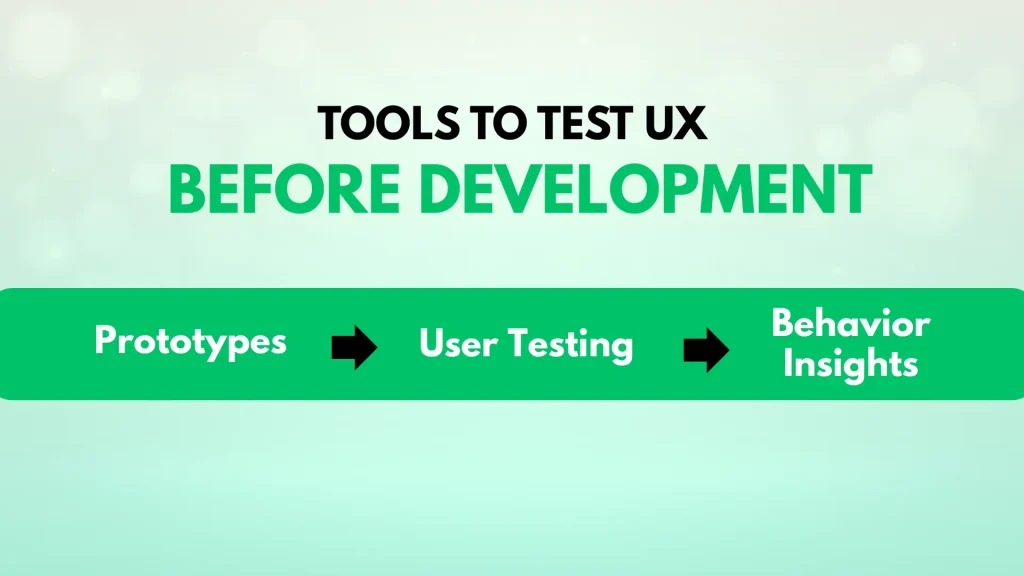
Prototyping software helps build interactive models of your product. Tools like Figma, Sketch, and Adobe XD are widely used. They let you design screens and link them to simulate user flow. These tools are easy to use and share for feedback. Early prototypes show how users will interact with your design.
User testing platforms connect you with real users for feedback. Platforms such as UserTesting, Lookback, and Maze provide video and written responses. They help observe how users complete tasks and find problems. Testing with real users uncovers issues that designers might miss. These platforms speed up the feedback process and improve design quality.
Analytics tools track user behavior on prototypes or websites. Hotjar, Crazy Egg, and FullStory record clicks, scrolls, and mouse movements. Watching recordings shows where users hesitate or get stuck. Heatmaps highlight popular areas and ignored parts of your design. These insights help refine user flow and improve usability before development starts.
Testing UX before development begins saves time and resources. Avoid mistakes that waste effort or miss key issues. Knowing common pitfalls helps create better tests and results. Focus on clear actions, diverse users, and good records. These steps improve design quality and team communication.
Testing often is good but only if you act on findings. Running many tests without changes delays progress. It frustrates the team and users. Prioritize feedback and fix real problems. Use tests to guide decisions, not just gather data.
Testing with one user type misses many issues. Different users have different skills and goals. Include varied users in tests to find broad problems. Diversity helps create a product everyone can use. Avoid narrow views that limit usability.
Failing to document tests causes confusion later. Clear notes keep track of what was tested and results. Documentation helps share findings with developers and stakeholders. It supports future testing and improvements. Always record key observations and decisions.
UX testing before development checks design usability early. It identifies issues and gathers user feedback before coding begins. This saves time, reduces costs, and improves the final user experience.
Testing UX before coding catches problems early. It helps validate ideas, ensures user needs are met, and guides development. Early testing reduces costly revisions later in the project.
You can test UX early using wireframes, prototypes, or sketches. Conduct usability tests, gather user feedback, and iterate designs quickly. Tools like Figma and Marvel facilitate early UX testing.
Popular UX testing tools include Figma, Marvel, InVision, and UXtweak. These tools allow creating prototypes, running usability tests, and collecting user insights before development.
Testing UX before development saves time and reduces costly changes later. Start with simple prototypes and gather user feedback early. Use clear goals to guide your testing process. Involve real users to spot problems quickly and fix them. Keep testing often to improve the design step-by-step.
This approach helps create products users enjoy and understand easily. Prioritize UX testing to build better, user-friendly solutions from the start.







Leave A Reply Now