


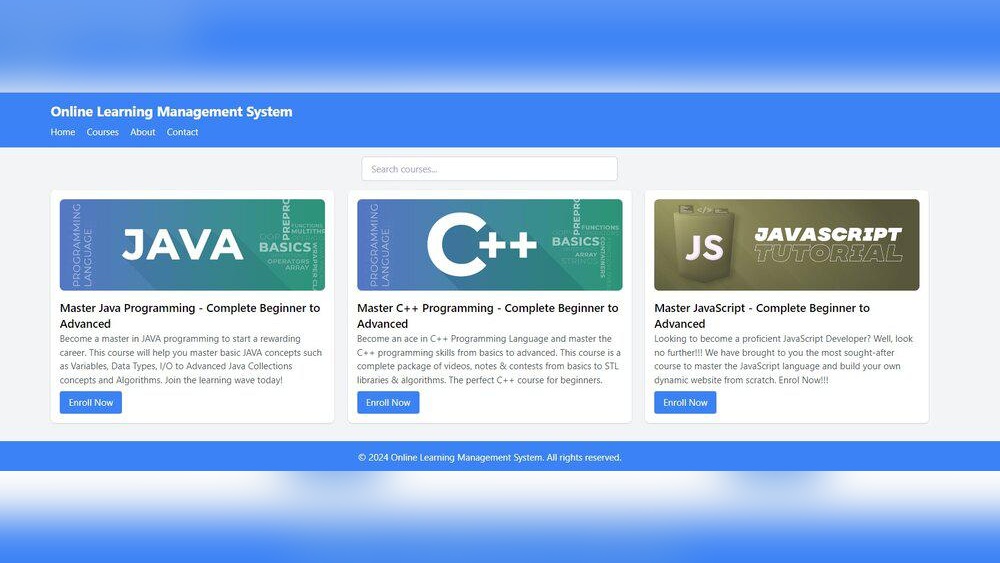
Are you ready to create your own course website but don’t know where to start? Building a Learning Management System (LMS) from scratch might sound tough, but it’s easier than you think.
Imagine having a place where your students can learn, interact, and grow—all designed by you. This guide breaks down the LMS basics step-by-step, so you can build a course website that works perfectly for your needs. Keep reading, and you’ll discover simple tips that make your idea come alive quickly and smoothly.
Your teaching journey starts here!
Building a course website from scratch starts with understanding the core tool: the Learning Management System (LMS). This guide breaks down what an LMS is and shows real-world examples to help beginners. You will learn how LMS platforms organize courses, track progress, and improve learning experiences online.
An LMS is a software platform designed to deliver, manage, and track educational courses or training programs online. It connects instructors and learners in one digital space, making learning easier and more organized.
Key functions of an LMS include:
Users log in to the LMS platform to access courses and learning materials. The system records their activity and progress automatically. Teachers can add content, create tests, and monitor results easily.
Most LMS platforms offer these features:
| LMS Platform | Main Use | Best For |
|---|---|---|
| Moodle | Open-source platform for schools and universities | Flexible course design and community support |
| Teachable | Easy course creation for entrepreneurs and creators | Simple setup and payment integration |
| Canvas | Modern LMS used by many universities worldwide | Powerful grading and collaboration tools |
| TalentLMS | Corporate training and employee development | User-friendly and fast deployment |
An LMS helps keep everything in one place. It saves time by automating grading and tracking. It improves learning with interactive tools and easy access to resources.
Benefits include:
Choosing the right platform to deliver your course matters a lot. Course creators often debate between using a Learning Management System (LMS) and traditional online classes. Both methods offer unique benefits and challenges. Understanding their differences helps creators decide what fits their needs best. This section compares LMS with traditional online classes to guide course creators in building their course website from scratch.
An LMS offers a structured way to deliver courses. It organizes content in modules, lessons, and quizzes. Students can track their progress easily. Many LMS platforms include forums and chat features. These tools help learners interact with instructors and peers.
The LMS approach suits creators who want control over course delivery and student engagement.
Traditional online classes usually mean live sessions via video calls. This setup is simple to start. Students join at a set time and interact directly with the teacher. It feels like a real classroom but online.
This method works well for creators who prefer teaching live and engaging in real time.
| Feature | LMS | Traditional Online Classes |
|---|---|---|
| Content Delivery | Self-paced modules, videos, quizzes | Live lectures and discussions |
| Student Interaction | Forums, chats, and messaging | Real-time voice and video |
| Flexibility | Learn anytime, anywhere | Fixed class times |
| Ease of Use | Requires setup and management | Quick to start, less setup |
| Automation | Automatic grading, reminders | Manual processes |
Think about your course style and audience needs. LMS fits creators who want long-term engagement and structured learning. Traditional classes suit those who prefer live teaching and direct communication.
Consider your technical skills. LMS needs some setup and management. Traditional classes need less tech but may limit scheduling options.
Choosing the right Learning Management System (LMS) platform is a key step in building a course website from scratch. The choice affects how easy it is to create, manage, and deliver your courses. Three popular options include WordPress LMS plugins, SaaS LMS platforms, and custom-built LMS solutions. Each has benefits and limits. Understanding these helps pick the best fit for your needs and budget.
WordPress LMS platforms work as plugins added to a WordPress site. They offer many tools to build courses, quizzes, and certificates.
Good for those who want control without high costs. Ideal if you already use WordPress.
SaaS (Software as a Service) LMS platforms host your courses on their servers. You access tools via a web browser.
Best for users who want to launch fast without technical work.
A custom LMS is built from scratch to meet unique needs. Developers create features specific to your goals.
Perfect for businesses with special requirements and bigger budgets.
| LMS Type | Pros | Cons | Best For |
|---|---|---|---|
| WordPress LMS | Low cost, flexible, full control | Needs WordPress skills, setup time | Small to medium sites, DIY users |
| SaaS LMS | Easy to use, fast setup, support | Subscription fees, less control | Beginners, fast launch, low tech |
| Custom LMS | Fully customized, scalable, unique features | Expensive, time-consuming, needs developers | Large businesses, complex needs |
Credit: selleo.com
Creating a course website from scratch requires understanding the essential features every modern LMS must have. These features help learners and instructors interact smoothly. They also keep the learning process clear and effective. This guide covers the key elements your LMS website needs in 2026.
Organizing courses well is critical for easy access. Your LMS should let instructors create, edit, and delete courses easily. Courses must have sections and lessons for clear structure.
A simple and clean design improves learning. The LMS should have:
Accessibility features are important for users with disabilities.
Tests and quizzes help check student knowledge. Your LMS must support:
Interaction improves learning motivation. Modern LMS websites should include:
Protecting user data is a must. The LMS needs:
| Feature | Purpose |
|---|---|
| User roles and permissions | Control access for admins, teachers, and students |
| Secure login (2FA) | Prevent unauthorized access |
| Data encryption | Protect sensitive information |
Modern LMS websites connect with other software easily. Important integrations include:
These connections expand your LMS’s functionality and improve the user experience.
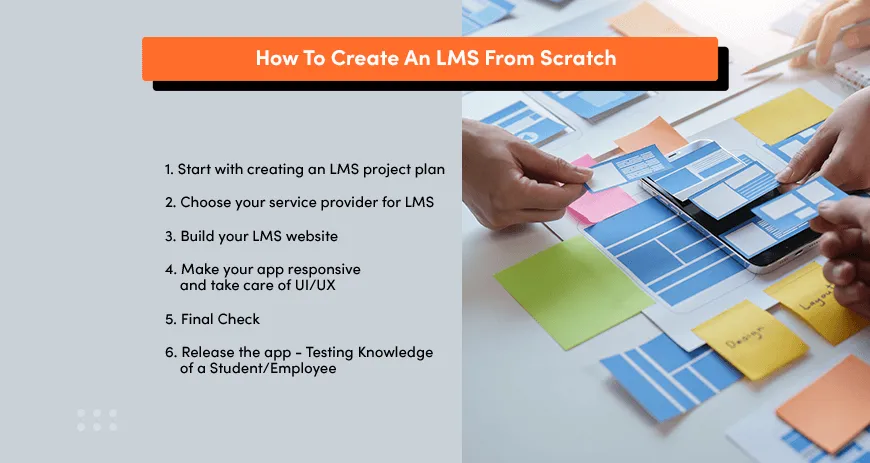
Building a course website from scratch can feel overwhelming. A clear workflow helps to simplify the process. Course Website Workflow: Idea → Planning → Launch Checklist guides you step-by-step. This approach ensures no important detail gets missed. It breaks down the project into easy, manageable phases. Each phase builds on the last, making the website creation smooth and efficient.
Start with a strong idea. Ask yourself:
Write down your answers clearly. This helps keep the course focused. It also guides content creation and design decisions.
Planning shapes the course and website details. Follow these steps:
Keep the plan flexible. Adjust based on feedback and testing.
Use this checklist to prepare your course website for launch:
| Task | Details | Status |
|---|---|---|
| Content Review | Check for errors and clarity in lessons | ✅ |
| Functionality Test | Test quizzes, videos, and downloads | ✅ |
| Responsive Design | Ensure site works on mobile and desktop | ✅ |
| SEO Basics | Set titles, descriptions, and keywords | ✅ |
| Payment Setup | Configure payment gateways if needed | ✅ |
| User Testing | Get feedback from test users | ✅ |
Complete all tasks before launching. This avoids common problems and improves learner experience.

Credit: www.cypherlearning.com
Creating your first LMS (Learning Management System) site can feel exciting and challenging. Many beginners make simple mistakes that slow down their progress or confuse learners. Avoiding these errors saves time and improves the learning experience. Understanding common pitfalls helps build a smoother, more effective course website from scratch.
Beginners often try to add many tools and options immediately. This overloads the site and confuses users. Focus on core features first, like course content, quizzes, and user registration. Keep the design clean and simple. Add new features later as you learn what your learners need most.
Courses with unclear paths frustrate students. Organize content in small, easy steps. Use clear titles and logical order. Provide a menu or progress bar so learners know where they are. A well-structured site helps users stay engaged and complete the course.
Many learners use phones or tablets. A site that works only on desktops loses many users. Choose an LMS platform or theme that adapts to all screen sizes. Test your site on multiple devices to ensure smooth access everywhere.
Launching without testing leads to errors and broken links. Test all parts of your site: sign-up, course access, quizzes, payments, and certificates. Ask friends or colleagues to try the site. Fix problems before your learners use it. This builds trust and avoids frustration.
Beginners forget to plan support for their learners. Provide a clear way to ask questions or report problems. Use FAQs, chat, or email support. Good support keeps learners happy and helps them finish courses.
| Mistake | Effect | How to Fix |
|---|---|---|
| Using too many features | Confuses users, slows site | Start simple, add features later |
| Poor course structure | Frustrates learners, lowers completion | Organize content clearly and logically |
| Ignoring mobile devices | Loses mobile users | Use responsive design |
| No testing before launch | Site errors, broken links | Test all functions fully |
| Lacking user support | Learner frustration, dropouts | Provide clear support channels |
Creating a course website from scratch requires clear organization. Structuring courses, modules, and lessons helps learners follow the material easily. Good structure improves understanding and keeps students motivated.
Start by setting clear goals for your course. Decide what students should know or do after finishing. Goals guide the content and help keep lessons focused.
Divide your course into smaller parts called modules. Each module covers a main topic or skill. This makes learning easier and less overwhelming.
Lessons are the smallest parts of your course. They teach one idea or skill at a time. Keep lessons short and focused to hold learners’ attention.
| Lesson Element | Best Practice |
|---|---|
| Title | Clear and descriptive |
| Content | Short paragraphs, simple language |
| Activities | Interactive and relevant |
| Summary | Key points review |
Consistency helps learners know what to expect. Use the same style for modules and lessons. This creates a smooth learning path.
Mix teaching ideas with hands-on tasks. Theory gives knowledge. Practice builds skills. Balance keeps learners engaged and helps them remember better.
Creating an online course website involves more than just adding lessons. Quizzes, certificates, and assignments help learners stay engaged and track their progress. This section shows how to add these key features step-by-step. Clear instructions make the process simple, even for beginners.
Quizzes test learners’ understanding and make courses interactive. Follow these steps to add quizzes to your LMS:
Tip: Use a mix of question types to keep quizzes interesting.
Certificates reward learners and boost motivation. Use this guide to add certificates:
Note: Keep certificate designs simple and professional.
Assignments help learners apply knowledge and get feedback. Follow these steps:
Remember: Provide clear feedback after grading to help learners improve.
Designing a course website starts with understanding how learners access content. Many use smartphones or tablets instead of desktops. Mobile-first course design means creating your site first for small screens. Then, you expand it for larger ones. This way, your course works well everywhere.
Mobile-first course design focuses on building courses for mobile devices first. It ensures content fits small screens perfectly. You begin with simple layouts and fewer features. Then, you add more for bigger devices.
This approach helps avoid cluttered pages. It makes learning easier on phones and tablets. Most learners use mobile devices today. So, mobile-first design meets their needs directly.
/ Base styles for mobile devices / body { font-size: 16px; padding: 10px; line-height: 1.5; } nav { display: none; } / Larger screens / @media (min-width: 768px) { body { font-size: 18px; padding: 20px; } nav { display: block; } }Student Engagement 101: Keeping Learners Active & Motivated is a key part of building a successful course website from scratch. Engaged students learn better and finish courses faster. Keeping learners interested helps them stay focused and complete lessons with confidence. This section covers simple ways to make your course site interactive and fun.
Use quizzes, polls, and videos to make lessons lively. Interactive content breaks the routine and keeps students involved.
Interactive elements help learners feel connected to the material and encourage active participation.
Set clear goals for each lesson. Show progress with bars or checkmarks to motivate learners.
| Feature | Benefit |
|---|---|
| Lesson Goals | Students understand what to learn next |
| Progress Bars | Visual proof of advancement |
| Completion Certificates | Boosts motivation to finish |
Build a space where students can talk and share ideas. Group chats, forums, and comment sections create a sense of belonging.
This helps students feel supported and less alone in their learning journey.
Give quick feedback on tasks. Praise good work to keep learners motivated.
Rewards make learning feel like a fun challenge, not a chore.
.png)
Credit: www.absorblms.com
An LMS is software that hosts and manages online courses. It simplifies content delivery, tracking, and user management. Using an LMS helps create interactive, scalable courses easily. It improves learner engagement and streamlines course administration for instructors.
Begin by choosing a reliable LMS platform. Plan your course content and structure clearly. Customize the site design to reflect your brand. Upload materials, set up user access, and test everything before launch. This ensures a smooth learning experience.
Essential LMS features include course creation tools, quizzes, progress tracking, and user management. Integration with payment gateways and communication tools is vital. Mobile responsiveness and analytics also enhance user experience and course effectiveness.
Use a clean, intuitive design with simple navigation. Ensure fast loading times and mobile compatibility. Provide clear instructions and easy access to resources. Regularly collect feedback to improve usability and engagement.
Building a course website starts with clear steps and simple tools. Choose a good LMS platform that fits your needs. Organize your content well to keep learners interested. Add quizzes and activities to help users learn better. Keep your design clean and easy to use.
Test your site often to fix any problems quickly. Remember, patience and practice improve your skills. Your course website can grow with time and effort. Stay focused, keep learning, and enjoy the process.







Leave A Reply Now