


If you run a service business, having a strong online presence is key to attracting new clients and growing your brand. But where do you start?
WordPress offers an easy, flexible way to build a professional website that showcases your services and helps you connect with customers. Whether you’re just getting started or looking to improve your current site, understanding how to use WordPress can save you time, reduce stress, and boost your business.
You’ll discover simple steps and practical tips to create a WordPress site tailored specifically for your service business—so you can focus on what you do best while your website works for you. Keep reading to unlock the secrets of making WordPress your most powerful marketing tool.
Choosing the right theme is essential for any service business using WordPress. The theme sets the look and feel of your website. It affects how visitors see your brand and services. A good theme makes your site easy to navigate and professional. It also helps your website work well on phones and tablets.
Select a theme that matches your business style and goals. The theme should support important features like booking forms or service listings. It must load fast and be compatible with popular plugins. A clean design helps customers find information quickly. Avoid cluttered or overly complex themes.
Service businesses need themes designed for their needs. Look for themes with built-in service sections. These may include appointment booking or pricing tables. Many themes offer pre-made layouts for different industries. For example, themes for consultants, cleaners, or health services.
Choose themes that highlight your services clearly. Good themes have call-to-action buttons like “Contact Us” or “Get a Quote.” Check user reviews and update history before selecting a theme. Well-maintained themes offer better security and features.
Customizing your theme makes your website unique. Use WordPress’s built-in customizer to change colors, fonts, and layouts. Add your logo and brand colors to build trust. Customize menus to help visitors find key pages fast.
Many themes allow easy changes without coding. Drag-and-drop builders help place sections exactly where you want. Customize your homepage to showcase your main services first. Use clear headings and simple text to explain what you offer.
Keep your design clean and consistent. Avoid too many fonts or bright colors. Make sure text is easy to read on all devices. Test your site on phones and tablets before launching.
Plugins extend the power of WordPress for service businesses. They add key features without coding skills. Choosing the right plugins helps run your site smoothly. Focus on tools that improve bookings, payments, and search visibility.
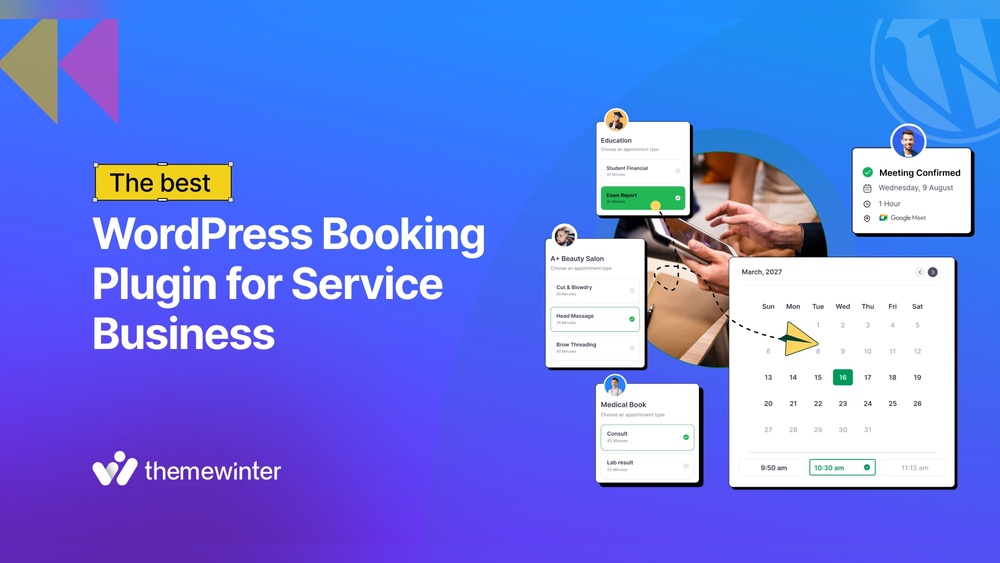
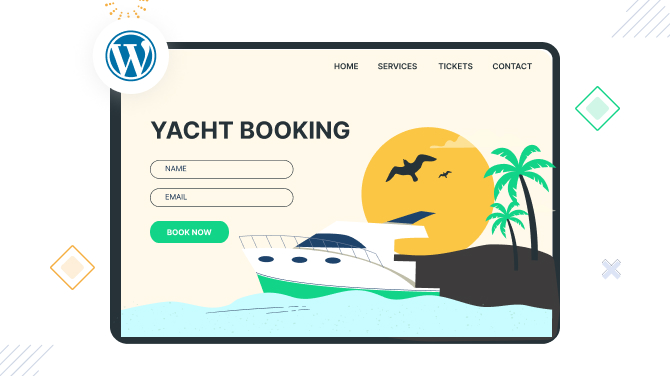
Service businesses need easy booking systems. Plugins like Bookly and Amelia let customers book online. They show available times and send reminders. This reduces no-shows and saves time. Choose a plugin that fits your service style.
Accepting payments online is crucial. WooCommerce and Easy Digital Downloads support multiple payment methods. PayPal and Stripe are popular and secure gateways. These plugins handle transactions and keep data safe. Fast payments improve customer trust and cash flow.
SEO plugins boost your site’s search rankings. Yoast SEO and Rank Math guide content optimization. They help with keywords, titles, and meta descriptions. Google Analytics plugins track visitor behavior. Understanding traffic helps improve your marketing efforts.
Creating service pages on your WordPress site helps visitors learn about what you offer. These pages should clearly explain each service. Well-crafted service pages build trust and encourage customers to take action. Use simple text and organize content for easy reading.
Start with a clear title for each service. Describe what the service includes in short sentences. Use bullet points to list key features or benefits. Highlight what makes your service unique. Include pricing if possible to set clear expectations. Make sure the information answers common questions your clients have.
Testimonials add credibility to your services. Ask happy clients to share their experiences. Display these reviews on the service page. Use real names and photos if allowed. Keep each testimonial short and focused on specific results. This helps potential clients trust your business more quickly.
Images and videos catch attention and explain services better. Use high-quality photos that show your work or team. Infographics can simplify complex information. Videos can demonstrate how a service works or show client success stories. Avoid clutter by choosing visuals that add value. Make sure images load fast to keep visitors engaged.
Credit: www.bookingpressplugin.com
Optimizing your WordPress site for conversions is vital for service businesses. It means making your visitors take action, like contacting you or booking a service. Small changes can increase leads and sales significantly.
Focus on clear messages and easy navigation. Visitors should find what they need quickly. Strong conversion elements help turn visitors into customers.
Use clear, direct calls-to-action (CTAs). Phrases like “Get a Free Quote” or “Book Now” work well. Place CTAs prominently on your pages, especially near service descriptions.
Use contrasting colors to make CTAs stand out. Avoid too many CTAs on one page. One or two focused CTAs keep visitors focused.
Make your buttons large enough to tap on mobile devices. Test different CTA texts and placements to see what works best. Keep language simple and action-oriented.
Lead capture forms collect visitor information. Use them to gather names, emails, and phone numbers. Keep forms short to encourage completion.
Ask only for essential details. Long forms can discourage users. Use clear labels and instructions to avoid confusion.
Place forms where visitors are ready to act, such as at the end of service pages or in pop-ups triggered by user behavior. Use form plugins like WPForms or Gravity Forms for easy setup.
Managing online payments is crucial for service businesses using WordPress. It allows you to receive payments quickly and securely. Setting up a smooth payment system builds trust with your clients. This section explains how to handle payments efficiently on your WordPress site.
WooCommerce is a free plugin that turns your WordPress site into an online store. It supports selling services as well as products. Install WooCommerce from the WordPress plugin directory. Follow the setup wizard to configure currency, payment methods, and shipping if needed. Add your services as products with clear descriptions and prices. WooCommerce also manages invoices and order tracking, simplifying your workflow.
PayPal and Stripe are popular payment gateways that work well with WooCommerce. They offer secure transactions and support multiple currencies. To integrate PayPal, enter your account details in WooCommerce settings under the payment tab. For Stripe, install the official Stripe plugin and connect your account. Both gateways allow clients to pay using credit cards or their accounts. This setup ensures your customers have flexible and safe payment options.
Website security is vital for service businesses using WordPress. A secure website protects client data and builds trust. It also prevents downtime caused by hacking or malware. Small steps can greatly increase your website’s security. Focus on strong tools and good habits to keep your site safe.
Select plugins carefully to avoid security risks. Use plugins from trusted developers with good reviews. Check how often the plugin is updated and supported. Avoid plugins that are outdated or have few users. Limit the number of plugins to reduce vulnerabilities. Always read plugin documentation for security features.
Keep WordPress core, themes, and plugins updated. Updates fix security holes and improve performance. Set a schedule to check for updates frequently. Create backups before making any changes or updates. Store backups securely on a cloud service or external drive. Regular backups allow quick recovery from attacks or errors.
Boosting site performance is essential for service businesses using WordPress. Fast-loading websites improve user experience and keep visitors engaged. Slow sites cause visitors to leave and reduce chances of getting leads. Optimizing your site speed and responsiveness helps attract and keep clients.
Caching stores copies of your web pages to serve them quickly. It reduces the time needed to load pages for repeat visitors. Use WordPress caching plugins like W3 Total Cache or WP Super Cache. These tools improve loading speed without complex setups.
Optimize images by compressing them before uploading. Large images slow down your site and frustrate users. Minimize the use of heavy plugins that add extra load. Clean up your database regularly to keep your site running smoothly.
More people use mobile devices to find services online. Your WordPress site must look good and work well on phones and tablets. Choose a responsive theme that adjusts to different screen sizes. Test your site on multiple devices to ensure consistent performance.
Use simple navigation menus that are easy to tap on small screens. Avoid cluttered pages and large blocks of text on mobile views. Mobile-friendly sites rank better in search engines and increase visitor satisfaction.

Credit: www.youtube.com
Using WordPress effectively means applying strong SEO strategies. These strategies help your service business appear higher in search results. A good SEO plan brings more visitors and potential clients to your site. Focus on simple and clear steps to improve your SEO.
Start by finding keywords your customers use. These are words or phrases people type in search engines. Use tools like Google Keyword Planner or Ubersuggest. Choose keywords with good search volume and low competition. Include local keywords if your service targets a specific area. For example, “plumber in Austin” helps attract local clients. Use keywords naturally in your content. Avoid stuffing them, which can harm your ranking.
Optimize each page to make it search-engine friendly. Use your main keyword in the page title and headers. Write clear, short meta descriptions that include keywords. Add keywords to image alt texts for better visibility. Use internal links to connect related pages on your site. Ensure your site loads fast and works well on mobile devices. Clear URLs with keywords also improve SEO. Keep your content helpful and easy to read.
Using content marketing on your WordPress site helps attract and engage potential clients. It builds trust and shows your expertise in your service area. Content marketing creates value beyond just selling services. It encourages visitors to return and share your content.
Focus on clear, helpful information that answers common questions. Use different content types to reach more people. Keep content easy to read and useful for your target audience.
Blogging is a powerful tool for service businesses on WordPress. Write articles that explain your services in simple terms. Share tips, how-tos, and success stories related to your field. Regular blog posts keep your site fresh and improve search engine rankings.
Use keywords naturally in your posts. This helps potential clients find your website through search engines. Add images and headings to break up text. Make sure each blog post focuses on a single topic to keep readers interested.
Connect your WordPress site to social media platforms. Share your blog posts and updates on Facebook, Twitter, and LinkedIn. This expands your reach and drives traffic to your website.
Use social media buttons on your site for easy sharing. Respond to comments and messages quickly to build relationships. Social media also provides feedback and ideas for new content.
Tracking growth metrics is vital for service businesses using WordPress. It helps measure website performance and customer engagement. Monitoring these metrics guides better decisions and improves service delivery. Clear insights reveal what works and what needs change.
Google Analytics tracks visitors and their actions on your site. Start by creating a free Google Analytics account. Next, add the tracking code to your WordPress site. Use a plugin like “Site Kit” for easy integration. This setup gives real-time data on traffic sources, sessions, and user locations. Analyze this data to understand your audience better and adjust your marketing strategies.
Knowing how users interact with your site is crucial. Heatmaps show where visitors click or scroll most. Use tools like Hotjar or Crazy Egg alongside WordPress. Track page views, bounce rates, and session duration. These numbers indicate which pages attract users and which push them away. Improving site layout and content based on behavior boosts user experience and conversion rates.

Credit: pathmonk.com
People move away from WordPress due to security risks, frequent updates, plugin conflicts, slow performance, and complex customization needs.
Choose a domain and hosting, install WordPress, pick a professional theme, add service pages, and install essential plugins. Customize design and optimize for SEO.
Big companies avoid WordPress due to security risks, scalability limits, and customization challenges for complex needs.
Yes, you can sell services on WordPress using plugins like WooCommerce or Easy Digital Downloads. These support online payments through PayPal, Stripe, and other gateways, streamlining service sales and payment collection efficiently.
WordPress offers a simple way to build your service business website. You can easily list your services and accept payments online. Regular updates keep your site secure and running smoothly. Use themes and plugins to customize your site’s look and function.
Keep your content clear to attract and help visitors. A well-built WordPress site can grow your business steadily. Start small, learn as you go, and improve your site over time. WordPress makes managing your service business website easier and affordable.







Leave A Reply Now