



Scaling your business feels exciting but can quickly become overwhelming if your processes aren’t clear and consistent. That’s where systemizing your workflows with SOP templates and checklists comes in.
When you put these tools in place, you create a reliable way to get things done—every time, by anyone on your team. Imagine cutting down mistakes, saving time, and confidently growing without chaos. You’ll discover how to build and use SOP templates and checklists that simplify your daily operations and set your business up for smooth, scalable success.
Keep reading to learn practical steps that will transform how you work and help you scale faster than ever before.

Credit: usewhale.io
Systemizing processes brings clear benefits to any business aiming to scale efficiently. It creates order and reduces errors. Teams work with a clear guide, improving performance. These benefits help businesses save time, cut costs, and maintain quality as they grow.
Systemized processes ensure tasks are done the same way every time. This consistency improves product and service quality. It reduces mistakes and customer complaints. Teams follow clear steps, which helps maintain high standards. Quality control becomes easier and more reliable.
Having set processes cuts down on wasted time. Employees spend less time figuring out what to do. This efficiency lowers operational costs. Businesses avoid repeating work or fixing errors. Overall, systemizing saves both money and effort.
New employees learn faster with clear process guides. Standard operating procedures help trainers show exact steps. This reduces confusion and speeds up onboarding. Staff become productive sooner and feel more confident. Training becomes smooth and consistent for all.
Systemized processes support business growth without chaos. They provide a strong foundation to handle more work. Teams can add tasks or new staff easily. Growth happens smoothly because systems guide daily work. Scaling becomes manageable and controlled.
Standard Operating Procedures (SOPs) form the backbone of efficient business operations. They provide a clear roadmap for tasks and processes. Core elements of SOPs ensure each procedure is easy to follow and effective. These elements help teams work consistently and reduce errors. Understanding these basics is key to creating strong SOPs that support scaling.
Each SOP starts with clear objectives. Objectives define the purpose of the process. They explain what the SOP aims to achieve. Clear goals help employees understand the importance of the task. This focus improves accuracy and motivation. Without clear objectives, procedures can become confusing and ineffective.
Instructions break down the task into simple steps. Each step shows exactly what to do and how. Clear, short steps prevent mistakes and save time. They guide employees through the process smoothly. This consistency is crucial for scaling operations. Step-by-step instructions turn complex tasks into easy routines.
Defining roles clarifies who does what. Responsibilities show each person’s tasks and limits. This avoids confusion and overlap in duties. Everyone knows their part in the process. Clear roles improve teamwork and accountability. Well-defined responsibilities keep workflows organized and efficient.
SOPs list all tools and resources required. This includes software, equipment, and documents. Having the right tools ready speeds up work. It also ensures tasks are done correctly. Proper resources reduce delays and errors. Including this element helps employees prepare fully before starting.
Creating effective SOP templates is vital for smooth operations and consistent results. Clear, well-structured templates help teams follow steps without confusion. They reduce errors and improve efficiency. Every company needs SOPs that fit its unique workflow and culture.
Well-designed SOP templates save time and support training new staff. They guide employees through tasks with confidence. The right template format, customization, and visual aids make SOPs easier to understand and use. Accessibility ensures everyone can find and follow them quickly.
Select a format that matches your team’s needs and technology. Common formats include Word documents, PDFs, and online forms. Choose one that allows easy editing and sharing. Simple layouts with headings and bullet points work best. Avoid clutter to keep instructions clear and readable.
Each department has unique tasks and workflows. Customize SOP templates to fit their specific needs. Use language and terms familiar to each team. Include relevant steps and tools for their processes. Tailored templates increase understanding and compliance.
Visual aids like images, charts, and diagrams clarify complex steps. They break down instructions into easy-to-follow parts. Use screenshots to show software actions. Flowcharts help explain decision paths. Visuals reduce mistakes and speed up learning.
Place SOP templates where everyone can access them anytime. Use cloud storage or company intranet for central access. Organize files with clear names and folders. Mobile access helps staff in different locations. Easy retrieval encourages regular use and updates.
Designing checklists for accuracy is essential in systemizing processes for scaling. Accurate checklists reduce errors and ensure tasks are done the right way every time. They support consistency and help teams follow procedures without missing important details. Clear, simple checklists improve focus and speed up work by breaking down complex tasks into manageable steps. Well-crafted checklists also serve as a quality control tool, catching mistakes before they happen. Integrating checklists with standard operating procedures (SOPs) creates a seamless workflow that boosts overall efficiency.
Complex tasks can overwhelm team members. Breaking them into smaller, clear steps makes work easier to follow. Each step should be simple and direct. This method helps workers understand the process and complete tasks without confusion. It also allows for better tracking of progress. When tasks are clear, accuracy improves, and the risk of errors decreases. This approach helps scale business operations smoothly.
Not all steps carry the same weight. Highlighting critical steps ensures important actions get attention. Prioritize steps that impact safety, quality, or deadlines. Use clear markers or notes to show these key points. This focus prevents costly mistakes and keeps the workflow on track. Prioritization helps teams spend time wisely and avoid unnecessary delays. It creates a checklist that guides users through the most important parts first.
Checklists act as a quality assurance tool by confirming every step is done correctly. They serve as reminders and reduce human error. Workers can verify their work against the checklist before moving on. This double-check process catches mistakes early. Quality assurance through checklists helps maintain high standards. It builds trust in the process and the final output. Teams feel confident their work meets company expectations.
Checklists and SOPs work best when combined. SOPs provide detailed instructions, while checklists offer a quick, easy reference. Embedding checklists within SOP documents makes steps easy to follow. It reduces the need to read lengthy manuals during tasks. Integration ensures consistency across teams and locations. This connection supports training and onboarding by simplifying complex processes. Together, checklists and SOPs create a strong foundation for scaling operations accurately.
Managing Standard Operating Procedures (SOPs) effectively requires the right tools and software. These solutions help organize, share, and update SOPs with ease. They reduce errors and save time, making scaling smoother for businesses.
Document management systems store SOPs in one secure place. They allow easy access and quick searches. These systems support various file formats, such as PDFs and Word documents. Users can organize SOPs by categories and tags. This setup keeps SOPs neat and easy to find.
Collaboration platforms let teams work on SOPs together in real time. Users can comment, suggest changes, and approve drafts. These platforms improve communication and reduce misunderstandings. They also keep track of who made each change. This teamwork speeds up the SOP creation process.
Automated workflow tools streamline SOP processes by assigning tasks automatically. They send reminders and track progress. These tools ensure that every step follows the right order. Automation cuts down manual follow-ups and missed steps. It helps teams stick to SOPs consistently.
Version control systems track changes and keep previous SOP versions safe. They make it simple to compare edits and restore old versions if needed. Regular updates are easier to manage with clear version histories. This keeps SOPs accurate and up to date for all users.
Implementing Standard Operating Procedures (SOPs) across teams is essential for consistent results. SOPs provide clear instructions that help every team member perform tasks the same way. This consistency reduces errors and increases efficiency. Teams stay aligned and understand their roles better. The challenge lies in introducing SOPs smoothly and ensuring everyone follows them correctly.
Start by explaining the purpose of SOPs to all team members. Use simple language and examples to show benefits. Conduct hands-on training sessions for practical understanding. Provide written SOP templates and checklists for easy reference. Encourage questions and clarify doubts immediately. Regularly update teams on any changes in SOPs. Use emails, meetings, and internal platforms to communicate effectively.
Track how well teams follow the SOPs daily. Use checklists to mark completed steps and identify gaps. Assign supervisors to review work regularly. Implement spot checks to ensure standards are met. Use software tools to monitor process adherence automatically. Share performance reports with teams to encourage accountability. Address non-compliance quickly to prevent recurring issues.
Ask team members for their opinions on SOPs regularly. Use surveys or informal discussions to gather insights. Identify steps that cause confusion or delays. Encourage suggestions to make SOPs clearer and easier. Update SOP templates based on practical feedback. Show teams their input matters by acting on suggestions. This creates a culture of continuous improvement.
Some team members may resist new SOPs at first. Listen to their concerns without dismissing them. Explain how SOPs help reduce workload and mistakes. Show examples of success from other teams or projects. Offer extra support during the transition period. Recognize and reward those who adopt SOPs quickly. Patience and clear communication ease the change process.
Measuring the impact of systemizing processes is key to successful business scaling. It shows how well your SOP templates and checklists improve operations. Monitoring these effects helps you make informed decisions. Clear measurement reveals strengths and areas needing change. This leads to smoother growth and better resource use.
Start by choosing simple, relevant metrics to track. These could include task completion time, error rates, or customer satisfaction scores. Use data from your SOP checklists to see trends. Regular monitoring lets you spot improvements or declines quickly. This keeps your scaling efforts on the right path.
Bottlenecks slow down your processes and limit growth. Look for steps where tasks pile up or take too long. SOPs help highlight these problem areas by standardizing work. Pinpointing bottlenecks allows you to focus on fixing what matters most. Removing these obstacles speeds up scaling.
Use the data and insights to refine your SOP templates. Simplify steps that cause delays or errors. Update checklists to reflect best practices and new tools. Keep processes clear and easy to follow for your team. Small improvements add up to big gains in efficiency.
Many businesses have scaled well through systemized processes. For example, a small retailer used SOP checklists to reduce order errors by 30%. Another company cut training time in half by standardizing onboarding steps. These real cases prove that measuring impact leads to better scaling results.
Systemizing processes with SOP templates and checklists can boost efficiency and help businesses scale smoothly. Avoiding common pitfalls ensures these tools work well and bring value. Ignoring mistakes in process setup wastes time and causes frustration. Focus on clear, simple, and updated procedures that everyone can follow. Accountability and team input keep systems strong and relevant.
Making procedures too complex slows down work and causes confusion. Simple steps help employees understand and follow tasks easily. Avoid adding unnecessary details that do not add value. Clear and concise instructions improve consistency and speed. Aim for straightforward processes that anyone can learn quickly.
Employees know the tasks best and can spot issues early. Not asking for their feedback leads to impractical or incomplete SOPs. Involve team members when creating and updating templates. Their insights make procedures more realistic and user-friendly. Listening to staff encourages ownership and better compliance.
Processes change over time. Old SOPs cause errors and slow down work. Regular reviews keep documents current and useful. Update templates when tools, rules, or steps change. Set a schedule to check and revise SOPs often. This keeps the system reliable and effective.
Without clear responsibility, SOPs are ignored or poorly followed. Assign owners for each process to ensure compliance. Track performance and provide feedback regularly. Accountability drives consistent use and helps identify improvement areas. Clear roles maintain discipline and support scaling efforts.
Free SOP and checklist resources offer a great starting point for businesses. They help document tasks clearly and consistently. Access to these tools saves time and effort in creating documents from scratch. Using ready-made templates lets teams focus more on work and less on paperwork.
These resources come in many forms, including repositories, sample documents, and industry-specific examples. They provide structure and guidance that suits different business needs. Adapting these templates to fit unique processes is key to their effectiveness.
Template repositories host a wide variety of SOPs and checklists. Many are free to download and easy to use. Sites like Smartsheet and SweetProcess offer collections organized by task type or industry. These libraries update regularly with new formats and ideas. They are great for quick access to reliable templates.
Sample documents allow easy editing to match your operations. Common formats include Word, PDF, and Google Docs. You can change steps, add notes, or adjust layouts. This flexibility helps align templates with team workflows. Customization ensures the final document feels personal and practical.
Many sources provide SOPs tailored to certain industries. Whether healthcare, retail, or manufacturing, examples fit unique regulations and standards. These targeted templates address common challenges and tasks in each field. Using industry-specific documents reduces guesswork and improves compliance.
Start by reviewing the template thoroughly before use. Remove irrelevant steps and add missing details from your process. Use simple language that everyone can understand. Test the adapted document with your team for feedback. Update the SOP regularly to keep it current and useful.
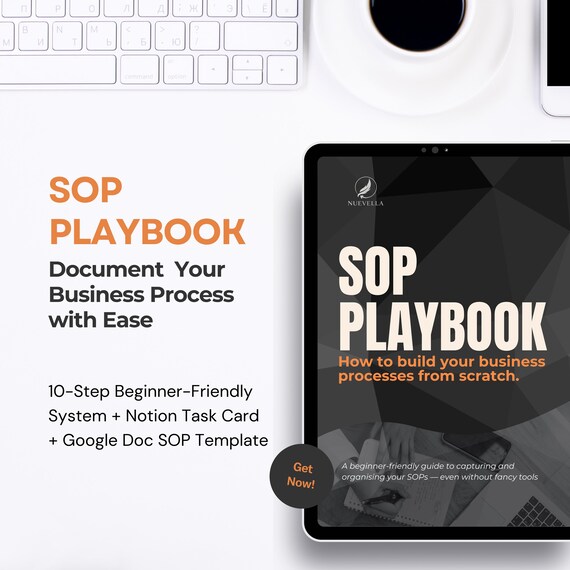
Credit: www.etsy.com

Credit: www.sweetprocess.com
SOP templates and checklists are structured documents that standardize business processes. They ensure consistent task execution and help scale operations efficiently. Using them reduces errors and improves employee training and productivity.
SOPs provide clear instructions for repetitive tasks, enabling smooth delegation. They maintain quality and consistency as the team grows. This systemization supports faster onboarding and operational efficiency during scaling.
Yes, SOP checklists break down processes into simple steps. They guide employees, reduce confusion, and minimize mistakes. This clarity boosts productivity and ensures tasks are completed correctly every time.
Free SOP templates are available on platforms like Smartsheet, SweetProcess, and SystemHub. These resources offer customizable Word, PDF, and Excel files suited for various business needs.
Systemizing your processes helps your business grow smoothly. SOP templates and checklists keep tasks clear and consistent. Teams follow the same steps every time, reducing mistakes. This saves time and improves quality. Simple tools like these support scaling without stress.
Start small, update regularly, and watch your system improve. Clear processes make work easier for everyone involved. Focus on consistency to build a strong foundation. Consistent work leads to steady growth and success.







Leave A Reply Now