



Are you struggling to keep track of your orders, inventory, and customer demands all at once? If so, understanding Order Management Systems (OMS) could be the game-changer your business needs.
Imagine having a single tool that simplifies every step of your order process—from the moment a customer clicks “buy” to the delivery at their doorstep. This isn’t just about managing orders; it’s about boosting your efficiency, reducing mistakes, and creating happier customers.
You’ll discover exactly what an Order Management System is, how it works, and why it might be the key to transforming your business operations. Keep reading to unlock the potential of OMS and take control of your orders like never before.
An Order Management System (OMS) is a vital tool for businesses that sell products. It helps track orders from the moment a customer places them to the final delivery. Understanding the basics of OMS can improve how a company handles sales, inventory, and shipping.
OMS keeps all order details organized. It reduces errors and speeds up the process. This system makes sure customers get the right products on time. Simple but powerful, OMS supports smooth business operations and better customer service.
An OMS performs several key tasks. It records order details such as product type and quantity. It checks product availability in inventory. OMS also processes payments securely. It manages shipping by selecting carriers and creating labels. Tracking the order until delivery is part of its job. OMS can handle returns and refunds too. These functions help businesses run without delays or confusion.
The order lifecycle has clear stages. First is order placement, where the customer submits their request. Next comes order processing, including payment and inventory checks. Then the order moves to fulfillment, where products are packed and shipped. After that, delivery confirms the customer receives the items. Finally, post-delivery services handle returns or exchanges if needed. OMS tracks each stage to ensure smooth transitions and updates.
Order Management Systems (OMS) come in various forms, each designed to fit different business needs and technical setups. Understanding the types of OMS helps companies choose the best system for their operations. The main types include cloud-based solutions, on-premise systems, and hybrid models.
Cloud-based OMS run on the internet and do not require physical servers. Users access the system through web browsers or apps. These solutions offer easy updates and scalability. Companies can start quickly with less upfront cost. Cloud OMS support real-time data sharing across locations. Security and backup are managed by the service provider.
On-premise OMS are installed on a company’s own servers and computers. This gives full control over data and system customization. Businesses manage their own security and maintenance. These systems often suit companies with strict data rules. On-premise solutions may have higher initial costs and need dedicated IT staff. They provide stable performance without internet reliance.
Hybrid OMS combine cloud and on-premise features. Some parts of the system run in the cloud, while others stay on local servers. This approach allows flexibility for different business needs. Companies can keep sensitive data on-premise and use cloud for less critical tasks. Hybrid models help balance cost, control, and scalability. They suit businesses moving gradually to cloud technologies.
An effective Order Management System (OMS) simplifies complex processes. It helps businesses handle orders smoothly and accurately. Choosing the right system depends on key features that support daily operations.
These features ensure better control over stock, sales, shipping, and customer service. They reduce errors and improve efficiency. Let’s explore the essential functions to prioritize in an OMS.
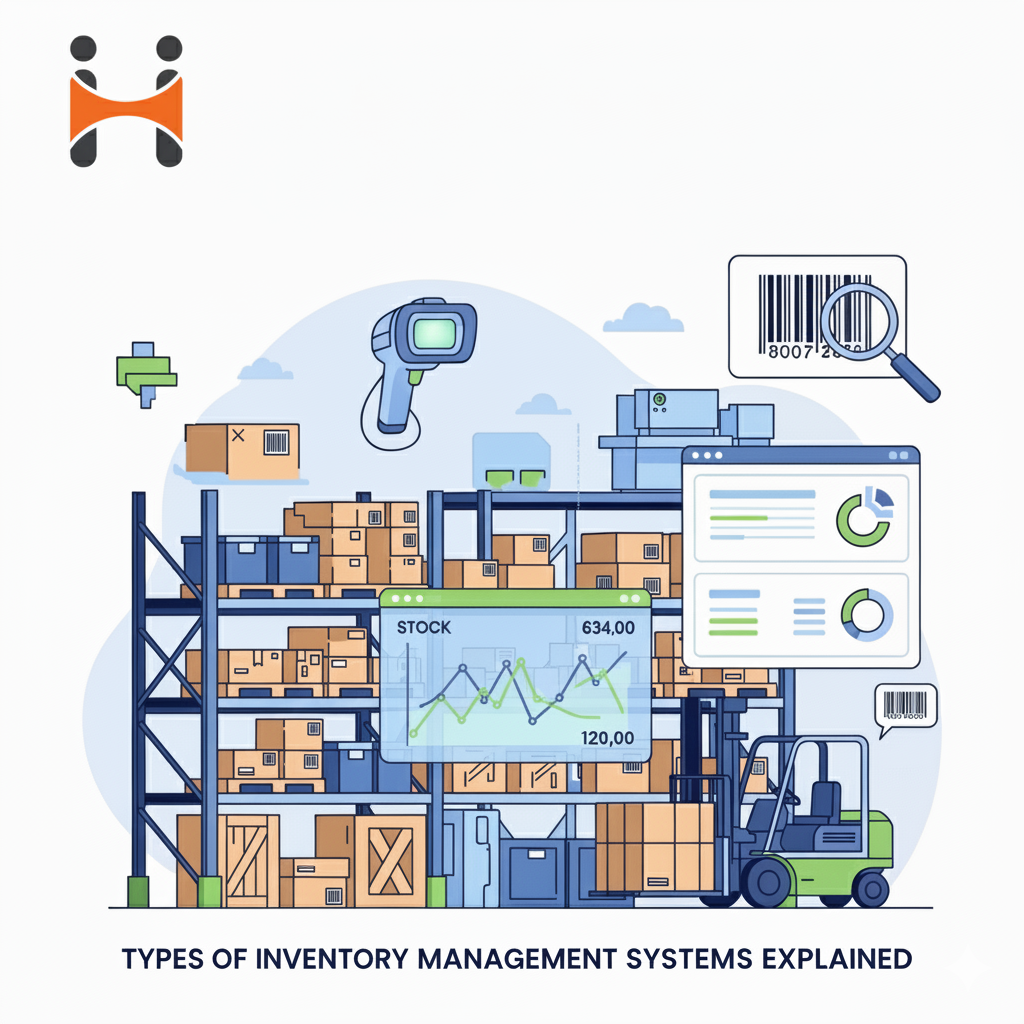
Inventory management keeps track of all products in stock. It updates quantities in real-time as sales happen. This feature prevents overselling and stockouts. It helps businesses plan restocking and manage warehouse space effectively.
Sales tracking records every order placed by customers. It monitors sales trends and customer preferences. This data supports better decision-making and marketing strategies. It also helps identify top-selling products and slow movers.
Order fulfillment manages the process from order receipt to delivery. It coordinates packing, shipping, and delivery updates. This feature speeds up the shipping process and improves customer satisfaction. It also tracks shipments to avoid lost or delayed orders.
Handling returns and exchanges smoothly is vital for customer trust. This feature manages return requests and processes refunds or replacements. It tracks returned items and updates inventory accordingly. A clear return process reduces disputes and increases repeat business.
Credit: www.happisales.com
An Order Management System (OMS) offers many benefits for businesses of all sizes. It simplifies how orders are processed and tracked. This system helps businesses handle sales, inventory, and customer information in one place. Using an OMS can save time and reduce mistakes. It makes daily tasks easier and faster for teams. The following sections explain key benefits of using an OMS.
An OMS automates many manual tasks in the order process. It reduces errors caused by human input. Employees spend less time searching for order details. This speed helps companies handle more orders in less time. Automation frees staff to focus on other important tasks. Overall, the workflow becomes smoother and faster.
Customers receive accurate and timely updates about their orders. An OMS tracks every step from purchase to delivery. This transparency builds trust and satisfaction. Faster order processing means quicker shipping times. Support teams have easy access to order information. They can resolve issues quickly and keep customers happy.
An OMS keeps real-time data on stock levels. It prevents overselling products that are out of stock. Businesses can reorder items before running out. This accuracy reduces lost sales and customer complaints. It helps maintain balanced inventory and lowers storage costs. Clear stock visibility improves overall planning and management.
All order information is stored in a central system. Different departments work together without confusion or delay. The OMS integrates with other tools like shipping and payment systems. This integration reduces repetitive tasks and manual data entry. It creates a unified process from order placement to delivery. Businesses gain better control over their operations.
Order Management Systems (OMS) work best when connected to other business tools. Integrations with various systems make order processing smoother and faster. They help avoid manual entry and reduce errors. These connections create a seamless flow of data across the company.
Integrating an OMS with other systems improves inventory tracking, customer service, and delivery times. It also allows businesses to scale operations without adding complexity. Below are key integration types that enhance OMS functionality.
Enterprise Resource Planning (ERP) systems store vital business data. Connecting OMS with ERP shares order information instantly. This sync keeps inventory, finance, and sales data up to date. It eliminates double entries and speeds up order fulfillment. ERP integration also helps with reporting and decision-making.
E-commerce platforms are where customers place orders. Integrating OMS with these platforms pulls orders automatically. It updates stock levels and order status in real time. This integration improves customer experience by providing accurate information. It also reduces delays and overselling issues.
Shipping and logistics systems handle order delivery details. Linking these systems to OMS tracks shipments and updates delivery status. It helps businesses manage carriers, print labels, and calculate shipping costs. This integration ensures timely delivery and better communication with customers.
Choosing the right Order Management System (OMS) is vital for smooth business operations. The right OMS fits your needs, grows with your business, and stays within budget. It helps manage orders efficiently and improves customer satisfaction.
Take time to analyze your options carefully. Not all OMS platforms offer the same features or support. Making an informed choice prevents costly mistakes and supports long-term success.
Start by listing your business goals and challenges. Identify key processes the OMS must handle, such as order tracking, inventory updates, or customer communication. Consider how many sales channels you use and how complex your orders are.
Think about your team’s technical skills and how much training the OMS requires. Choose a system that fits your daily workflow and helps solve current problems.
Your business will grow. The OMS should grow with it. Check if the system can handle more orders and users as your sales increase. Look for flexible features that adapt to new markets or products.
Cloud-based OMS options often scale easily. They allow quick updates without extra hardware costs. Avoid systems that limit your growth or need costly upgrades.
Set a clear budget before choosing an OMS. Consider setup fees, monthly charges, and maintenance costs. Calculate expected savings from automation and improved order accuracy.
Look for an OMS that delivers value over time. A lower-cost system may lack key features, causing extra work. Invest in a system that improves efficiency and customer satisfaction to boost your return on investment.
Implementing an Order Management System (OMS) successfully requires careful steps. It is not just about installing software. It involves planning, training, and ongoing checks. Each step ensures the system works well and meets business needs.
Start by understanding your current order processes. Identify pain points and what needs improvement. Choose an OMS that fits your business size and type. Set clear goals for what the OMS should achieve. Prepare your data for migration carefully. Make a timeline for implementation with realistic deadlines. Communicate the plan to all involved teams early on.
Train your staff on how to use the OMS effectively. Use simple guides and hands-on sessions. Focus on key features they will use daily. Encourage questions and provide support resources. Training helps reduce errors and increases user confidence. Keep training ongoing as new updates or features arrive.
After implementation, track how well the OMS performs. Use reports and analytics to spot issues quickly. Measure order accuracy, processing time, and customer satisfaction. Gather feedback from users to find areas for improvement. Fix problems fast to avoid disrupting operations. Regular monitoring keeps your OMS running smoothly and meeting goals.
Order Management Systems (OMS) face several common challenges that can affect their performance. Identifying these problems helps businesses find effective solutions. Tackling these issues improves order accuracy, speeds up processes, and boosts customer satisfaction.
Data errors cause delays and wrong shipments. Inaccurate data comes from manual entry or outdated systems. Automating data input reduces human mistakes. Regular audits and validation rules keep data clean and reliable.
OMS must connect with inventory, payment, and shipping systems. Poor integration leads to information gaps and slowdowns. Using standardized APIs or middleware ensures smooth data flow. Testing integrations frequently prevents disruptions.
Users may resist new OMS due to complexity or lack of training. Simple interfaces and clear instructions help users adapt quickly. Offering ongoing support and feedback channels encourages acceptance. Engaged users improve system effectiveness and accuracy.
The future of order management is evolving fast. New technologies are changing how businesses handle orders. These changes help improve speed, accuracy, and customer satisfaction. Companies need to keep up with these trends to stay competitive. Understanding these future trends offers a clear view of what lies ahead for order management systems.
Artificial intelligence (AI) is shaping order management. AI helps automate repetitive tasks like order entry and inventory updates. Automation reduces human errors and speeds up processes. Chatbots and virtual assistants handle customer queries 24/7. AI predicts demand trends, helping businesses manage stock better. This leads to fewer delays and happier customers.
Customers use many channels to shop today. An omnichannel order management system unifies all sales platforms. It connects online stores, physical shops, and mobile apps. Orders from any channel appear in one place. This streamlines fulfillment and improves tracking. Shoppers get consistent service no matter where they buy.
Data is key to smarter order management. Advanced analytics provide deep insights into sales and inventory. Businesses can spot patterns and forecast demand accurately. Analytics help identify bottlenecks and improve delivery times. Real-time data supports quick decision-making. Using analytics, companies reduce costs and enhance customer experience.
Credit: b2broker.com
Popular order management systems help businesses control orders smoothly. They track products from purchase to delivery. These systems reduce errors and speed up processing. Many companies use them to improve customer service and increase sales. Here are some well-known options.
Salesforce OMS connects sales, inventory, and shipping in one platform. It offers real-time order tracking and updates. The system helps manage customer orders across multiple channels. Users can automate workflows and reduce manual tasks. Salesforce OMS fits well with other Salesforce tools.
NetSuite OMS provides end-to-end order management for growing businesses. It handles order capture, inventory, and fulfillment efficiently. The system supports global sales and multiple currencies. NetSuite OMS also integrates with accounting and CRM systems. It helps reduce delays and improve order accuracy.
ShipBob OMS focuses on e-commerce order fulfillment and shipping. It connects online stores with warehouses for fast delivery. The system tracks inventory levels and shipment status in real time. ShipBob OMS simplifies returns and exchanges for customers. It is ideal for small to medium-sized online retailers.

Credit: loman.ai
An OMS is software that manages the entire order lifecycle. It tracks orders from creation to delivery, ensuring smooth processing and fulfillment.
OMS automates order processing, reduces errors, and streamlines inventory management. This leads to faster order fulfillment and improved customer satisfaction.
Yes, OMS can integrate with CRM, ERP, and shipping platforms. This integration enhances data accuracy and provides a unified view of operations.
Retailers, wholesalers, and e-commerce businesses benefit most. OMS helps manage multiple sales channels, track inventory, and handle complex order workflows.
Order Management Systems simplify tracking and managing orders efficiently. They help businesses keep sales, inventory, and delivery organized. Using an OMS reduces errors and speeds up order processing. This system supports better customer service and smoother operations. Choosing the right OMS depends on your business needs and size.
Start with clear goals and explore options carefully. An effective OMS can improve your workflow without adding complexity. Understanding how it works prepares you for smarter business decisions.







Leave A Reply Now