


Are you struggling to turn casual visitors into paying customers? Your product page is the key to making that happen.
Every detail, from images to descriptions, can either invite browsers to buy or push them away. Imagine if your product page could speak directly to your visitors’ needs and desires, guiding them smoothly toward the purchase button. You’ll discover simple yet powerful design strategies that grab attention, build trust, and boost conversions.
Ready to transform your product pages and watch your sales grow? Let’s dive in.
Credit: emarsys.com
High-converting product pages have key elements that guide visitors to buy. These elements work together to create a clear and engaging experience. Each part plays a role in building trust and interest.
Focus on these essential components to turn casual browsers into confident buyers. Clear communication and attractive visuals help shoppers understand the product quickly.
Headlines grab attention instantly. They tell visitors what the product is and why it matters. Use simple, direct words that highlight the main benefit. Clear messaging avoids confusion and keeps visitors on the page.
Make sure headlines match what shoppers expect. This builds trust and encourages them to read more.
Descriptions explain how the product solves a problem or improves life. Use short sentences and easy words. Focus on benefits instead of just features. Describe what the product does for the buyer.
Break text into small paragraphs or bullet points. This improves readability and keeps visitors interested.
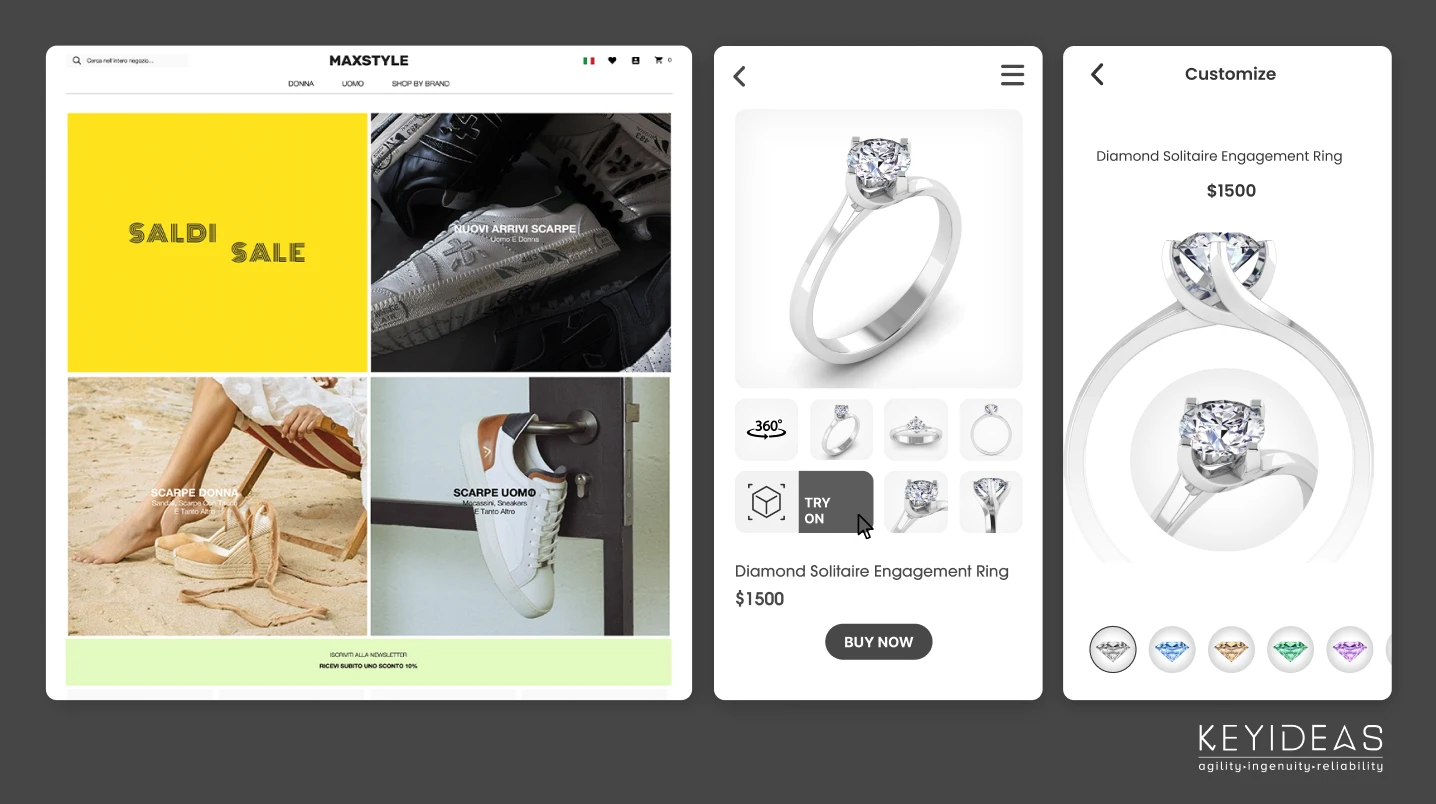
High-quality images show the product clearly from different angles. Videos demonstrate how to use the product or highlight key features. Visual content builds confidence in the product’s quality.
Use images that load quickly and look good on all devices. Clear visuals help visitors imagine owning the product.
Calls to action guide visitors on what to do next. Use clear and direct phrases like “Buy Now” or “Add to Cart.” Make buttons visible and easy to click. Strong calls to action reduce hesitation and boost sales.
Place calls to action near product details and images for better results.
Optimizing user experience is key to turning casual visitors into paying customers. A smooth, enjoyable journey on your product page encourages shoppers to stay longer. It also helps them find what they want quickly and easily. Focus on making every step simple and clear. Small changes can lead to big improvements in sales and customer satisfaction.
More people shop on phones than ever before. Your product page must look good and work well on small screens. Use responsive layouts that adapt to any device. Buttons should be easy to tap and text easy to read. Avoid clutter and large images that slow down mobile use. A mobile-friendly design keeps users engaged and ready to buy.
Shoppers want to find products fast. Clear menus and filters help narrow choices without confusion. Use simple categories and sorting options like price or popularity. Keep navigation visible and consistent across the site. Easy navigation reduces frustration and guides buyers toward the right product. This boosts the chance of completing a purchase.
Speed matters. Pages that load slowly lose visitors quickly. Optimize images and code to load pages in seconds. Use reliable hosting and caching tools to improve performance. Fast loading keeps users focused on shopping, not waiting. A quick product page improves user satisfaction and conversion rates.
Customers need help sometimes. Offer clear contact choices like chat, email, or phone. Place contact info where users can find it easily. Quick access to support builds trust and confidence. Accessible contact options reduce doubts and encourage buyers to complete their orders.
Trust and credibility form the backbone of any product page that aims to convert visitors into buyers. Customers feel safer buying from brands they believe in. Clear, honest information and proof of quality boost confidence. This section highlights key ways to build trust and credibility on your product pages.
Social proof shows potential buyers that others have chosen and liked your product. Display testimonials from real customers to share their positive experiences. Use photos or videos to make testimonials more authentic. Genuine stories reduce doubts and encourage visitors to buy. Highlight how the product solved problems or improved lives.
Customer reviews and ratings help visitors judge product quality quickly. Show star ratings prominently near the product title or price. Include a variety of reviews, both positive and balanced, to appear honest. Encourage customers to leave detailed feedback. Clear, easy-to-read reviews build confidence in your products.
Clear policies reassure buyers about their purchase decisions. Show return, refund, and shipping policies in simple language. Offer guarantees or warranties to reduce the risk for buyers. Transparency about costs and delivery times avoids surprises. Easy-to-find policy information builds trust and lowers cart abandonment.
Credit: www.keyideasinfotech.com
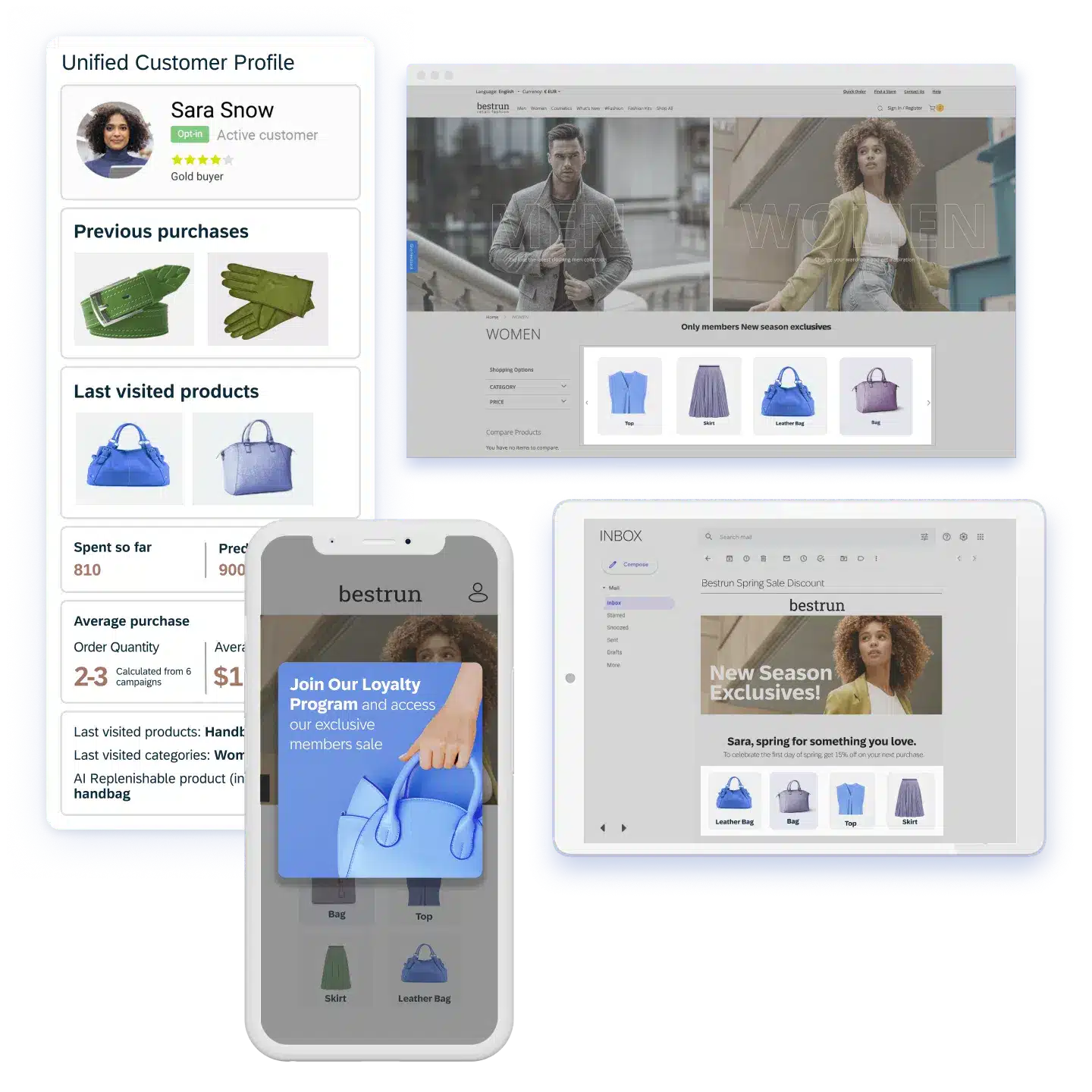
Personalization and recommendations play a vital role in transforming casual browsers into loyal buyers. A product page that adapts to individual preferences creates a more engaging shopping experience. Tailored content helps shoppers find what they want faster and feel valued.
Using data about shopper behavior allows websites to deliver relevant suggestions and special offers. This approach increases the chance of conversion by making the shopping journey easier and more enjoyable.
Showing products related to what the customer views or buys keeps them interested. Suggestions based on browsing history or popular items help shoppers discover new products. This method reduces decision fatigue and encourages additional purchases.
Personalized discounts grab attention and motivate buyers to complete their purchase. Offering special deals based on past purchases or cart contents creates urgency. Customers feel rewarded for their loyalty, boosting trust and repeat visits.
Changing product images, descriptions, or promotions according to shopper actions makes the page feel more relevant. Real-time updates respond to clicks, time spent, or items added to the cart. This dynamic content keeps visitors engaged and nudges them toward buying.
Psychological triggers play a vital role in converting browsers into buyers. They tap into basic human instincts and emotions. Using these triggers can make product pages more persuasive. This helps shoppers feel confident and ready to purchase. Effective use of psychology in design can boost sales and improve user experience.
Urgency and scarcity push customers to act quickly. Showing limited stock or time-limited offers creates fear of missing out. Phrases like “Only 3 left” or “Sale ends in 2 hours” grab attention. These prompts increase the chance of immediate purchase. Urgency stops customers from delaying decisions. Scarcity makes products seem more valuable and rare.
Focus on what the product does for the buyer. Benefits show how life improves with the product. Features explain what the product has or does. Benefits connect with emotions and needs. For example, say “Stay warm all day” instead of “Made with wool.” Benefits help customers imagine using the product. This connection drives stronger motivation to buy.
Colors affect mood and perceptions without words. Red can create excitement and urgency. Blue builds trust and calmness. Use contrasting colors for call-to-action buttons to stand out. Clean layout guides eyes to important details. Simple design reduces confusion and distraction. Consistent style makes the page look professional. Thoughtful color and design choices steer customers toward buying.
Testing and analytics play a key role in transforming product pages. They reveal what works and what does not. Using data-driven methods ensures pages attract and keep buyers. Testing different elements and analyzing user actions help improve the design continually. Insights gained lead to smarter decisions and higher sales.
A/B testing compares two versions of a product page. It shows which layout or feature performs better. Test headlines, images, buttons, and descriptions. Small changes can impact buyer decisions greatly. This method reduces guesswork and guides design choices.
Tracking tools record how visitors interact with pages. They monitor clicks, scrolling, and time spent. This data uncovers user preferences and pain points. Understanding behavior helps identify obstacles in the buying process. It reveals what grabs attention and what causes drop-offs.
Data analysis highlights strengths and weaknesses of product pages. Use insights to refine content and layout. Optimize call-to-action placement and simplify navigation. Test changes regularly to maintain steady growth. Data-driven tweaks lead to better user experiences and more sales.

Credit: www.sliderrevolution.com
Create a clear, engaging product page with strong calls to action. Use social proof, personalized recommendations, and easy navigation. Optimize for mobile and fast loading to boost conversions.
Create a clear value proposition and use strong calls-to-action. Showcase social proof and simplify the buying process. Personalize offers and optimize user experience for all devices.
Enhance user experience with fast, mobile-friendly design. Clearly showcase your value and use strong calls-to-action. Display social proof and offer easy contact options. Personalize content to match visitor needs and provide ongoing communication to build trust and encourage purchases.
Create a sales page with a clear, compelling headline and persuasive, concise copy. Add strong calls to action, social proof like testimonials, engaging images or videos, and ensure mobile-friendly design. These elements guide visitors smoothly toward buying without distractions, boosting conversions effectively.
A well-designed product page guides visitors to buy. Clear images, easy navigation, and strong calls help. Showing reviews builds trust and reduces doubts. Mobile-friendly pages reach more potential customers. Keep the layout simple and focused on benefits. Test different designs to see what works best.
Small changes can lead to better sales results. Consistent updates keep your page fresh and relevant. Focus on the buyer’s needs to create connection. This approach turns casual browsers into happy buyers.







Leave A Reply Now