



If you want your WordPress site to rank higher on Google and attract more visitors, setting up SEO correctly is a must. But where do you start?
Whether you choose Yoast SEO or Rank Math, both plugins offer powerful tools that can boost your site’s visibility — if you know how to use them right. In this guide, you’ll learn how to set up WordPress SEO from scratch using these popular plugins.
Step by step, you’ll discover easy ways to optimize your content, configure settings, and avoid common mistakes that hold many sites back. By the end, you’ll have a clear, actionable SEO setup that helps your site get noticed. Ready to take control of your website’s SEO? Let’s dive in.
Choosing the right SEO plugin for your WordPress site is crucial for better search engine rankings. Yoast and Rank Math are two popular options that offer strong SEO tools. Each plugin has its own strengths and suits different users. Understanding their differences helps you make the best choice for your website’s needs.
Yoast SEO is known for its simplicity and long-standing reputation. It offers a user-friendly interface and clear SEO analysis. Rank Math is newer but rapidly growing. It provides more advanced features and a modern design. Yoast focuses on content readability and keyword optimization. Rank Math supports multiple keywords and rich snippets out of the box.
Both plugins include XML sitemap generation and meta tag control. Yoast SEO offers internal linking suggestions and content insights. Rank Math includes schema markup options and Google Search Console integration. Rank Math also supports local SEO and WooCommerce SEO in its free version. Yoast reserves some advanced features for premium users.
Yoast SEO’s free version covers basic SEO essentials for most websites. Premium adds features like multiple keyword focus and redirect management. Rank Math’s free version includes many features that other plugins charge for. Its premium plan unlocks even more advanced tools, such as keyword rank tracking and schema builder. Choosing depends on your budget and SEO needs.
Installing an SEO plugin is the first step in optimizing your WordPress site for search engines. Plugins like Yoast and Rank Math help improve your site’s visibility. They provide tools to manage keywords, meta descriptions, and sitemaps easily. Below are two simple methods to install these plugins.
First, download the plugin file from the official website. It will be a .zip file. Next, log in to your WordPress dashboard. Go to Plugins > Add New. Click on Upload Plugin at the top. Choose the .zip file you downloaded. Click Install Now. After installation, click Activate Plugin. Your SEO plugin is now ready to use.
Log in to your WordPress dashboard. Navigate to Plugins > Add New. In the search bar, type “Yoast SEO” or “Rank Math”. Find the plugin in the search results. Click Install Now. Wait a few seconds. Then click Activate. The plugin will appear in your dashboard menu. Start configuring your SEO settings easily.
Setting up your SEO plugin correctly at the start is crucial. The initial plugin configuration helps search engines understand your website. It also improves your chances of ranking higher in search results. Both Yoast and Rank Math offer simple setup processes to guide you.
This section covers the first steps to configure your SEO plugin. It includes using the setup wizard, connecting webmaster tools, and choosing your site type and goals. Each step ensures your plugin works best for your website’s needs.
The setup wizard is the easiest way to start. It guides you through key settings step-by-step. You will enter your site information and basic SEO preferences. Follow the prompts carefully to avoid mistakes.
Yoast and Rank Math both have clear wizards. They ask about your website type, visibility, and content focus. Completing the wizard saves time and sets a strong SEO foundation.
Connecting to webmaster tools helps track your site’s health. Tools like Google Search Console show how your site performs in search results. Linking them to your SEO plugin allows easy data access.
You will need to verify ownership of your site using a code. The plugin then automatically fetches important SEO data. This connection improves your ability to fix issues quickly.
Choosing your site type helps the plugin tailor SEO settings. Options include blog, business, online store, and more. Pick the category that best fits your website’s purpose.
Next, define your SEO goals. These could be increasing traffic, improving rankings, or boosting sales. The plugin adjusts recommendations based on these goals. This step ensures SEO efforts target what matters most.
Configuring general SEO settings is the first key step in optimizing your WordPress site. These settings help search engines understand your site better. They also improve how your pages appear in search results. Using plugins like Yoast or Rank Math makes this process easier. These plugins offer clear options for essential SEO features. Proper setup ensures your site is ready to attract more visitors.
Titles and meta descriptions are the first things users see in search results. They must clearly describe the page content. Use your SEO plugin to set templates for titles and descriptions. Include important keywords naturally. Keep titles under 60 characters and meta descriptions under 160 characters. Avoid keyword stuffing to keep your site trustworthy. Customize these fields for each page if needed. This improves click-through rates and search ranking.
Sitemaps help search engines find and index your pages faster. Both Yoast and Rank Math create sitemaps automatically. Make sure sitemap generation is enabled in the plugin settings. Submit your sitemap URL to Google Search Console. Regularly update your sitemap as you add or remove pages. This keeps search engines informed about your site structure. A good sitemap boosts your site’s visibility in search results.
The robots.txt file tells search engines which pages to crawl or ignore. Use your SEO plugin to edit this file safely. Block pages that do not need to appear in search results. The .htaccess file controls server settings and redirects. Configure it carefully to improve site speed and security. Always back up these files before making changes. Proper configuration prevents indexing of duplicate or private content.
Optimizing content for SEO is vital to boost your WordPress site’s visibility. It helps search engines understand your page and rank it higher. Proper optimization improves user experience and drives more organic traffic.
Focus on clear keywords, easy-to-read text, and structured data to enhance your content’s SEO. These elements work together to make your site attractive to both users and search engines.
Choose one main keyword that reflects your page topic. Use it naturally in your title, headings, and body text. Avoid keyword stuffing, which can harm your ranking.
Include the focus keyword in the first 100 words of your content. Use variations and related terms to cover the topic fully. This helps search engines understand your content better.
Write short sentences and simple words. Break text into small paragraphs for easy reading. Use bullet points and subheadings to organize ideas clearly.
Check your readability score using SEO plugins like Yoast or Rank Math. Aim for a score that suits most readers, usually around grade 7 level. Clear content keeps visitors engaged longer.
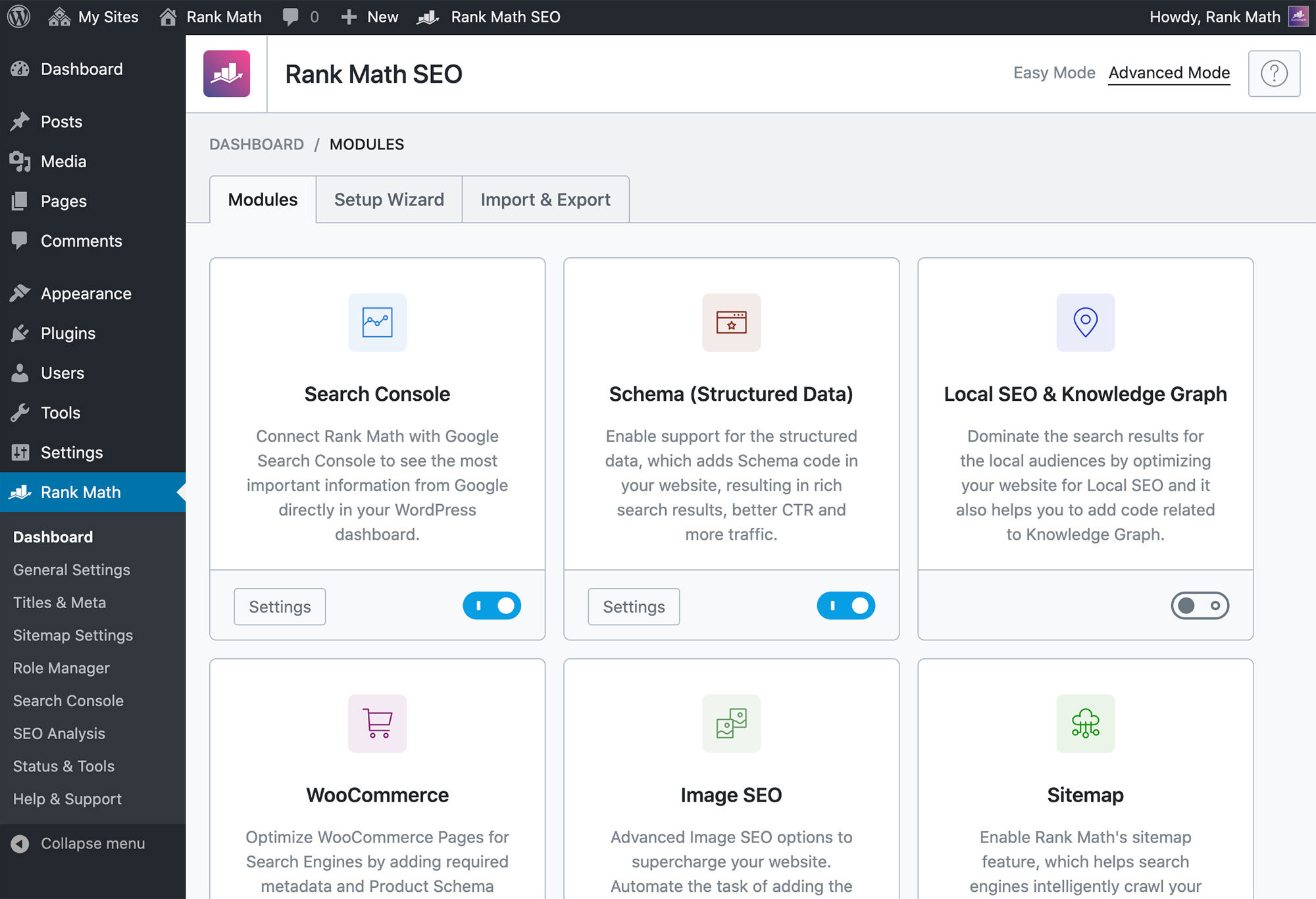
Schema markup helps search engines display rich snippets in results. It provides extra information like ratings, prices, and event dates. This can increase your click-through rate.
Use SEO plugins to add schema without coding. Choose the correct schema type based on your content, such as article, product, or local business. Validate your markup with tools like Google’s Rich Results Test.
Credit: rankmath.com
Advanced SEO features in WordPress SEO plugins help improve your site’s performance. These tools go beyond basic SEO settings to fix common issues and boost your website’s search presence. Understanding these options is key to maintaining a healthy site and gaining local traffic.
Redirect management prevents broken links and lost visitors. It automatically sends users from old URLs to new ones. This keeps your site’s SEO value intact. Both Yoast and Rank Math offer easy redirect setup without extra plugins. You can create 301 redirects to guide search engines and users smoothly.
404 error monitoring tracks pages that visitors cannot find. These errors harm user experience and SEO rankings. Plugins alert you when 404s occur so you can fix them fast. Fixing broken links reduces bounce rates and helps keep your site authority strong. This feature saves time by showing all errors in one place.
Local SEO setup boosts visibility for nearby customers. It helps your business appear in local searches and maps. Plugins allow easy input of your address, phone, and business hours. You can add structured data to improve local search results. This setup increases chances to attract local clients and grow your business.
Migrating from other SEO plugins to a new solution can feel tricky. Each plugin stores settings differently. You must move your data carefully to keep your SEO intact. Switching to Yoast or Rank Math needs proper planning. This section covers how to migrate without losing important SEO work.
Rank Math offers a built-in tool for importing settings from Yoast. This tool copies your SEO titles, meta descriptions, and other configurations. It saves time and reduces errors.
Start by installing and activating Rank Math. Then, go to the setup wizard and select the option to import from Yoast. The plugin will scan and transfer your existing SEO data automatically.
Check the imported settings carefully. Some advanced options might need manual adjustment. This process keeps your SEO consistent during the switch.
After importing, deactivate your old SEO plugin to avoid conflicts. Running two SEO plugins at once causes duplicate meta tags and errors. This can harm your site’s search rankings.
Deactivate Yoast or any other plugin from your WordPress dashboard. Do not delete it immediately. Keep it inactive for a few days to monitor your site’s performance.
Once you confirm everything works well with the new plugin, you can delete the old plugin safely. This step ensures a smooth transition without losing SEO data.
Plugin conflicts can disrupt your WordPress SEO setup. They cause errors, slow site speed, and confuse search engines. Avoiding these conflicts ensures your SEO efforts work smoothly. This section covers common issues and how to solve them.
Using Yoast SEO and Rank Math at the same time causes problems. Both plugins try to control meta tags and SEO settings. This overlap confuses search engines about which data to use. It can lead to duplicate content issues and lower rankings.
Running both plugins also increases the chance of technical errors. Your website may slow down or crash due to plugin conflicts. Choose one SEO plugin to keep your site stable and optimized.
Duplicate meta tags harm your SEO performance. Both Yoast and Rank Math can create similar tags if used together. This makes search engines unsure which information is correct.
Check your page source code to spot duplicate meta tags. If found, deactivate one SEO plugin immediately. Use only one plugin to generate meta tags to avoid confusion. This will improve your site’s SEO health and search rankings.
Monitoring and improving SEO performance is essential for maintaining and growing your website’s visibility. After setting up Yoast or Rank Math, continuous tracking helps identify what works and what needs change. Regular analysis ensures your efforts align with search engine updates and user behavior.
SEO is not a one-time task. It requires ongoing attention to stay competitive and relevant. Monitoring tools provide valuable data to guide your strategy. Improvement based on this data leads to better rankings and more traffic.
Google Analytics shows how visitors interact with your site. It tracks page views, bounce rates, and user paths. This data reveals which pages perform well and which need work.
Google Search Console provides insight into your website’s presence in Google search results. It reports on keyword rankings, click-through rates, and indexing status. Use it to fix errors and improve your site’s search visibility.
Perform SEO audits to find technical issues and content gaps. Check for broken links, slow loading speeds, and mobile usability problems. Audits also review your site structure and keyword use.
Conduct audits every few months or after major updates. This keeps your site healthy and aligned with SEO best practices. Fixing issues quickly prevents loss of traffic and rankings.
SEO settings need regular updates as search engines evolve. Refresh your meta titles and descriptions to reflect current keywords. Adjust focus keywords based on performance data.
Plugins like Yoast and Rank Math offer easy ways to update SEO settings. Keep your sitemap and robots.txt files current. These small changes help maintain your site’s SEO strength.
Credit: www.upwork.com

Credit: rankmath.com
No, using Rank Math and Yoast SEO together causes conflicts and duplicate meta tags. Choose one plugin for best website performance. Use Rank Math’s import tool to safely switch from Yoast SEO.
Rank Math offers more free features and advanced SEO options. Yoast SEO excels in readability analysis. Choose based on your specific needs and ease of use.
Install and activate Rank Math from the WordPress plugin directory. Follow the setup wizard to configure SEO settings. Optimize posts using Rank Math’s meta boxes and monitor SEO performance within your dashboard.
Install and activate Yoast SEO from the WordPress plugin directory. Use the configuration wizard to set site type, connect to Google, and optimize settings. Add focus keywords and meta descriptions for posts. Regularly update the plugin to improve SEO performance and site visibility.
Setting up WordPress SEO correctly boosts your site’s visibility. Choose either Yoast or Rank Math for best results. Avoid using both plugins together to prevent conflicts. Use Rank Math’s import tool if switching from Yoast. Regularly update your SEO settings to stay optimized.
Keep your website content clear and user-friendly. Consistent SEO effort leads to better search rankings. Start your SEO journey now for steady website growth.







Leave A Reply Now