


Starting an online store can seem hard. You may wonder how to sell products easily. Shopify is a tool that helps you do this. It is a platform where you can create your own online shop.
Shopify is a website builder for online stores. It lets you sell products on the internet. You do not need to know coding or website design. Shopify gives you all the tools to start selling fast.
People use Shopify to sell many things. Clothes, toys, books, and even digital products can be sold. It works for small shops and big businesses too.

Credit: www.youtube.com
Shopify brings many parts of selling online into one place. It helps with:
All these features help you run your store from a single dashboard. This saves time and makes your work easier.
There are many ways to sell online, but Shopify is popular. Here are some reasons:
Starting with Shopify is simple. Follow these steps to create your store.
Go to the Shopify website. Click on the “Start free trial” button. You will need to enter your email, create a password, and name your store.
Shopify lets you try it for free for 3 days or more. This helps you explore before paying.
Your store name is important. It should be easy to remember and related to your products. Shopify will check if the name is available.
Shopify offers many themes or templates. These control how your store looks. You can choose a free theme or buy a paid one.
Each theme can be changed easily. You can add your logo, colors, and pictures.
Click on “Add product” to start listing your items. You can add a title, description, and price for each product.
Upload clear photos. Good pictures help customers decide to buy.
You can also manage inventory. This means keeping track of how many items you have.
Shopify allows many payment options. You can accept credit cards, PayPal, or other methods.
Shopify Payments is the easiest way to accept money. It works in many countries and charges low fees.
You must tell Shopify how you will ship products. Choose shipping rates and methods that fit your business.
You can offer free shipping or charge based on weight or location.
After adding products and setting payments, you are ready. Remove the password page to open your store to customers.
Now, your store is live. People can visit and buy your products.
Once your store is open, you need to manage it well. Here are some daily tasks:
Shopify has many apps you can add. Apps add more features to your store. Some popular apps help with:
| App Type | What It Does |
|---|---|
| Email Marketing | Sends emails to customers about sales and new products. |
| Inventory Management | Keeps better track of stock and products. |
| Customer Reviews | Lets customers leave reviews on products. |
| Discounts & Coupons | Creates special offers to attract buyers. |
| Shipping | Helps manage shipping labels and tracking. |
Add apps that fit your business needs. Too many apps can slow down your store.
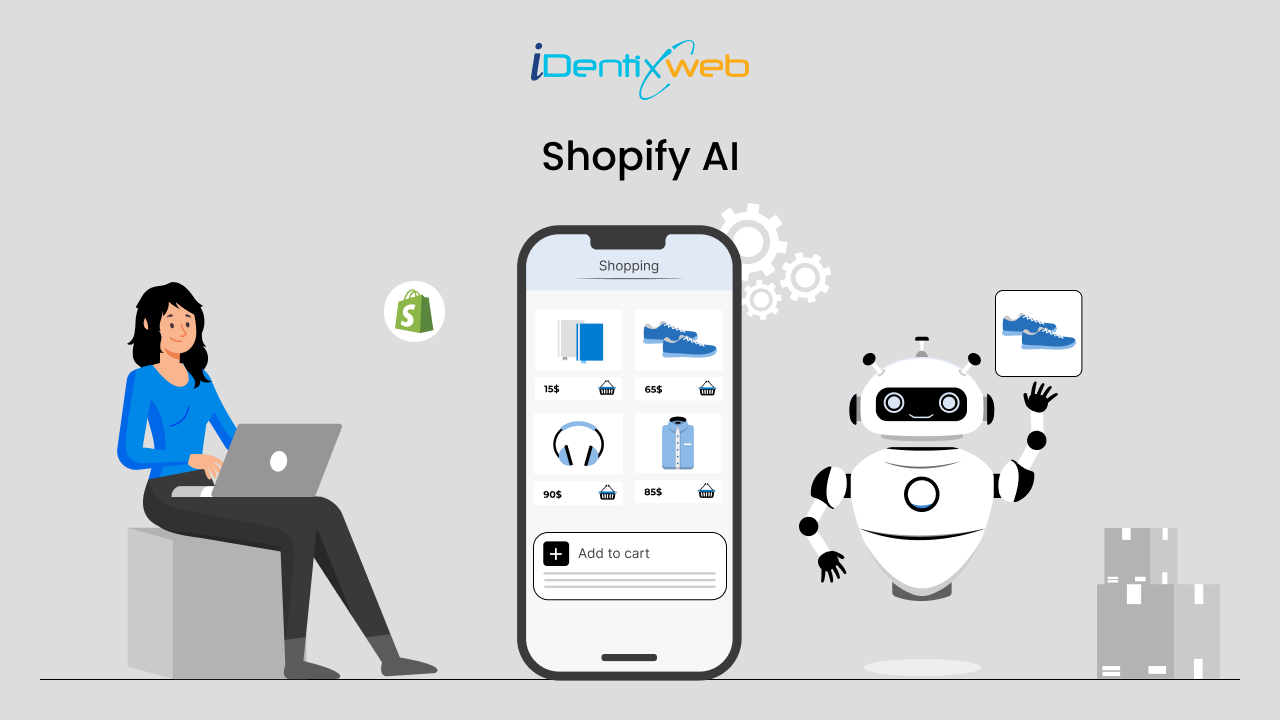
Credit: www.identixweb.com
You do not need to create a company first. You can start as a sole owner. But it is smart to form an LLC later. An LLC protects your personal stuff from business debts.
Also, check local rules for business licenses. You might need permits to sell online in your area.
Shopify has different plans. They start from low monthly prices. Here is a simple table of basic plans:
| Plan | Price per Month | Features |
|---|---|---|
| Basic Shopify | $29 | All basic tools for a new store |
| Shopify | $79 | More features and staff accounts |
| Advanced Shopify | $299 | Advanced reports and shipping discounts |
Each plan includes hosting, security, and support. You also pay fees when you accept payments.
Create a Shopify account and set up your store by choosing a theme. Add products, configure payments, and enable shipping options. Customize your online store and launch to start selling. Use Shopify’s tools for marketing, inventory, and order management to grow your eCommerce business efficiently.
Shopify charges a 2. 9% + 30¢ fee on a $100 sale using Shopify Payments. That equals $3. 20 deducted.
Shopify e-commerce works by providing a platform to create online stores, manage products, process payments, and handle shipping. It integrates marketing tools and third-party apps to simplify selling. Users customize themes, add products, and launch their store quickly without coding skills.
No, you don’t need an LLC to run a Shopify store. You can start as a sole proprietor. Forming an LLC offers legal protection and separates personal assets from business risks. Many choose an LLC as their business grows to enhance credibility and manage liability effectively.
Shopify is a tool for selling products online. It helps you build your own shop without hard work. You can add products, accept payments, and ship orders easily.
Many people use Shopify because it is simple and powerful. You do not need to be a tech expert. Just follow the steps and start selling.
Remember to keep your store updated and offer good service. This will help your business grow over time.
Start your journey with Shopify today. Your online store can reach many customers worldwide.







Leave A Reply Now