


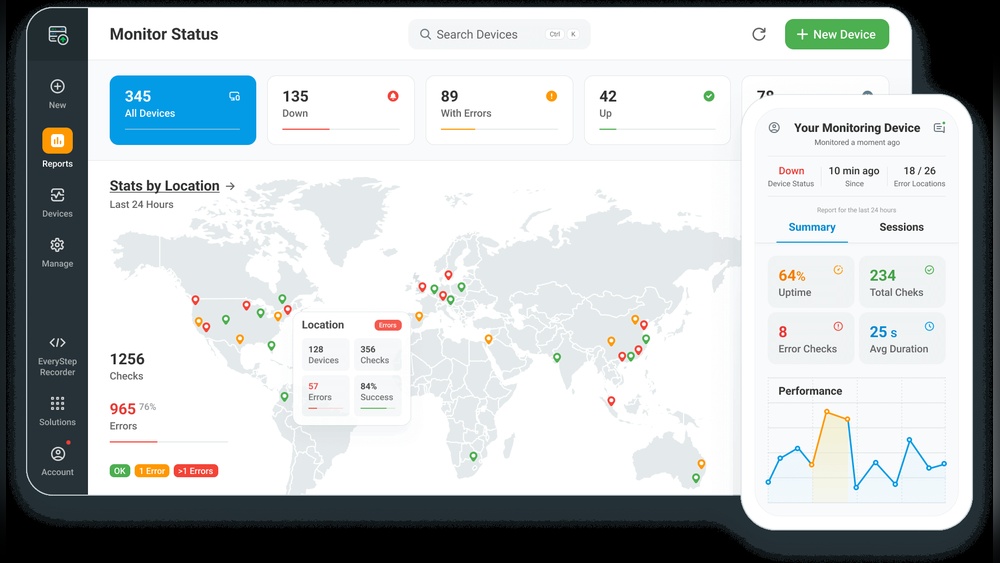
You rely on your website to connect with customers, showcase your brand, and drive sales. But what happens when your site goes down or slows to a crawl?
Every second of downtime or lag can cost you visitors, trust, and revenue. That’s why monitoring your site’s uptime and performance isn’t just a tech task—it’s a critical part of protecting your online presence. You’ll learn simple, effective ways to keep your website running smoothly and catch issues before they impact your visitors.
Ready to take control and ensure your site is always working for you? Let’s dive in.
Monitoring site uptime requires tracking specific metrics that show your website’s health. These key metrics help you see if your site is available, how fast it responds, and how often errors occur. Paying attention to these numbers allows you to maintain a smooth user experience and quickly fix issues.
Availability shows how often your website is online and accessible. It is usually expressed as a percentage, such as 99.9%. Higher availability means fewer downtime periods. Tracking this metric helps you understand if your hosting and infrastructure are reliable. Regular checks ensure your site stays up and running for visitors.
Response time measures how fast your website loads after a user requests it. Faster response times improve user satisfaction and search rankings. Monitoring this metric shows if your server or network is slowing down. It also helps identify performance issues before they affect visitors. Aim to keep response times low for the best experience.
Error rate tracks the percentage of failed requests on your website. Common errors include 404 (page not found) or 500 (server error). A high error rate signals problems that need attention. Tracking errors lets you spot broken links, server issues, or code bugs. Fixing these errors keeps your site reliable and trustworthy.
Choosing the right tool helps keep your website online and fast. Popular monitoring tools track uptime and performance. They alert you if your site goes down or slows. These tools offer different features and setups. Some are easy to use, while others allow deep customization. Below are some well-known options to consider.
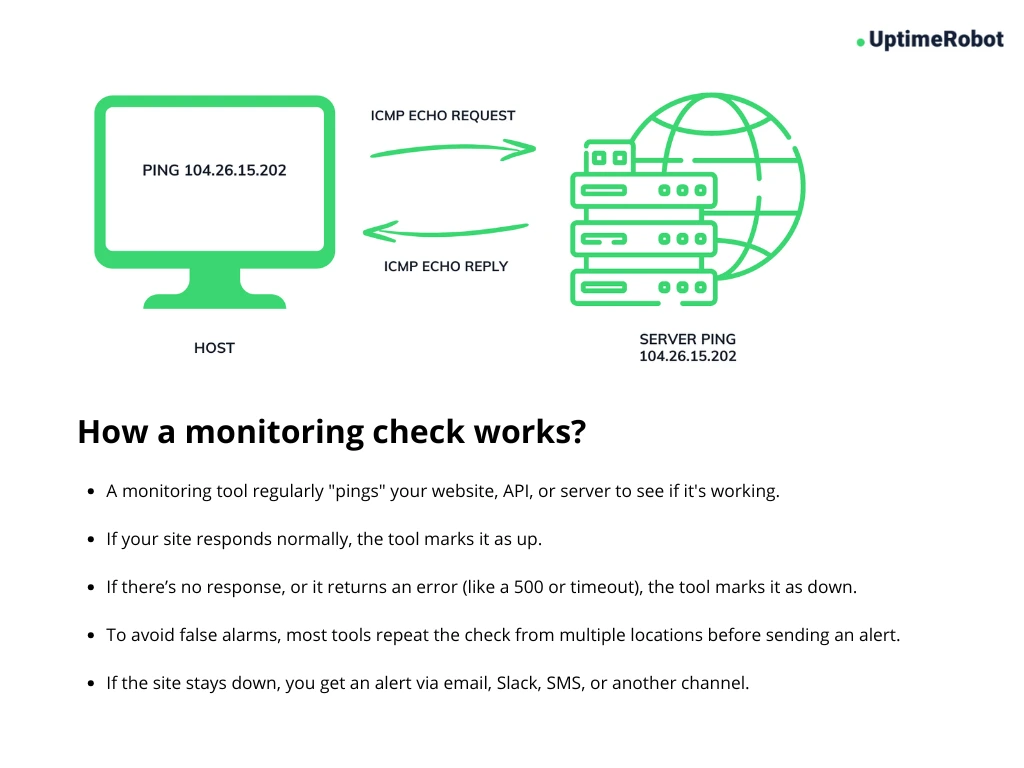
UptimeRobot checks your website every 5 minutes for free. It supports HTTP(s), ping, port, and keyword monitoring. Alerts come through email, SMS, or app notifications. You can monitor up to 50 websites on the free plan. The interface is simple and beginner-friendly. It also offers detailed uptime reports and response time logs. This tool suits small to medium websites well.
Pingdom offers advanced performance and uptime checks. It tests website speed from multiple global locations. Real user monitoring lets you see visitor experience. Alerts can send via email, SMS, or integrations like Slack. The dashboard shows uptime, page load times, and transaction monitoring. Pingdom works best for businesses needing detailed data. It provides insights to improve user experience.
Self-hosted tools give full control over monitoring setup. Uptime Kuma is a popular open-source choice. It supports many monitor types and custom notifications. You install it on your own server or computer. This option requires technical skills but offers privacy and flexibility. Another tool, Cabot, allows custom scripting for alerts. Self-hosted solutions suit those who want to tailor monitoring deeply.
Setting up alerts is essential to keep track of your site’s uptime and performance. Alerts notify you immediately if your site goes down or slows. This helps you fix problems fast and avoid losing visitors. Proper alert setup ensures you get the right information at the right time.
Select notification channels that you check often. Common options include email, SMS, and push notifications. Each channel has its own strengths. Emails are good for detailed reports. SMS alerts catch your attention quickly. Push notifications work well on mobile devices. Use more than one channel for better coverage.
Set alert thresholds based on your site’s normal performance. For example, trigger an alert if downtime lasts more than one minute. Or alert if page load time exceeds three seconds. Keep thresholds strict enough to catch real issues. Avoid setting them too tight to prevent frequent alerts.
False positives waste time and cause frustration. Use a confirmation step before sending alerts. For instance, check the site twice before alerting. Adjust thresholds if you get too many false alarms. Consider using monitoring tools that filter out noise. This keeps your alerts meaningful and actionable.
Credit: uptimerobot.com
Performance testing techniques help measure how well your website works under different conditions. These tests check speed, stability, and user experience. Using the right methods ensures your site runs smoothly and keeps visitors happy.
Load time analysis measures how fast your website pages open. It checks each element, like images and scripts, to find delays. Faster load times improve user satisfaction and search engine ranking. Tools like Google PageSpeed Insights provide clear reports to fix slow parts.
Stress testing pushes your website beyond normal limits to find breaking points. It simulates many users visiting at once. This helps identify server weaknesses and bottlenecks. Fixing these issues prevents crashes during traffic spikes or sales events.
Real user monitoring tracks actual visitors’ experiences in real time. It collects data on load times, errors, and interactions from real browsers. This method shows how your site performs worldwide and on different devices. Real user feedback guides improvements that matter most.
Interpreting monitoring data is key to understanding your website’s health. Raw numbers alone do not tell the full story. You need to analyze trends and signals to make smart decisions. This process helps you spot issues early and maintain smooth site performance.
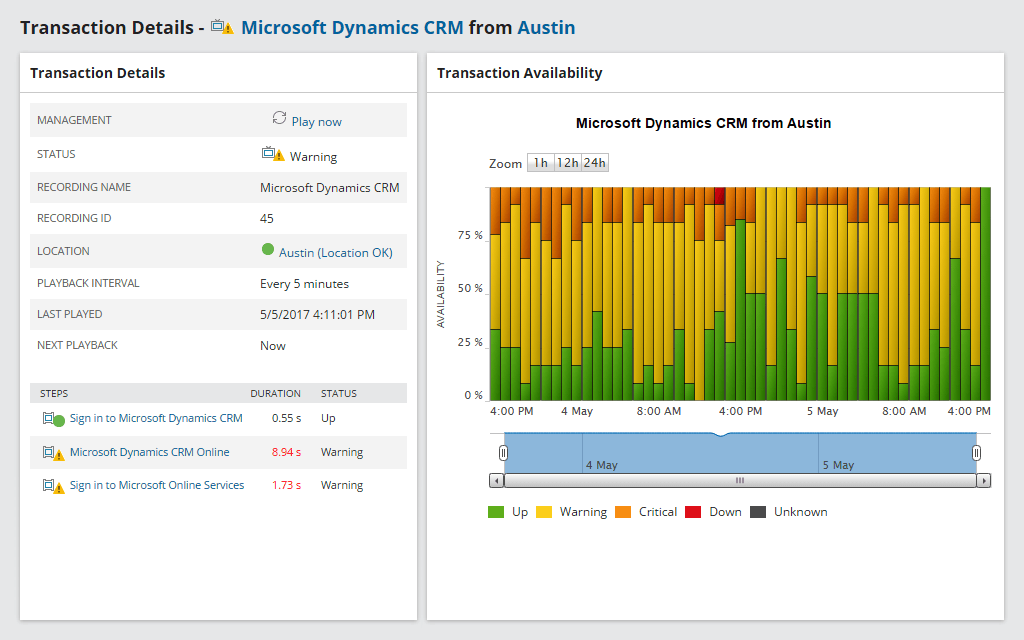
Look for recurring trends in uptime and response times. Consistent dips may indicate underlying problems. Patterns can show when traffic surges or server loads increase. Recognizing these cycles helps plan maintenance and upgrades. Use graphs and charts to visualize data easily.
Pinpoint areas where performance slows down. High load times or error rates often reveal bottlenecks. These might be caused by server limits, slow databases, or network issues. Detecting bottlenecks allows you to focus on fixing the weakest links. This leads to faster and more reliable websites.
Compare monitoring data over time to measure progress. Notice if uptime rates rise and errors decrease after changes. Tracking improvements shows which fixes work best. It also highlights areas needing more attention. Regular reviews keep your site running at its best.
Continuous monitoring is essential to keep websites running smoothly. It helps spot problems early and ensures visitors have a good experience. Following best practices makes monitoring more effective and reliable. This section covers key strategies for continuous uptime and performance tracking.
Use monitoring servers in different countries. This approach checks site speed and availability worldwide. It reveals regional issues that affect users in specific areas. Choose locations based on your audience’s geography. This helps deliver consistent performance to all visitors.
Set fixed times to analyze monitoring data. Daily or weekly reviews catch trends and recurring problems. Review alerts and logs to identify false positives or missed outages. Adjust thresholds and settings to improve accuracy. Regular reviews keep monitoring tuned to real site conditions.
Combine monitoring tools with your DevOps workflow. Automate alerts to notify developers instantly. Use monitoring data to guide quick fixes and updates. Continuous feedback loops speed up problem resolution. Integration ensures uptime and performance stay priorities during development.
Choosing the right tool to monitor your site uptime and performance is crucial. It ensures your website stays live and runs smoothly. The right monitoring tool can detect issues fast and help maintain a great user experience.
Not all tools offer the same features or fit every budget. Careful selection saves time and money. It also supports your site as it grows. Consider your specific needs before making a choice.
Start by listing what you need to monitor. Check uptime, speed, and error detection options. Decide how often you want checks. Some tools offer real-time alerts, which can be vital.
Set a budget range for your monitoring tool. Free tools may work for small sites. Paid tools usually offer more features and support. Match your budget with your site’s size and importance.
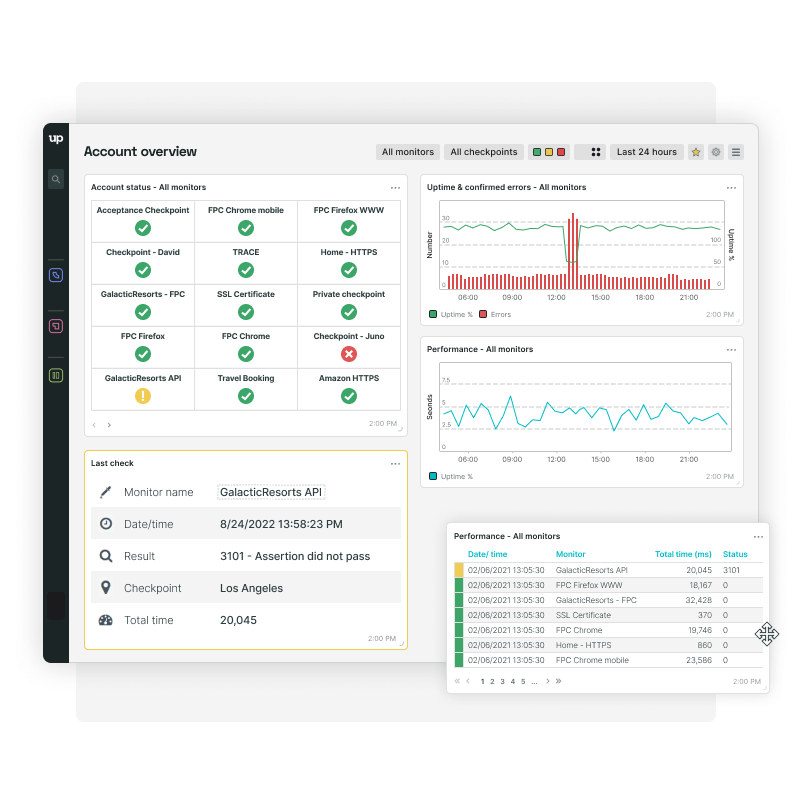
Look for key features like uptime alerts, performance reports, and detailed analytics. Easy setup and user-friendly dashboards matter. Some tools offer mobile apps for monitoring on the go.
Check if the tool supports multiple sites or servers. Integration with your existing software can simplify management. Reliable customer support is a plus.
Choose a tool that grows with your website. Your traffic and data needs may increase over time. A scalable tool adapts without losing performance.
Look for flexible plans or add-ons. This avoids switching tools as your site expands. Scalability ensures long-term monitoring without interruptions.
Credit: www.solarwinds.com
Credit: www.uptrends.com
Use tools like Google Analytics, Pingdom, or UptimeRobot to track website speed, uptime, and user behavior. Monitor server response times and error rates regularly. Analyze data to identify issues and optimize performance. Set alerts for downtime to ensure quick fixes and maintain seamless user experience.
UptimeRobot, Pingdom, and Uptime Kuma rank among the best uptime monitoring services. They offer real-time alerts, easy setup, and reliable performance tracking. Choose based on your needs for features, pricing, and customization.
The KPI for uptime measures the percentage of time a website or system remains operational and accessible. It tracks availability and reliability to ensure minimal downtime. High uptime percentages, typically above 99. 9%, indicate strong performance and user trust.
An uptime monitoring tool tracks a website’s availability and performance continuously. It alerts users instantly if downtime occurs. This ensures websites stay accessible and reliable for visitors.
Monitoring your site’s uptime and performance keeps it reliable and fast. Regular checks help spot issues before they affect users. Use simple tools that send alerts instantly. Track key metrics like downtime and load time daily. Staying proactive saves time and protects your online reputation.
Keep your website running smoothly with consistent monitoring. Small efforts lead to better user experiences and higher rankings. Don’t wait for problems—act now to maintain your site’s health.







Leave A Reply Now