


Choosing the right design tool is important for your work. Canva and Adobe are two popular choices. But which one fits you better? This article compares Canva and Adobe. It will help you decide which tool to use.
Canva is an easy-to-use online design tool. It lets you make pictures, posters, and presentations fast. You do not need to know much about design to use it.
Adobe
Canva is good for social media posts, flyers, and simple projects. It helps you create nice designs without training.
Adobe tools are powerful. They give full control over every design detail. They are good for complex projects and professional work.
Canva is simple. The design process is fast. You drag and drop items. You do not have to learn hard skills.
Adobe
For beginners, Canva is better. For experts, Adobe is better.
| Feature | Canva | Adobe |
|---|---|---|
| Templates | Thousands of ready-made templates | Few templates, mostly custom work |
| Image Editing | Basic tools like crop and filter | Advanced editing with layers and masks |
| Typography | Limited fonts and text controls | Full control over fonts and spacing |
| Vector Graphics | Very limited or no vector editing | Excellent vector tools for logos |
| File Export | Common formats like JPG, PNG, PDF | Many formats with print-ready options |
| Collaboration | Easy sharing and team editing online | Collaboration possible but more complex |
Canva offers a free plan with many features. Paid plans cost less than Adobe. They are good for people with small budgets.
Adobe uses a subscription model. It is more expensive. But it gives you access to many professional tools.
Here is a simple cost table:
| Plan | Canva | Adobe Creative Cloud |
|---|---|---|
| Free | Yes, with limits | No |
| Monthly | About $12.99 per month | From $20.99 per app per month |
| Annual | Discounted yearly plans | Discounted yearly plans available |
Canva designs look good for online use. But they often use similar templates. This can make designs look alike.
Adobe allows unique and creative designs. You can make detailed and original work. This is good for branding and print.
Professionals prefer Adobe for quality and control.
Adobe files are great for printing. They keep high resolution and color accuracy.
Canva files sometimes do not work well for professional print. They can lose quality or have wrong formats.
This matters if you want to print posters, books, or magazines.
If you want quick and easy designs, pick Canva. It is good for social media, presentations, and small projects.
If you want professional and unique designs, choose Adobe. It is best for logos, print, and detailed work.
Think about your skills, budget, and goals before deciding.
| Aspect | Canva | Adobe |
|---|---|---|
| Ease of Use | Very easy for beginners | Harder, needs learning |
| Features | Basic but enough for most | Advanced and detailed |
| Cost | Lower price, free plan | Higher price, no free plan |
| Design Quality | Good for casual use | Best for professionals |
| Printing | Limited quality | Excellent quality |
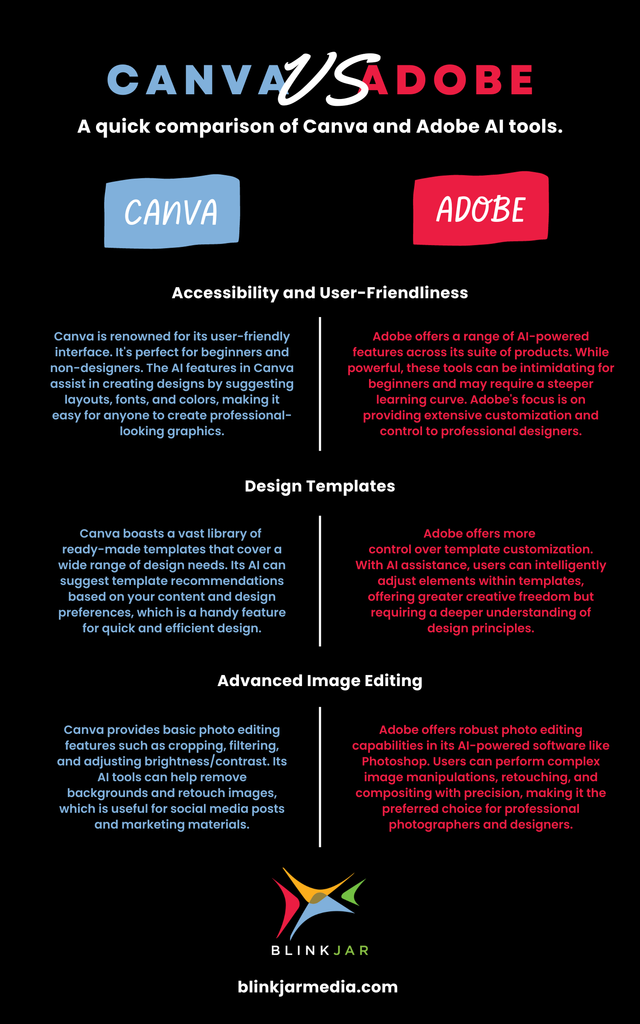
Credit: www.blinkjarmedia.com
Credit: blog.scorevision.com
Both Canva and Adobe have strong points. Canva is friendly and fast. Adobe is powerful and precise.
Your choice depends on what you need. For simple, quick projects, Canva works well. For complex, professional work, Adobe is better.
Try both if you can. This helps you see which fits your style best.
Canva suits beginners with easy, affordable design tools for quick social media graphics. Adobe offers advanced features preferred by professionals for detailed, high-quality projects. Choose Canva for simplicity and speed; Adobe excels in customization and print-ready design.
Adobe InDesign suits professional, complex layouts and print design with advanced tools. Canva offers easy, quick designs for social media and beginners. Choose InDesign for precision and customization; pick Canva for simplicity and speed. Both serve different needs effectively.
Adobe Express is a top alternative to Canva, offering more advanced features and professional design flexibility. It suits users needing better customization.
Professional designers avoid Canva because it limits creativity, lacks advanced tools, and produces generic, print-unfriendly designs. It undervalues their skills and restricts unique branding.







Leave A Reply Now