


Have you heard about Adobe Creative Cloud but wondered what it is? Or how it works? This article will explain everything in simple words. You will learn about the tools inside Adobe Creative Cloud and how people use them.
Adobe Creative Cloud is a group of software programs. These programs help people make art, photos, videos, and websites. It is not just one program, but many programs together. You pay money every month or year to use these programs. This is called a subscription.
Think about it like a toolbox. Adobe Creative Cloud is a big toolbox with many useful tools. Each tool helps you do a special job. For example, one tool helps to edit photos, another helps to make videos, and another helps to create designs.
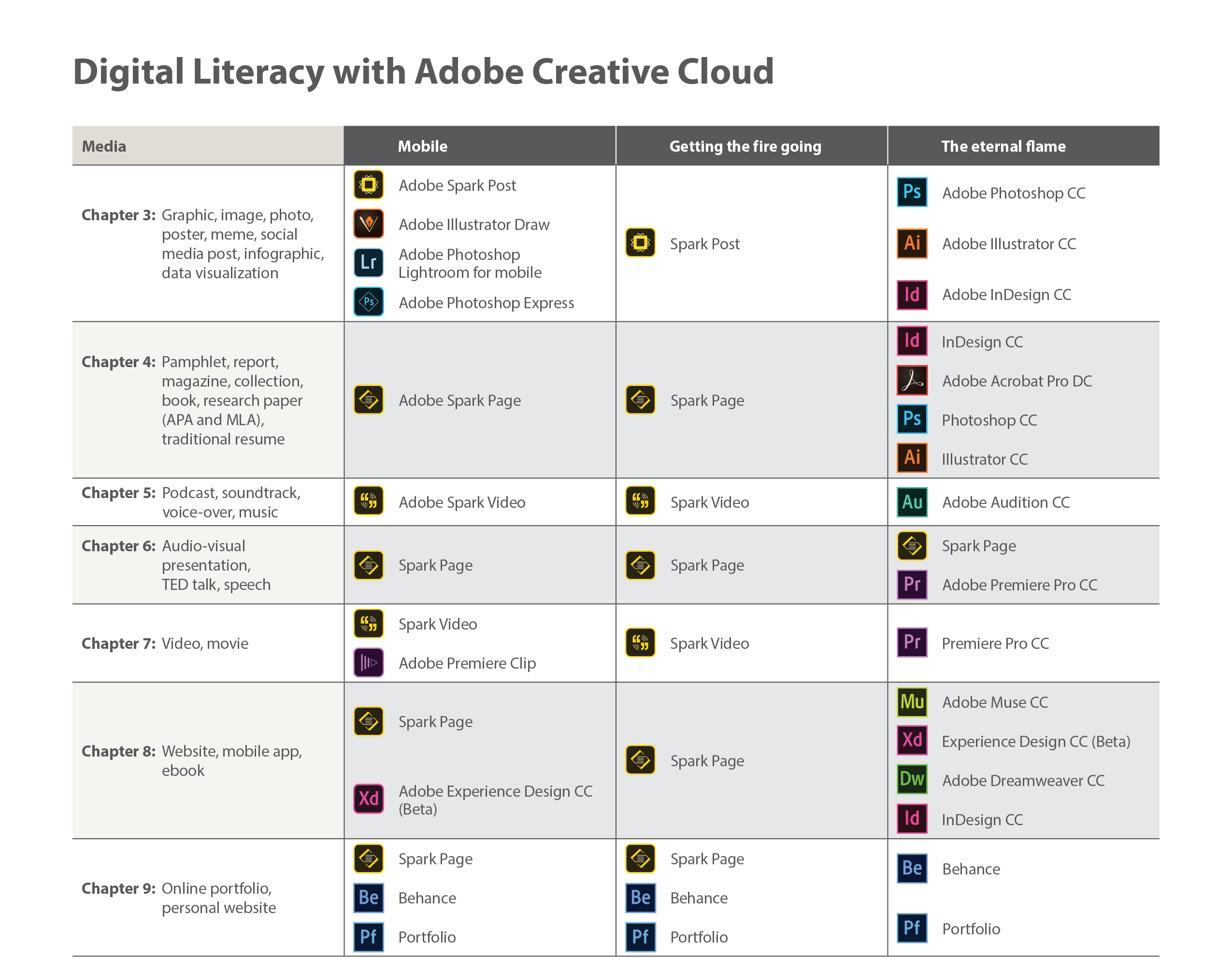
Credit: scalar.usc.edu
Many people use Adobe Creative Cloud. Students, teachers, photographers, video makers, and website builders all find it useful.
Adobe Creative Cloud has many programs. Here are some of the most popular ones:
| Program Name | What It Does |
|---|---|
| Photoshop | Edit photos and create images. |
| Illustrator | Create drawings and logos with shapes and lines. |
| Premiere Pro | Edit videos and add effects. |
| After Effects | Make animations and special video effects. |
| InDesign | Design books, magazines, and flyers. |
| Lightroom | Edit and organize photos easily. |
| Adobe XD | Design apps and websites. |
| Adobe Acrobat | View and edit PDF documents. |
These programs work on computers and some have mobile apps too.
Adobe Creative Cloud works by letting you download and install programs on your computer. You log in with your Adobe account. Then you can open the programs and start working.
When you save your work, you can save it on your computer or in the cloud. The cloud means your files are saved online. This is useful because you can open your work from any computer later. You just need to sign in.
Adobe Creative Cloud also updates the programs for you. When Adobe makes a new version, you get a message. You can download the update easily. This way, your programs always have the newest tools and fixes.
Cloud storage is a space online to save your files. Adobe gives you some cloud storage with your subscription. You can store pictures, videos, and projects there.
Cloud storage is safe and easy to use. You do not lose files if your computer breaks. Also, you can share your files with friends or team members by sending a link.
Yes, many Adobe programs have mobile versions. You can use these apps on phones and tablets. For example, Adobe Photoshop has a mobile app called Photoshop Express.
Mobile apps let you work on the go. You can make quick edits or create something new when you are not near a computer.
Adobe offers different plans to fit your needs. Here are some common plans:
Prices change depending on the plan and location. You can check Adobe’s website for the latest prices.
If you want to try Adobe Creative Cloud, here is what you do:
Adobe also offers free trials. You can try the programs for a few days before paying.
Adobe Creative Cloud is for many types of users. Here are some examples:
If you want to do creative work, Adobe Creative Cloud can help.
Adobe Creative Cloud has some challenges. The subscription cost may be high for some. Also, some programs take time to learn. But with practice, you can improve.
Another challenge is internet access. Since cloud features need internet, slow or no internet can make things harder.
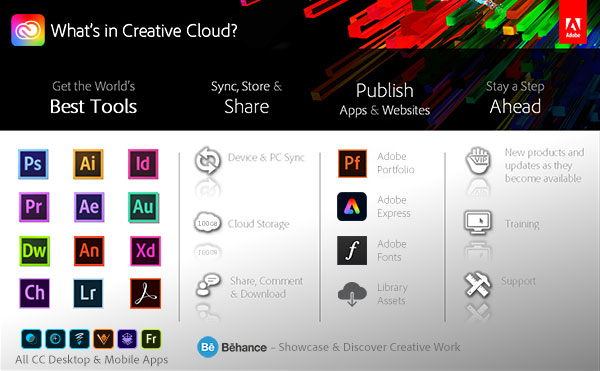
Credit: prodesigntools.com
Adobe Creative Cloud is a group of programs for creative work. It lets you make images, videos, designs, and more. You pay to use it, and you get many useful tools in one place.
It works by installing programs on your computer and saving work in the cloud. You can use it on computers and mobile devices. It is helpful for students, artists, teachers, and many others.
With Adobe Creative Cloud, you get many tools that help you create. If you want to try creative work, it is a good option to explore.
Adobe Creative Cloud is used for graphic design, video editing, and web development. It offers many creative apps and services in one subscription.
You pay a monthly or yearly fee to access Adobe apps. Updates and new features come automatically during your subscription.
Yes, you can install Creative Cloud apps on two devices. But you can only use them on one device at a time.
Creative Cloud includes Photoshop, Illustrator, Premiere Pro, After Effects, and more. Each app serves different creative tasks like photo editing or video production.







Leave A Reply Now