


Are you a course creator struggling to get your online classes in front of the right audience? Facebook and Instagram ads could be the game-changer you need.
But running ads that actually convert isn’t just about boosting posts or throwing money at the platform. You need a clear strategy tailored to your course and your ideal students. In this complete guide, you’ll discover how to create powerful, targeted ads that attract eager learners and boost your course sales.
Ready to turn your passion into profit? Keep reading to unlock the secrets of successful Facebook and Instagram advertising made simple for course creators like you.
Setting up your Facebook and Instagram ads properly is crucial for course creators. The right setup ensures smooth campaign management and accurate tracking. Taking time to prepare your accounts can save you from future headaches and improve your ad results.
This section covers three essential steps to set up your ads for success. Follow these carefully to build a strong foundation for your advertising efforts.
First, create a Facebook Business Manager account. This tool helps you manage your ad accounts, pages, and team members all in one place. It separates your personal profile from your business activities, keeping things organized.
Visit the Business Manager website and sign up using your Facebook login. Add your business details, including name and contact information. This step is necessary to access advanced ad features and billing options.
Next, install the Facebook Pixel on your course website. This small piece of code tracks visitor actions and helps optimize your ads. It allows you to retarget people who showed interest but did not enroll yet.
Go to your Business Manager, find the Pixel section, and create a new Pixel. Copy the code and paste it into the header of your website. If you use a platform like WordPress, use a plugin to add the Pixel easily.
Lastly, link your Instagram account to your Facebook Business Manager. This connection enables you to run ads on both platforms seamlessly. It also helps you manage messages and comments in one place.
Open your Facebook Business Settings, select Instagram Accounts, and add your Instagram profile. Confirm the link by logging into Instagram. This step expands your ad reach and improves audience engagement.
Creating a strong ad strategy is key to success with Facebook and Instagram ads. It helps course creators reach the right students at the right time. A clear plan guides your choices on objectives, audience, and budget. This section breaks down each step for effective ad campaigns.
Start by picking a campaign goal. Facebook offers options like awareness, traffic, and conversions. Choose one that matches your course goals. For example, select “Conversions” to get sign-ups. Clear objectives help the platform show your ads to people who are more likely to act.
Targeting is crucial for ad success. Identify who will benefit most from your course. Use Facebook’s tools to narrow down by age, location, interests, and behaviors. Precise targeting reduces ad waste and improves engagement. Test different groups to find your best audience.
Set a budget based on your goals and resources. Start small to test what works. Use Facebook’s bidding options to control costs and results. Monitor ad performance and adjust spending to improve return on investment. A smart budget keeps your ads profitable and sustainable.
Designing high-converting ads for Facebook and Instagram is essential for course creators. Effective ads attract the right students and increase course enrollments. Crafting ads that grab attention and drive action requires focus on key elements. These include ad copy, visuals, and video content. Each part must work together to create a strong message that appeals to your audience.
Ad copy should be clear and direct. Use simple words that your audience understands easily. Highlight the benefits of your course quickly. Ask questions or use short statements that spark curiosity. Include a call to action that tells viewers what to do next. Keep sentences short and avoid jargon. This helps your message stand out in busy social feeds.
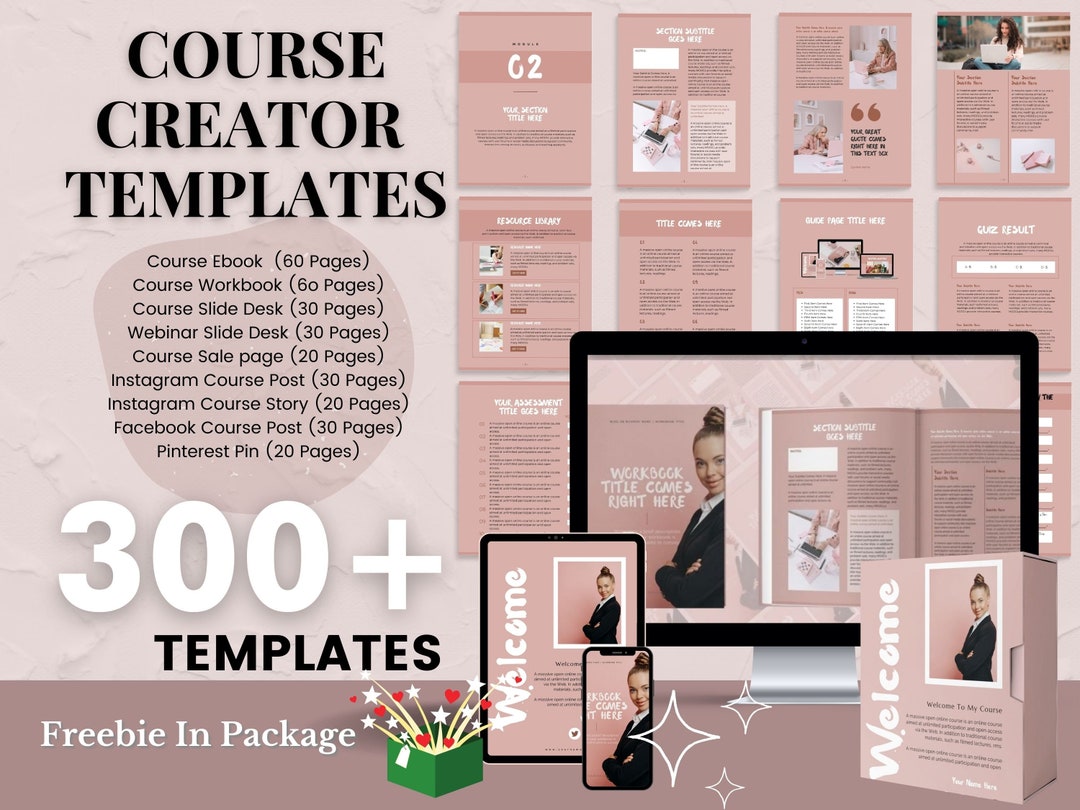
Choose images that relate directly to your course topic. Bright colors and clean designs attract more attention. Use photos of people learning or enjoying the course experience. Avoid cluttered or low-quality images. Make sure visuals match your brand style. Good visuals make users stop scrolling and focus on your ad.
Videos can explain your course better than images alone. Keep videos short, around 15-30 seconds. Show key course features or student success stories. Use captions for viewers who watch without sound. Start with a strong hook to grab attention immediately. Clear visuals and friendly tone build trust fast. Videos help connect with your audience on a deeper level.
Credit: www.etsy.com
Advanced targeting techniques help course creators reach the right people efficiently. These methods increase ad relevance and lower costs. They let you connect with users who are more likely to enroll in your course. Understanding and using these techniques can improve your ad performance significantly.
Custom Audiences allow you to target people already interested in your course. Upload your email list to Facebook or Instagram. The platform matches these emails with user profiles. This method targets past students, newsletter subscribers, or leads. Ads to this group have higher engagement and conversion rates.
Lookalike Audiences help find new potential students similar to your existing ones. Facebook analyzes your source audience to identify common traits. It then targets users who share those traits but haven’t heard of your course yet. This strategy expands your reach while keeping the audience relevant.
Interest and behavior targeting lets you reach users based on their hobbies, habits, and activities. Choose interests related to your course topic or student lifestyle. For example, target people interested in online learning, self-improvement, or specific industries. Combine this with behavior data like device usage or purchase habits for better accuracy.
Optimizing ad performance is key to making your Facebook and Instagram ads work well for your courses. It helps you spend your budget wisely and reach the right people. Small changes can lead to better results and more course sign-ups. Understanding how to test, analyze, and adjust ads keeps your campaigns fresh and effective.
A/B testing means running two versions of an ad to see which works better. Change one element at a time, like the headline or image. This way, you know what grabs attention most. Test different calls-to-action or ad copy to find the best message. Keep testing regularly to improve your ads step by step.
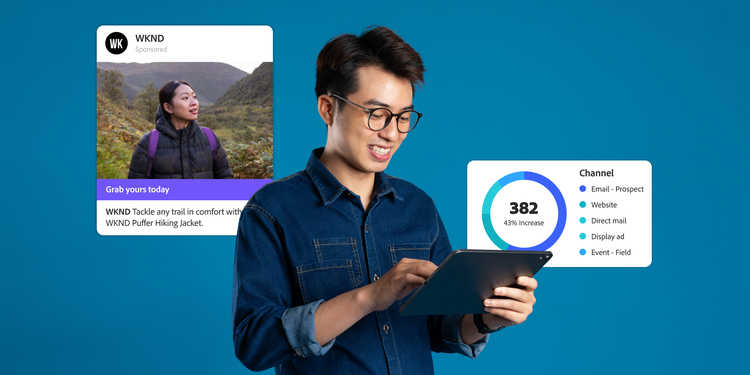
Track important numbers like click-through rate, cost per click, and conversion rate. These metrics show how well your ads attract and engage viewers. Look at which ads bring more sign-ups or visits to your course page. Watch your budget spend and return on investment closely. Use this data to understand what your audience prefers.
Use insights from your tests and metrics to change your ads. Pause ads that do not perform well. Increase budget on ads that bring good results. Change your audience targeting based on who interacts most. Refresh your images or text to avoid ad fatigue. Keep optimizing to get more course sign-ups for less money.
Credit: business.adobe.com
Retargeting helps course creators turn interested visitors into buyers. Most people do not buy courses on their first visit. Retargeting ads remind them about your course. This keeps your offer fresh in their mind. It builds trust and increases the chance of a sale. Using Facebook and Instagram for retargeting is very effective. These platforms offer tools to reach visitors again with tailored ads.
Start by creating a Facebook Pixel for your website. This pixel tracks visitors and their actions. Install it on your course sales pages. Next, go to Facebook Ads Manager and create a new campaign. Choose the “Conversions” objective to focus on sales. In the audience section, select “Custom Audience.” Choose website visitors tracked by your pixel. Set a time frame, like 30 days, to catch recent visitors. Design ads that speak to this audience. Use clear calls to action and course benefits. Launch your campaign and monitor its performance regularly.
Not all visitors are the same. Segment them based on their actions. For example, create one group for visitors who viewed the course page. Another for those who added the course to their cart but did not buy. Tailor ads for each group. Show course previews to page viewers. Offer discounts or bonuses to cart abandoners. This personal approach increases ad relevance. It also improves your return on ad spend (ROAS). Use Facebook’s custom audience rules to set up these segments easily.
Dynamic ads show personalized course ads automatically. They pull content from your course catalog. This means each visitor sees courses they showed interest in. Set up a product catalog in Facebook Business Manager. Link it to your course offerings. Enable dynamic ads in your retargeting campaign settings. These ads update in real-time based on visitor behavior. They save time and increase ad relevance. Use strong images and clear messages in your dynamic ads. This helps boost course sales effectively.
Instagram offers many features that course creators can use to boost their ad campaigns. These tools help catch attention and make ads more interactive. Using Instagram’s unique options can increase engagement and drive more course sign-ups. Focus on Stories ads, shopping tags, CTA buttons, and collaborations for the best results.
Stories ads appear full-screen and disappear after 24 hours. Use bold, clear visuals that tell a quick story. Keep text short and easy to read. Include a strong call-to-action (CTA) like “Swipe Up” to guide viewers. Use stickers or polls to encourage interaction. Test different formats to see what works best.
Shopping tags link directly to your course sales page. Add these tags to posts or stories to simplify buying. CTA buttons like “Sign Up” or “Learn More” boost clicks. Place them where they are easy to find. Use clear, action-driven words. These features reduce steps needed for users to enroll.
Partner with influencers who share your target audience. Influencers bring trust and wider reach. Create joint ads featuring them using or talking about your course. This builds social proof and credibility. Choose influencers with real engagement, not just follower count. Track ad results to find the best partners.
Scaling your Facebook and Instagram ad campaigns is essential for course creators aiming to reach more students and grow their business. After testing and finding what works, expanding your efforts carefully maximizes your results. Scaling helps maintain ad performance while increasing leads and sales.
It requires smart budget increases, broadening audience targeting, and using automation tools. These strategies reduce manual work and keep your campaigns efficient. Focus on steady growth instead of sudden changes to avoid wasting money.
Raise your ad budget slowly, about 10-20% every few days. This gives Facebook time to adjust and find the best people to show your ads. Large, sudden budget jumps can hurt your ad performance and increase costs.
Keep an eye on key metrics like cost per lead and return on ad spend. Pause or reduce budgets for ads that start to perform worse. Spend more on ads that bring steady results.
Start by targeting lookalike audiences based on your best customers. These groups share traits with people who already buy your courses. Test new interests and behaviors related to your course topic.
Try broad audiences without many restrictions to let Facebook find new potential students. Use detailed demographic filters only if needed to keep the audience relevant. Always monitor results and adjust targeting over time.
Use Facebook’s automated rules to manage your ads easily. Set rules to increase budgets on high-performing ads or pause ads with poor results. This saves time and keeps your campaigns optimized.
Consider using campaign budget optimization (CBO). This lets Facebook spread your budget across ad sets that perform best. Automation helps you focus on creating great content and strategies.
Running Facebook and Instagram ads as a course creator can be rewarding yet challenging. Many beginners face common problems that slow down their progress. Avoiding these pitfalls saves money and improves ad performance. Understanding what to watch for helps keep campaigns effective and compliant.
Below are key areas to focus on for smoother ad campaigns.
Ad fatigue happens when your audience sees the same ad too often. This causes engagement to drop and costs to rise. Change your ad creatives regularly to keep content fresh. Use multiple images, videos, and text variations. Rotate ads every week or two to maintain interest. Monitor your ad frequency metric closely and pause ads that perform poorly.
Facebook has strict rules about what ads can show and say. Violating policies leads to ad rejection or account suspension. Avoid prohibited content such as misleading claims, adult content, or personal attributes. Review Facebook’s advertising guidelines before creating ads. Keep your ad copy clear and honest. Use approved language and avoid exaggerated promises.
Ads often get disapproved for policy violations or technical errors. Check the rejection reason in your Ads Manager. Make necessary edits like fixing text, images, or landing pages. Resubmit the ad after correction. If unsure, request a manual review from Facebook. Keep a calm attitude and learn from each disapproval to improve future ads.

Credit: www.youtube.com
Effective Facebook and Instagram ads need the right resources and tools. These help course creators design ads, analyze data, and connect with others. Using proper resources saves time and improves results. Below are key tools to support your ad campaigns.
Courses help you learn ad basics and advanced strategies. Meta Blueprint offers free certification for Facebook and Instagram advertising. It covers ad creation, targeting, and measurement. Other platforms like Udemy and Coursera provide practical courses tailored for course creators. These classes guide you through setting budgets, creating visuals, and optimizing ads for better sales.
Tracking ad performance is vital to success. Facebook Ads Manager gives detailed reports on reach, clicks, and conversions. Google Analytics helps you see traffic from ads to your course site. Tools like Hootsuite and Sprout Social monitor engagement on Instagram posts. These tools highlight what works and what needs change in your campaigns.
Joining groups connects you with other course creators and marketers. Facebook groups such as “Facebook Ads for Course Creators” offer tips and feedback. Reddit’s r/PPC is a place to ask questions and share ideas. These communities provide real-world advice and moral support to keep you motivated.
Facebook and Instagram ads help course creators reach targeted audiences. They increase course visibility and boost enrollments through precise demographic and interest targeting.
Effective ads use clear messaging, strong visuals, and a compelling call-to-action. Tailor content to your audience’s needs and test different ad formats for best results.
Start with a modest daily budget, around $5-$20. Scale gradually based on ad performance and return on investment to maximize course enrollments efficiently.
Use Facebook’s detailed targeting options: demographics, interests, behaviors, and custom audiences. Retarget website visitors and lookalike audiences for higher conversion rates.
Using Facebook and Instagram ads can boost your course sales effectively. Focus on clear goals and know your audience well. Test different ads to find what works best. Keep your budget steady and track results often. Simple steps lead to better ad performance and more students.
Start small, learn, and improve your ads regularly. Success comes with patience and smart advertising choices.







Leave A Reply Now