



Are you looking to make your online learning experience smoother and more effective? LMS technology can be the game-changer you need.
With the right tools, plugins, and integrations, you can customize your learning platform to fit your unique needs. Imagine saving time, boosting engagement, and simplifying management all at once. Keep reading to discover how these powerful features can transform your LMS and help you achieve your goals faster than you thought possible.
Learning Management Systems (LMS) help create and manage online courses easily. WordPress offers many LMS plugins to build powerful e-learning sites. Choosing the right plugin can be tough because each has unique features and tools. LearnDash, TutorLMS, and LifterLMS are popular options. They provide different tools, plugins, and integrations for smooth course creation and management. This section compares these three to help pick the best fit for your needs.
LearnDash is known for its strong course builder and flexible options. It works well for professional training and large-scale courses.
LearnDash suits users who want detailed control and strong scalability.
TutorLMS offers an easy interface and solid core features. It fits well for beginners and small businesses.
TutorLMS is great for ease of use and team teaching.
LifterLMS focuses on engagement and membership management. It is ideal for community-driven learning.
LifterLMS fits sites focused on community and student motivation.
| Feature | LearnDash | TutorLMS | LifterLMS |
|---|---|---|---|
| Course Builder | Drag-and-drop, advanced | Simple drag-and-drop | Step-by-step multimedia |
| Quizzes & Assignments | Multiple types, advanced | Variety, assignment support | Basic quizzes, no assignments |
| Monetization | PayPal, Stripe, WooCommerce | WooCommerce, PayPal | Stripe, PayPal, manual |
| Membership Support | Limited | Basic | Full membership and subscriptions |
| Integrations | WooCommerce, BuddyPress, Zapier | WooCommerce, bbPress, Slack | WooCommerce, Mailchimp, AffiliateWP |
| Gamification | Badges and certificates | Limited | Badges, certificates, achievements |
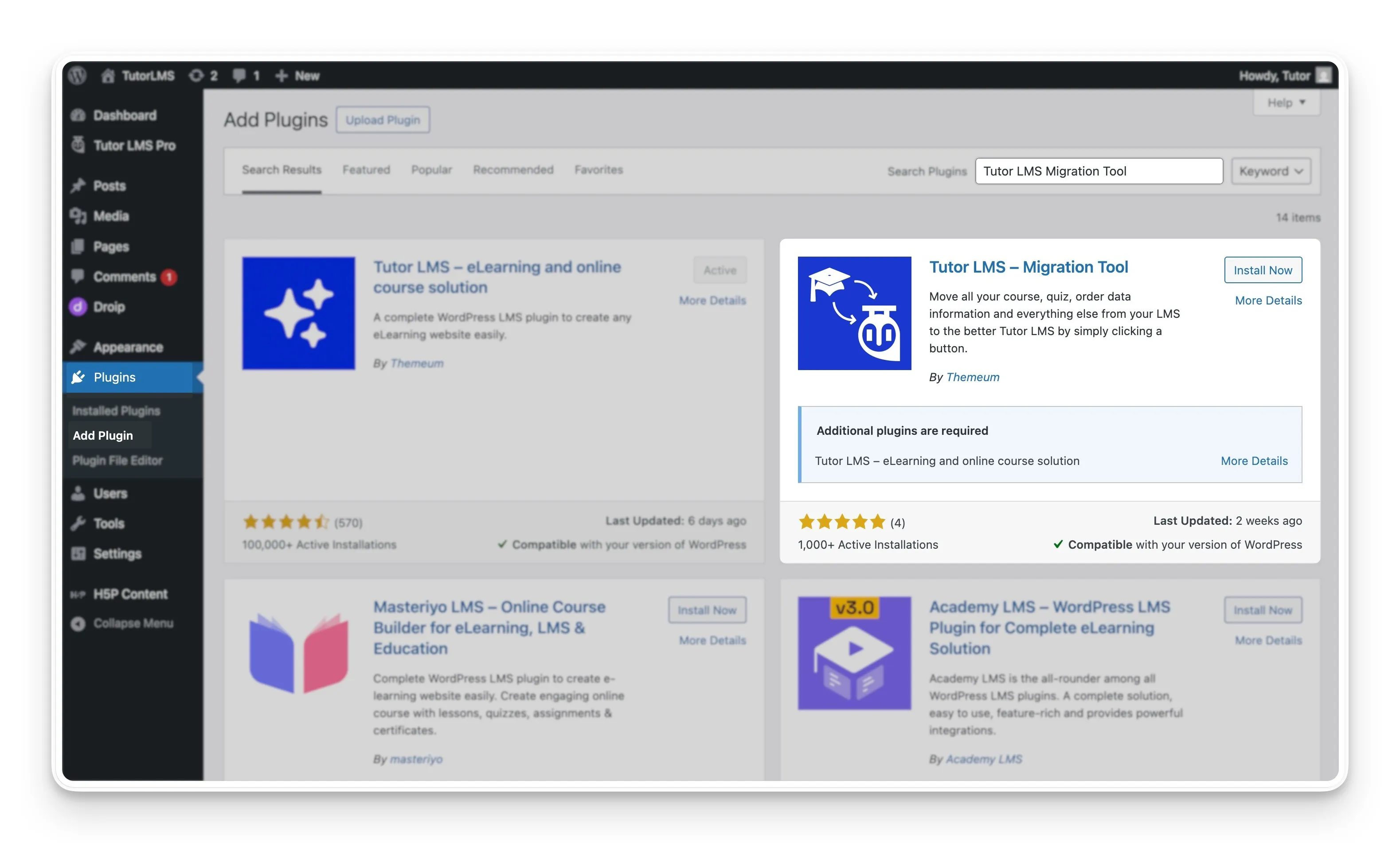
Credit: tutorlms.com
Payment gateways are essential for any course website using LMS technology. They allow smooth, secure money transactions for course purchases. Popular payment gateways include Stripe, PayPal, and SSLCOMMERZ. Each offers unique features and integration options. Choosing the right one helps improve user experience and increases course sales.
Stripe is a popular payment gateway known for its flexibility and strong developer tools.
Many LMS plugins, like LearnDash and LifterLMS, support Stripe natively. Stripe’s dashboard provides clear reports and payment tracking.
PayPal is one of the most trusted payment gateways worldwide. It offers a simple way for learners to pay using credit cards or PayPal accounts.
PayPal is user-friendly and requires minimal technical knowledge to integrate with course websites.
SSLCOMMERZ is a trusted payment gateway mainly used in Bangladesh. It supports various payment methods, including cards and mobile banking.
SSLCOMMERZ is ideal for course websites targeting Bangladeshi students.
| Feature | Stripe | PayPal | SSLCOMMERZ |
|---|---|---|---|
| Currency Support | Multiple currencies | 200+ countries | Bangladeshi Taka |
| Payment Types | Cards, wallets, subscriptions | Cards, PayPal accounts | Cards, mobile banking |
| Integration | APIs, plugins | Plugins, simple setup | WordPress LMS plugins |
| Security | Advanced fraud detection | Buyer/seller protection | PCI-compliant |
Setting up a student dashboard with progress tracking and analytics is essential in LMS technology. It helps teachers monitor learning and students see their growth. Using the right tools, plugins, and integrations makes this setup easier and more effective. This guide shows simple steps to create a useful dashboard and track progress clearly.
Start by choosing an LMS platform that supports custom dashboards. Most popular LMS tools offer drag-and-drop builders or templates. Design the dashboard to show key information like:
Keep the layout simple. Use clear labels and icons to help students understand their status quickly.
Progress tracking shows how much a student has completed and what remains. Plugins or built-in LMS features can automate this. Look for tools that offer:
Enable settings to track quiz scores, assignment submissions, and time spent on each module.
Analytics help teachers see patterns and improve courses. Use LMS plugins that provide detailed reports on:
| Analytics Feature | Purpose |
|---|---|
| Student engagement | Identify active and inactive learners |
| Score distribution | Analyze quiz and test results |
| Time tracking | Measure time spent on lessons |
| Completion rates | Monitor course and module completion |
Export data to CSV or Excel for further analysis if needed.
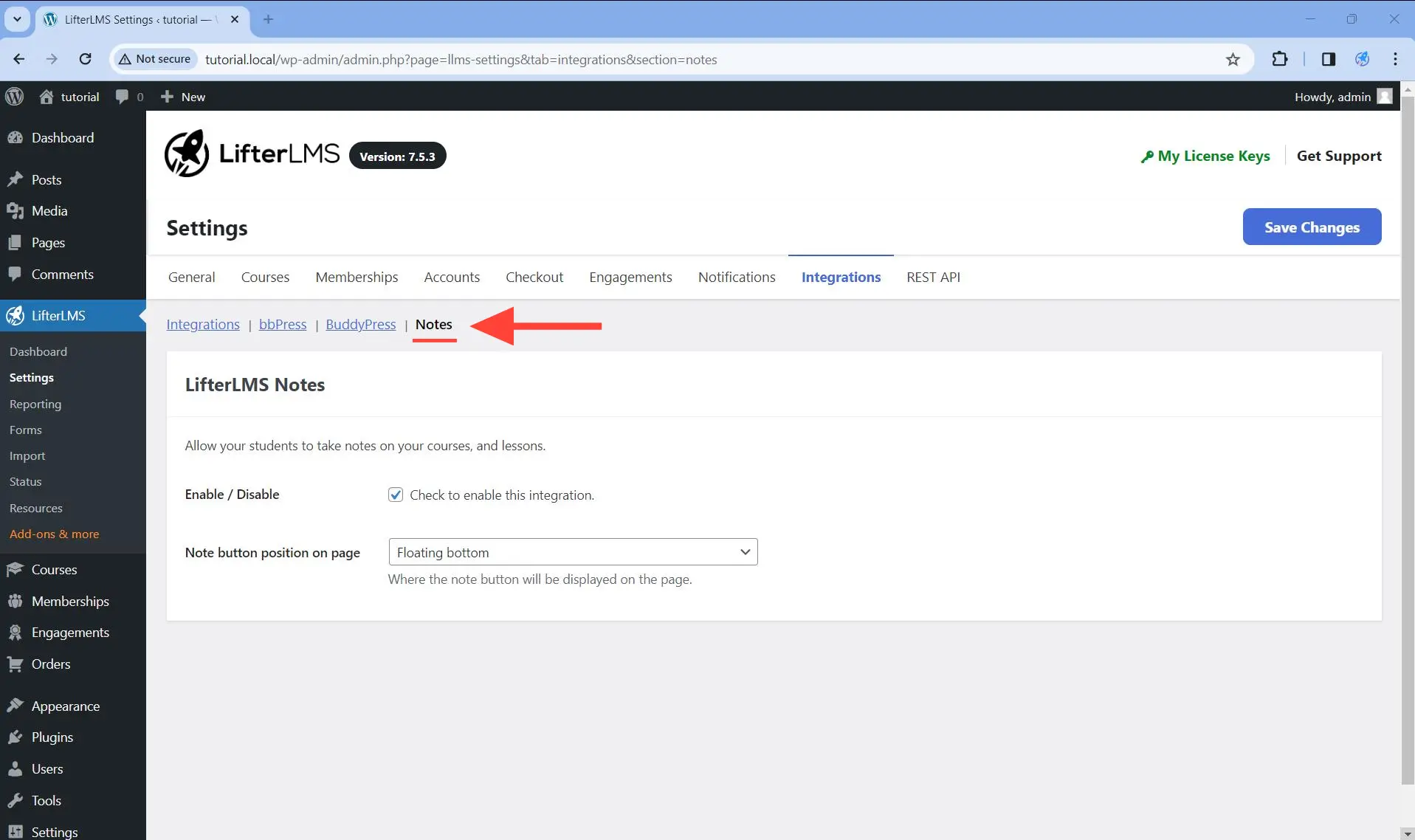
Credit: lifterlms.com
Email automation is a key feature for LMS websites. It helps send timely messages to students and instructors. Tools like Mailchimp, Klaviyo, and FluentCRM make this process simple and effective. These tools automate emails for course reminders, promotions, and feedback requests. They improve engagement and save time for LMS administrators.
Mailchimp is popular for its easy-to-use interface and powerful features. It allows LMS sites to:
Mailchimp integrates smoothly with many LMS platforms, making setup quick.
Klaviyo focuses on personalized email marketing. LMS websites benefit from:
Klaviyo helps maintain strong communication and boosts student retention.
FluentCRM works well with WordPress-based LMS plugins. It offers:
FluentCRM suits LMS sites that want a native WordPress email tool.
| Feature | Mailchimp | Klaviyo | FluentCRM |
|---|---|---|---|
| Ease of Use | High | Medium | High |
| Personalization | Good | Excellent | Good |
| Analytics | Detailed | Advanced | Basic |
| LMS Integration | Wide | Wide | WordPress-focused |
| Pricing | Free and Paid | Paid | Affordable |
Gamification in LMS technology makes learning fun and motivates users. Adding badges, points, and rewards helps learners stay engaged and track progress easily. These elements create a sense of achievement and encourage continuous learning.
Select tools that fit your LMS platform and learning goals. Look for easy-to-use plugins that offer customizable badges and point systems. Some popular tools include:
Check compatibility with your LMS before installing any tool.
Badges recognize skills and milestones, boosting learner confidence.
Points reward learners for activities like quizzes, discussions, and assignments. Follow these steps:
Rewards can be extra content, certificates, or discounts to keep learners motivated.
| Plugin | Features | Integration Ease |
|---|---|---|
| BadgeOS | Custom badges, achievements, point awards | High |
| myCred | Points, ranks, leaderboards | Medium |
| GamiPress | Badges, points, ranks, notifications | High |
Choose the plugin that works best with your LMS and user needs.
Setting up membership levels and subscription access is a key part of building an effective LMS platform. It allows you to control who sees your courses and content. This helps create different user groups with specific permissions. Many LMS tools, plugins, and integrations offer ways to manage these settings easily. Clear membership tiers can increase user engagement and provide flexible learning paths.
Membership levels define who can access certain parts of your LMS. You can create multiple levels based on user roles or payment plans. For example:
Most LMS plugins let you set these levels with a simple interface. You can assign courses or materials to each level. This way, users only see what matches their membership.
Subscription plans control how users pay and access content over time. You can set up monthly, yearly, or one-time payments. These plans help keep your LMS profitable and easy to manage.
Key features to include:
Many LMS tools integrate with payment gateways like PayPal or Stripe. This makes payment processing safe and smooth.
Plugins extend LMS functionality and improve membership management. Some popular plugins include:
| Plugin Name | Function | Benefits |
|---|---|---|
| MemberPress | Manage memberships and subscriptions | Easy setup, supports multiple payment gateways |
| Restrict Content Pro | Restricts content based on membership level | Flexible access rules, detailed reports |
| LifterLMS | Complete LMS with built-in membership tools | Course bundles, drip content, and quizzes |
These plugins connect smoothly with your LMS to protect content and manage users.
Integrations link your LMS with other systems to improve user experience. Examples include:
These connections help you understand your users and offer personalized learning paths.
Integrating Zoom, Google Meet, and live classes with your LMS platform helps deliver smooth online learning. These tools make live teaching easy and interactive. Connecting them properly boosts student engagement and saves time for educators. Below are key steps and tips on how to add these video conferencing tools into your LMS.
Zoom integration allows scheduling and joining meetings directly from the LMS dashboard. Most LMS platforms support Zoom through plugins or API connections.
Example code snippet for Zoom API connection:
curl -X POST https://api.zoom.us/v2/users/me/meetings -H "Authorization: Bearer {your_jwt_token}" -H "Content-Type: application/json" -d '{ "topic": "Live Class", "type": 2, "start_time": "2024-07-01T10:00:00Z", "duration": 60, "timezone": "UTC" }' Google Meet works well for live classes using Google Workspace integration. The process is simple and fast.
Tips for Google Meet integration:
| Step | Action | Benefit |
|---|---|---|
| 1 | Enable API access | Secure and smooth connection |
| 2 | Connect Google account | Sync meetings and calendar |
| 3 | Create Meet links | Easy student access |
Hosting live classes requires good setup and tools inside LMS. Follow these simple steps.
Remember, test your setup before the live session to avoid technical issues.
Securing course content is crucial for online learning platforms. Protecting videos and other materials prevents unauthorized sharing and keeps your content safe. Learning Management System (LMS) technology offers tools, plugins, and integrations designed to secure course content effectively.
Digital Rights Management (DRM) controls how digital content is accessed and used. It stops users from copying, sharing, or downloading videos without permission. DRM helps maintain the value of your course content and ensures only paying users can view it.
| Tool/Plugin | Features | Benefits |
|---|---|---|
| Vimeo Pro/Business | Video embedding restrictions, password protection, domain-level privacy | Easy to use, strong video control, integrates with many LMS platforms |
| Brightcove | DRM support, analytics, watermarking | High security, detailed tracking, reduces piracy |
| JW Player | Encrypted streaming, DRM, token authentication | Fast streaming, secure playback, customizable player |
Integrating your LMS with external security services adds extra protection layers. Common integrations include:
Choosing the right hosting provider is crucial for high-traffic LMS sites. Learning management systems need fast, reliable servers to handle many users at once. Slow loading or downtime harms user experience and can lose learners. Hosting must support large databases, streaming content, and complex plugins. The right host keeps your LMS running smoothly, even during peak times.
Cloud hosting offers flexibility and power. It can easily handle traffic spikes and grow with your LMS. Popular cloud hosts provide global data centers for faster access worldwide.
Many LMS platforms run on WordPress with plugins like LearnDash or LifterLMS. Managed WordPress hosting simplifies site management and boosts speed.
Dedicated servers provide full control and power. Best for LMS sites with very high traffic and custom needs.
| Provider | Features | Benefits for LMS |
|---|---|---|
| Liquid Web | High-performance CPUs, 24/7 support | Handles heavy LMS workloads, fast response times |
| InMotion Hosting | SSD storage, free backups | Reliable uptime, protects LMS data |
| HostGator | Flexible plans, easy server customization | Good for tailored LMS needs |
Hosting providers often support important LMS tools and plugins. These integrations help improve site speed, security, and user experience.
Learning Management Systems (LMS) rely heavily on technology, tools, plugins, and integrations to deliver smooth learning experiences. A slow LMS website can cause frustration and reduce learner engagement. Speeding up the LMS website improves access, interaction, and overall satisfaction. This section covers practical steps to make your LMS website faster and more efficient.
Large images and videos slow down page loading. Compress images without losing quality using tools like TinyPNG or ImageOptim. Use modern formats such as WebP for better compression.
Caching stores copies of your web pages to serve users faster. Popular caching plugins for LMS platforms include:
| Plugin | Key Features | Compatibility |
|---|---|---|
| WP Rocket | Page caching, database optimization, lazy loading | WordPress LMS plugins |
| W3 Total Cache | Browser caching, CDN integration, minification | Various LMS themes |
| LiteSpeed Cache | Server-side caching, image optimization | LiteSpeed servers |
Too many files increase server requests and slow down loading. Use plugins or tools to minify and combine CSS and JavaScript files. This reduces file size and request counts.
Your LMS speed depends on hosting quality. Select hosts optimized for LMS or WordPress sites. Look for features like:
A CDN stores your LMS website files on servers worldwide. It delivers content from the nearest server to the learner, reducing load time. Popular CDNs include:
Each plugin adds code and can slow down your LMS. Keep only essential plugins. Delete or deactivate unused plugins to improve speed and security.
Updates fix bugs and improve performance. Keep your LMS software, plugins, and integrations up to date. This ensures compatibility and faster loading.
Credit: triare.net
LMS technology tools include course builders, assessment modules, and analytics dashboards. They help create, deliver, and track online learning effectively. These tools enhance user engagement and simplify content management for educators and administrators.
Popular LMS plugins add features like quizzes, gamification, and communication tools. They boost interactivity and learner motivation. Plugins also support integrations with payment gateways and social media for a seamless experience.
LMS integrations connect with CRM, video conferencing, and content libraries. They streamline workflows and enrich learning resources. Integrations enable personalized learning paths and better data management across platforms.
Yes, many LMS tools are mobile-friendly or have dedicated apps. They allow learners to access courses anytime, anywhere. This flexibility improves learning retention and user satisfaction.
LMS technology offers many tools, plugins, and integrations to improve learning. These features help create better courses and make teaching easier. Choosing the right tools depends on your needs and goals. Simple plugins can add useful functions without hassle. Integrations connect your LMS to other apps you use daily.
This saves time and keeps everything organized. Explore options carefully to find what fits best. Keep your learners in mind for the best experience. Effective LMS use can boost learning and engagement.







Leave A Reply Now