


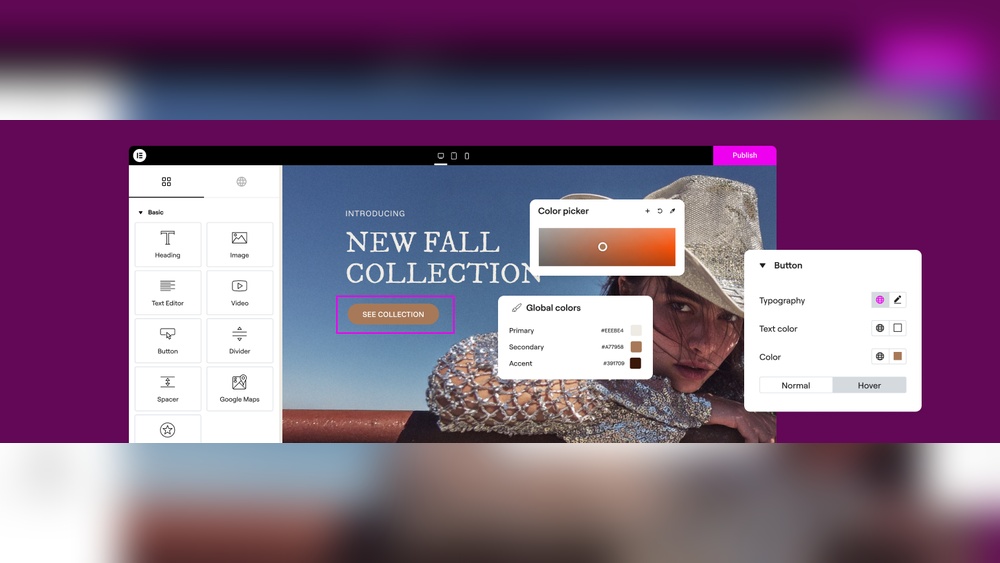
Building a website today can be very easy. You do not need to know coding or design skills. This is thanks to new tools that help you create websites quickly and simply. One of the best tools is a no code drag and drop WordPress website builder. It lets you build a website by just moving parts around on the screen. No hard work or learning coding is needed. Over 20 million websites worldwide use this kind of builder. Now, with the help of AI, it is even easier.
Let’s break down what this means. “No code” means you do not write any computer code. “Drag and drop” means you can click on parts of a website and move them where you want. WordPress is a popular platform that many websites use. A website builder for WordPress helps you make a website on this platform without coding.
With this tool, you can add text, images, buttons, and more by just dragging them on the page. You can see how your website looks while you build it. This makes the process simple and fun.
This builder is popular because it saves time and money. People do not need to hire web developers. They can make their own sites, change them anytime, and keep control.
AI, or artificial intelligence, helps computers think and learn. It can help build websites in many ways:
Imagine just telling the AI what your website is for, and it builds the whole site. This is no longer a dream, but a reality with the latest WordPress website builders.

Credit: wordpress.org
This tool is very flexible. You can create:
With the drag and drop interface, changing the website is simple. You can add new pages or update information anytime.
Starting is simple. Follow these steps:
Most builders offer free trials. You can test the tool before paying. This helps you see how easy it is to use.
| Feature | Description | Benefit |
|---|---|---|
| Drag & Drop Editor | Move website parts easily on the screen. | No coding needed. Build fast. |
| AI Website Creation | AI makes a full website from your input. | Saves time and effort. |
| Responsive Design | Website looks good on phones and tablets. | More visitors can use your site. |
| Pre-made Templates | Choose from many ready designs. | Start quickly with a professional look. |
| SEO Tools | Help your website appear in search engines. | Get more visitors and grow your site. |
| Fast Loading | Websites load quickly on any device. | Better user experience and ranking. |
WordPress powers over 40% of all websites today. It is free and open-source. This means anyone can use and change it. Some reasons WordPress is popular:
Using a no code drag and drop builder with WordPress combines the best of both worlds. You get WordPress power and simple building tools.
AI helps by making website creation more accessible. People who do not know tech can build sites. AI suggests content and design ideas. It also personalizes websites to fit your style.
With AI, you don’t spend hours learning or designing. The builder learns from your input and creates the best site for you. This makes website creation faster and less stressful.
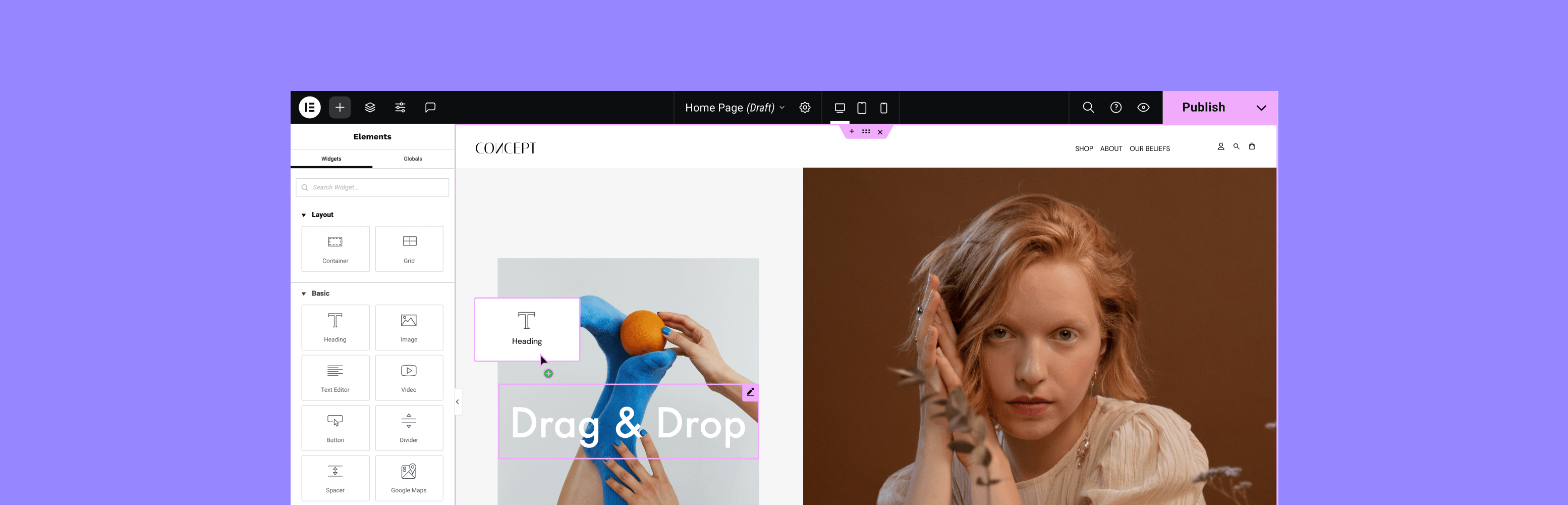
Credit: es-co.wordpress.org
Yes, AI website builders for WordPress exist, like Droip and Elementor AI. They create content-ready sites quickly. These tools simplify design with drag-and-drop features and AI-generated layouts, text, and images, perfect for beginners and businesses. Many offer free trials to test their capabilities.
Wix ranks as the best drag-and-drop website builder for beginners and small businesses. It offers intuitive design, AI tools, and extensive features. Squarespace suits creatives, Shopify excels in e-commerce, Hostinger provides budget-friendly AI building, and Webflow offers full design control for professionals.
Wix ranks as the #1 website builder for beginners and small businesses. It offers drag-and-drop ease, AI tools, and extensive features. Wix suits service businesses with built-in booking and flexible design options, making website creation fast and simple.
Wix ranks as the best paid AI website builder for beginners and small businesses. It offers intuitive drag-and-drop, AI tools, and extensive features. Squarespace suits creatives, Shopify excels in e-commerce, Hostinger provides fast, budget-friendly AI setup, and Webflow offers full design control for professionals.
The no code drag and drop WordPress website builder is a great tool. Over 20 million websites use it because it is easy and flexible. Now, with AI, building a website is faster and simpler than ever. You do not need to know coding or design skills. Just tell the AI what you want, and your website is ready. You can change and improve it anytime using drag and drop. Whether you want a business site, blog, or shop, this tool can help.
Start your website journey today. Build a site that looks good, works well, and grows your ideas online.







Leave A Reply Now