


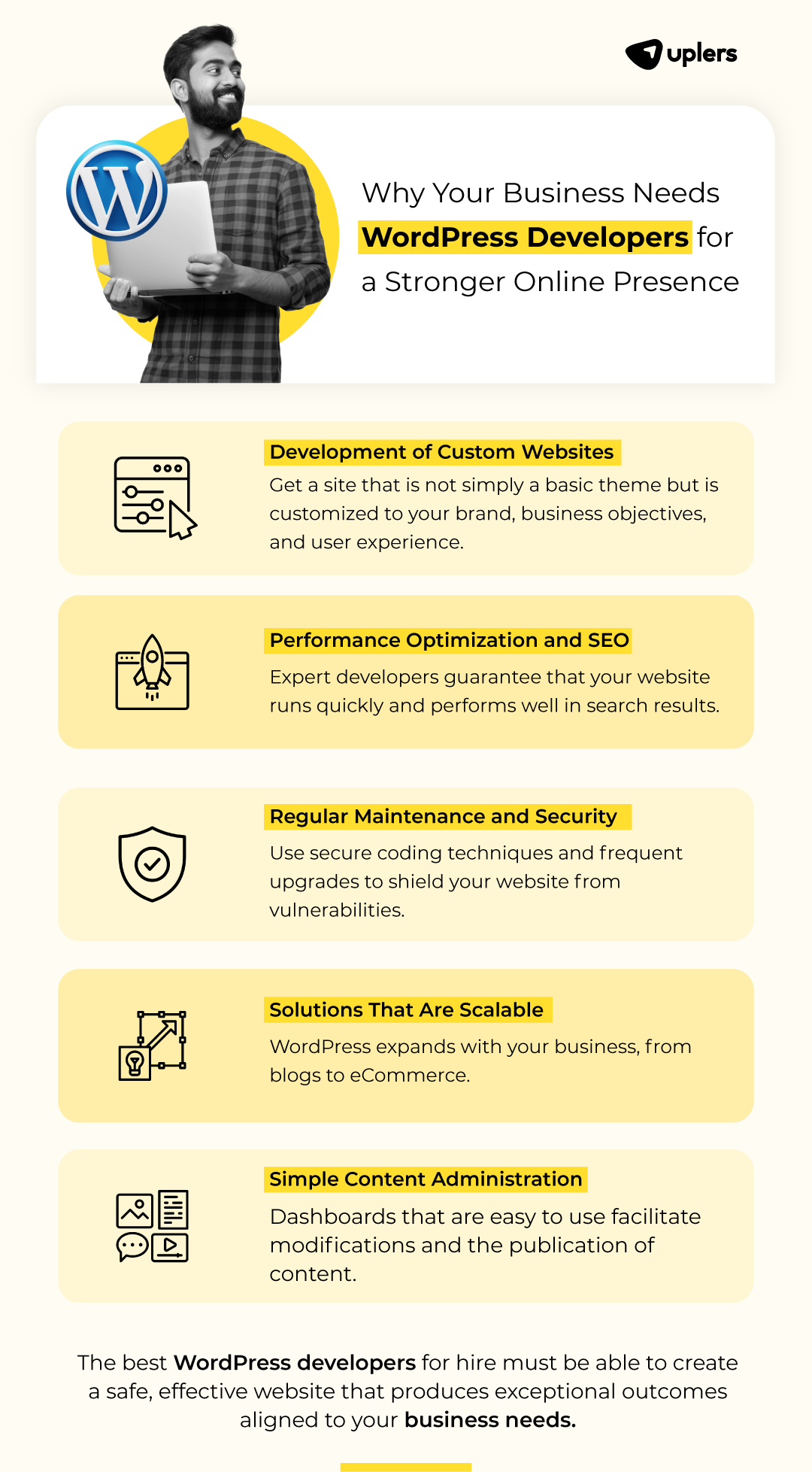
If you want your business or online store to stand out, you need a website that works fast, stays secure, and fits your unique style. WordPress offers all this and more.
But how can you make sure your site performs at its best, keeps your data safe, and looks exactly the way you want? This article will guide you through the key ways WordPress can boost your business and e-commerce success.
Keep reading to discover how to turn your website into a powerful tool that grows your brand and keeps your customers coming back.
WordPress powers millions of e-commerce sites worldwide. Its flexibility, performance, and security features make it a solid choice for online stores. Plugins extend WordPress’s core functionality, helping businesses grow and protect their sites. In 2026, some plugins stand out for their ease of use, reliability, and ability to boost sales and security.
WooCommerce is the most popular e-commerce plugin for WordPress. It adds essential features like product pages, shopping carts, and payment gateways. This plugin supports physical and digital products, subscriptions, and bookings. Easy to customize and scalable, WooCommerce fits small shops and large stores alike.
Yoast SEO helps you optimize product pages and blog content for search engines. It guides keyword use, readability, and metadata setup. This plugin ensures your e-commerce site attracts more organic traffic by making it easier for customers to find your products.
Security is vital for e-commerce sites. Wordfence Security offers firewall protection, malware scanning, and login security. It blocks malicious traffic and alerts you to potential risks. Keeping your store safe builds trust with customers and protects business data.
Slow websites lose customers. WP Rocket improves loading times with caching and file optimization. It works out of the box, making your pages faster without complex setups. A quick site enhances user experience and helps with search engine rankings.
This plugin specializes in selling digital goods like ebooks, software, or music. Easy Digital Downloads offers a simple checkout process and multiple payment options. It fits perfectly if your store focuses on downloadable products.
Elementor is a drag-and-drop page builder. It lets you create attractive product pages and layouts without coding. Use it to design a unique online store that matches your brand style and improves user engagement.
Stay connected with your customers through email campaigns. This plugin syncs your WooCommerce data with Mailchimp, helping send targeted emails and promotions. Email marketing drives repeat sales and builds customer loyalty.
Stripe is a trusted payment processor that integrates smoothly with WooCommerce. It supports credit cards, Apple Pay, Google Pay, and more. Secure payment options increase customer confidence and reduce cart abandonment.
Advanced Coupons enhances WooCommerce’s coupon system. Create BOGO deals, cart conditions, and scheduled discounts. Running promotions attracts buyers and encourages larger orders, increasing your store’s revenue.
TrustPulse displays live notifications of recent purchases on your site. This social proof builds trust and urgency. Visitors see others buying your products, making them more likely to complete their purchase.

Credit: www.shopify.com
WordPress powers many business and e-commerce websites worldwide. Its flexibility and features make it popular. Yet, businesses often make mistakes that hurt site performance, security, and customization. Avoiding these errors helps keep your website fast, safe, and user-friendly. Below are five common WordPress mistakes businesses make and tips to avoid them.
Plugins add features but can slow down your site. They may also cause conflicts and security risks.
Not backing up your site risks losing data during crashes or hacks.
Weak passwords and outdated software leave your site vulnerable.
Slow loading times drive visitors away and hurt search rankings.
| Speed Issue | Fix |
|---|---|
| Large images | Compress and resize images before uploading |
| Unoptimized code | Minify CSS, JavaScript, and HTML files |
| Slow hosting | Choose a reliable hosting provider |
| No caching | Use a caching plugin to speed up page load |
Using default themes without customization makes your site look generic.
WordPress is a popular choice for business and e-commerce websites due to its flexibility and ease of use. It offers strong performance, many options for customization, and tools to keep your site secure. Protecting your WordPress site from hackers is a critical step. The Ultimate Guide to Securing Your WordPress Website from Hackers helps you understand key security actions. Follow these steps to keep your site safe and running smoothly.
Updates fix security holes and improve site performance. Running outdated software invites hackers to exploit weaknesses.
Weak passwords are easy targets for hackers. Strong passwords protect your accounts better.
Hackers try to guess passwords by making many login attempts. Limiting attempts blocks this attack.
Security plugins help monitor and protect your website automatically.
| Plugin | Main Features | Benefits |
|---|---|---|
| Wordfence | Firewall, malware scan, login security | Real-time threat defense and alerts |
| Sucuri Security | Activity auditing, malware scanning, blacklist monitoring | Comprehensive site protection and cleanup |
| iThemes Security | Brute force protection, file change detection | Easy setup and strong security features |
Choose hosting providers with strong security measures. A secure host reduces hacking risks.
Backups help restore your site after a hack or data loss.
WordPress powers many e-commerce websites worldwide. Its flexibility helps businesses build stores that fit their needs. Plugins extend WordPress, adding features for better performance, security, and customization. Top WordPress plugin hacks can improve your store’s speed, protect customer data, and customize the shopping experience. These hacks save time and help your business run smoothly.
Fast websites keep customers happy and reduce bounce rates. Caching plugins store copies of pages to serve them quickly. Use plugins like WP Rocket or W3 Total Cache to speed up your store.
These steps make pages load faster and improve user experience.
Security is key for e-commerce. Protect your site from hackers and spam. Use plugins like Wordfence or iThemes Security to add firewalls and login security.
Strong security keeps your customer data safe and builds trust.
A smooth checkout process boosts sales. Customize checkout fields and payment options with plugins like WooCommerce Checkout Field Editor or Checkout Manager.
| Plugin Feature | Benefit |
|---|---|
| Edit checkout form fields | Collect only needed customer info |
| Add custom payment gateways | Offer more payment choices |
| Show terms and conditions checkbox | Reduce disputes and refunds |
Emails help keep customers informed and returning. Integrate email plugins like MailPoet or Newsletter to send promotions and updates.
These features increase repeat sales and build loyalty.
Large images slow down your store. Use image optimization plugins like Smush or Imagify to compress images without losing quality.
php // Example: Smush plugin auto-optimizes images on upload add_action('wp_handle_upload', 'smush_optimize_image'); function smush_optimize_image($file){ // Smush processes image here return $file; } ? Optimized images improve site speed and user experience.
WordPress is a popular choice for businesses and e-commerce sites. It offers great options for performance, security, and customization. Many companies add extra features using plugins. Free plugins are easy to find and use. But they come with security risks. Enterprises often choose custom-built extensions to keep their sites safe and reliable.
Free plugins may have hidden dangers. Some risks include:
Custom-built extensions offer many advantages for businesses:
| Feature | Free Plugins | Custom Extensions |
|---|---|---|
| Security | Variable; often untested | High; built for business needs |
| Support | Limited or community-based | Dedicated professional support |
| Updates | Irregular or discontinued | Regular and controlled |
| Customization | Generic features | Designed for exact requirements |
| Performance | May slow down site | Optimized for speed |
Credit: www.uplers.com
Choosing the right hosting for your WordPress business or e-commerce site is a key decision. Hosting affects your website’s speed, security, and flexibility. WP Engine, WordPress VIP, and self-hosted options offer different benefits and costs. Understanding these helps you find the best return on investment (ROI) for your business.
WP Engine is a popular managed WordPress hosting service. It handles technical tasks like updates, backups, and security. This lets business owners focus on growth.
This hosting suits small to medium businesses wanting good performance without deep technical work.
WordPress VIP targets large enterprises with high traffic and complex needs. It offers top-tier security, customized support, and high uptime guarantees.
VIP is best for businesses needing robust infrastructure and expert assistance, ready to invest more for reliability.
Self-hosting means you pick your own server or cloud provider and install WordPress yourself. It gives full control but requires technical skills.
This option fits businesses with in-house tech teams or tight budgets.
| Hosting Type | Cost Range | Performance | Security | Customization | Support |
|---|---|---|---|---|---|
| WP Engine | $$ | High | Strong, managed | Moderate | 24/7 managed support |
| WordPress VIP | $$$$ | Very High | Enterprise-grade | Extensive, custom | Dedicated experts |
| Self-Hosted | $ – $$$ | Varies by setup | User-managed | Full | Community or in-house |
Businesses with limited tech resources benefit from WP Engine’s managed approach. It balances cost and ease.
Large companies with high traffic and strict security needs prefer WordPress VIP for its reliability and support.
Self-hosting suits those with technical skills and a desire for full control over their site environment.
WordPress powers many business and e-commerce websites across the US and UK. Its flexibility allows for strong performance, tight security, and deep customization. One key factor that affects success is website speed. Fast loading times keep visitors engaged and increase the chance they will buy or contact you. Slow sites cause frustration and lost sales. Understanding how speed impacts conversion helps businesses focus on what matters most.
Visitors expect websites to load quickly. Studies show that a delay of even one second can lower conversion rates. For US and UK visitors, patience is short. Speed directly affects:
US and UK users access websites from different locations and devices. This affects how fast content loads:
| Factor | US Visitors | UK Visitors |
|---|---|---|
| Average Internet Speed | Higher average broadband speeds | Moderate broadband speeds |
| Server Location | US-based servers load faster | UK-based servers or CDN needed |
| Mobile Usage | High mobile device use | Similar mobile usage patterns |
Optimizing for each region improves overall speed and conversions.
Fast websites appear more professional and secure. Visitors link speed with reliability. Slow loading times raise doubts about security. A fast WordPress site helps build confidence and encourages repeat visits.

Credit: www.resumebuilder.com
Making a business website mobile-friendly and fast is essential today. Most users browse on phones and expect quick access. A slow or hard-to-use site loses visitors and sales. WordPress offers tools to help create sites that work well on all devices. This section explains how to improve mobile usability and performance for business and e-commerce websites.
Large images slow down websites, especially on mobile networks. Compress and resize images without losing quality.
WebP format for smaller file sizes.Optimized images help pages load quickly and improve user experience.
Responsive themes adjust layout based on screen size. They ensure the site looks good on phones and tablets.
A responsive theme keeps visitors engaged and reduces bounce rates.
Too many plugins or scripts can slow down a WordPress site. Only keep essential ones.
Fewer plugins mean faster loading times and fewer security risks.
Caching stores a version of your site to serve visitors quickly. CDNs deliver content from servers near users.
| Technique | Benefit | Recommended Tools |
|---|---|---|
| Page Caching | Reduces server load and speeds up page delivery | WP Rocket, W3 Total Cache |
| Browser Caching | Stores files locally on user devices | Autoptimize, Cache Enabler |
| CDN | Delivers content from global servers for faster access | Cloudflare, StackPath |
Combining caching and CDN improves speed significantly, especially for mobile users.
Mobile users expect easy navigation and fast checkout. Add features that enhance mobile experience.
These features keep mobile visitors engaged and reduce friction in shopping.
WordPress offers easy customization, scalability, and numerous plugins tailored for business needs. It supports SEO-friendly structures and integrates well with marketing tools, making it perfect for growing businesses and e-commerce platforms.
WordPress combined with WooCommerce optimizes loading speed, handles large product catalogs, and ensures smooth checkout processes. Proper caching and hosting further enhance site performance and user experience for online stores.
Using SSL certificates, strong passwords, regular updates, and security plugins helps protect WordPress sites. Backups and firewalls also prevent data breaches and keep business information safe from cyber threats.
WordPress allows extensive customization with themes and plugins designed for unique branding and functionality. Businesses can tailor product pages, payment gateways, and user interfaces to create a personalized shopping experience.
WordPress offers strong tools for business and e-commerce sites. It helps your site run fast and stay safe from threats. You can change its look and functions to fit your needs. This makes your site unique and user-friendly. Good performance and security build trust with customers.
Easy customization keeps your site fresh and useful. WordPress remains a smart choice for growing online stores and businesses. Simple, reliable, and flexible—just what your website needs.







Leave A Reply Now